HubSpot CRM vs Notion for Solopreneurs: Which One Actually Manages Your Contacts?
At some point, almost every solopreneur builds a Notion CRM. A database with columns for Name, Company, Last Contacted, Status. Maybe a linked table for deals. It works — until it doesn’t. Contacts slip through. Follow-ups get missed. You spend more time maintaining the system than using it. That’s the moment the HubSpot CRM vs Notion for solopreneurs question becomes real.
This post breaks down exactly where each tool wins, where each one falls apart, and which one you should actually be running your contacts in right now. No hedging. There’s a clear answer for most people, and we’ll get to it.
What Each Tool Is Actually Built For
Notion is a flexible workspace. It does docs, wikis, project management, and databases — all in one place. The database feature is powerful enough that people duct-tape it into a CRM, and it does a passable job for a while.
HubSpot is a CRM-first platform with marketing, sales, and service tools layered on top. The free tier is a real CRM: contact records, deal pipelines, email tracking, activity logging, and basic automation. It’s not a general-purpose workspace. It’s built specifically to track people and relationships over time.
That distinction matters more than any feature comparison. When you compare these two tools, you’re really comparing a purpose-built system against a DIY one. Both can get the job done. The question is what you’re giving up with each approach — and what you’re paying in time and cognitive load.
For a broader look at how HubSpot stacks up against other dedicated CRM options, see our post on the best CRM for solopreneurs in 2026.
HubSpot CRM: What Solopreneurs Actually Get on the Free Plan
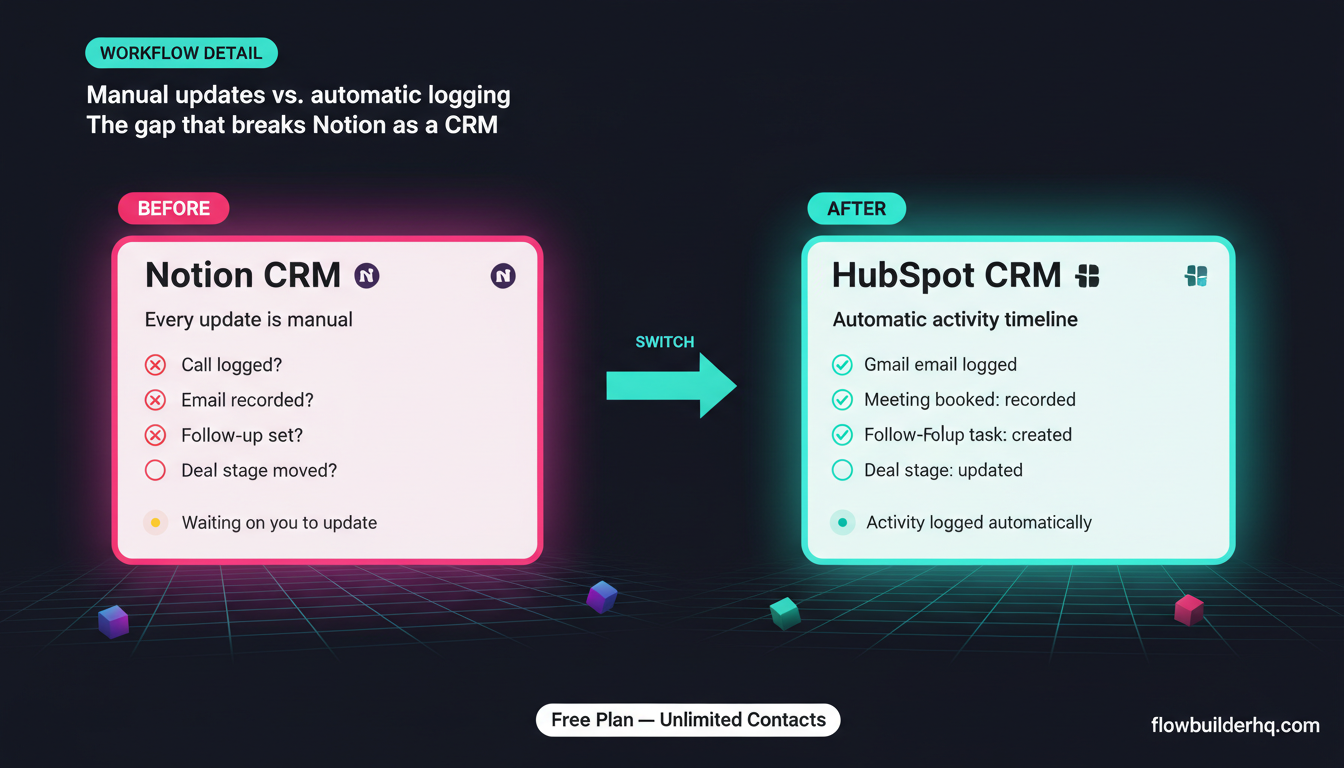
HubSpot’s free CRM is genuinely functional. Here’s what you get without paying anything:
- Unlimited contacts (no cap)
- Deal pipelines with drag-and-drop stages
- Email tracking and open notifications
- Meeting scheduling (built-in Calendly alternative)
- Basic email sequences (limited sends)
- Contact activity timelines — calls, emails, notes, all in one place
- Gmail and Outlook integration
- Basic reporting dashboards
The contact record is where HubSpot earns its reputation. Every interaction — emails sent, meetings booked, forms filled — logs automatically to a contact’s timeline. You don’t have to remember to update a field. The system pulls it in. For a solopreneur managing 50-300 active contacts, that automatic activity logging alone changes how you operate.
The HubSpot platform also connects natively to Gmail, so emails you send from your inbox attach to the right contact record without any manual action. That’s the kind of friction removal that Notion can’t replicate without a third-party automation layer.
Before you commit to a plan, our breakdown of HubSpot Free vs Paid is worth reading — the free tier handles a lot, but there are specific triggers that push solopreneurs toward the Starter plan.
HubSpot Honest Cons
- The UI is heavy. HubSpot is designed for teams. The navigation assumes roles, hubs, and departments. As a solo operator, you’ll spend the first week ignoring 60% of the sidebar.
- Email limits on the free plan are real. Free accounts cap marketing email sends. If you’re using HubSpot for email campaigns, you hit a ceiling fast.
- The paid jump is steep. HubSpot Starter starts at $15/mo, but meaningful automation lives in Professional, which starts at $890/mo. That gap is brutal for solopreneurs who outgrow free but can’t justify enterprise pricing. Most solopreneurs are stuck in the free-to-Starter range.
- Customization is limited without paying. Custom properties, custom deal stages beyond defaults, and advanced reporting are gated.
- Data portability takes work. Exporting your data is possible, but it requires cleanup. If you ever want to leave HubSpot, plan for that overhead.
Notion as a CRM: When It Works and When It Breaks
Notion’s database feature is legitimate. You can build a contact tracker with custom fields, filtered views, linked databases for deals and projects, and rollups that surface aggregate data. Many solopreneurs run this setup for months — sometimes years — before hitting real pain.
Where Notion genuinely excels as a CRM replacement:
- Flexible data structure. You define the fields. No opinionated schema forced on you.
- Everything in one place. Your contact database, project notes, SOPs, and client deliverables live in the same tool. Context is never more than a link away.
- Visual clarity. Gallery view, board view, timeline view — Notion’s database views are genuinely good for getting a visual sense of where things stand.
- Low cost. Notion Plus is $10/mo. If you’re a solo operator not managing a team, the free plan may be enough.
But here’s where Notion cracks under real CRM load:
- No automatic activity logging. Every update is manual. If you want to record a call happened, you type it. If you forget, it doesn’t exist. This is the single biggest difference from a real CRM.
- No email integration. Notion doesn’t know what emails you sent or received. You’d need a separate automation layer (Make.com, Zapier) to pipe email data into Notion, and that requires setup and ongoing maintenance.
- No deal pipeline automation. Moving a contact through deal stages in Notion is purely manual. A real CRM can trigger actions when a deal stage changes. Notion cannot.
- Search and filter are slower at scale. Past 200-300 contacts, Notion databases slow down, and finding a specific contact quickly becomes genuinely annoying.
- No built-in reminders tied to contacts. You can add a date field, but Notion doesn’t proactively remind you to follow up with a specific contact the way a CRM does.
If you’re already using Make.com to automate other parts of your business, you might be able to bridge some of Notion’s CRM gaps — logging form submissions to a Notion database, for example. But you’re building around a limitation, not solving it. For a sense of what that kind of automation looks like in practice, our Make.com review covers how far the platform can stretch.
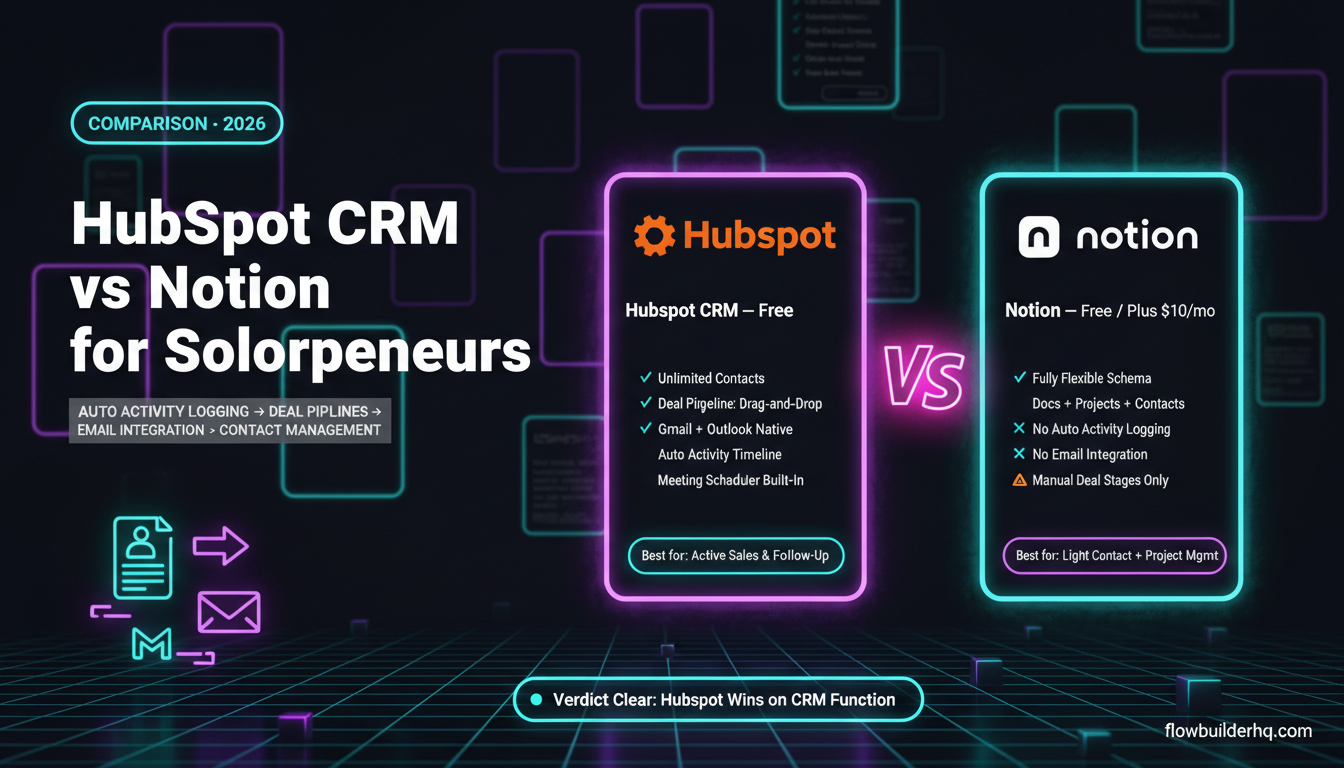
HubSpot CRM vs Notion for Solopreneurs: Feature Comparison
| Feature | HubSpot (Free) | Notion (Free/Plus) |
|---|---|---|
| Contact records | ✅ Structured, automatic | ⚠️ Manual database rows |
| Activity logging | ✅ Automatic (email, calls, meetings) | ❌ Fully manual |
| Email integration | ✅ Gmail + Outlook native | ❌ Requires third-party automation |
| Deal pipeline | ✅ Built-in, drag-and-drop | ⚠️ DIY board view only |
| Follow-up reminders | ✅ Task and sequence-based | ⚠️ Date fields, no proactive nudges |
| Meeting scheduler | ✅ Built-in | ❌ Not included |
| Flexibility / customization | ⚠️ Structured schema | ✅ Fully flexible |
| Project/doc management | ❌ Not designed for this | ✅ Core strength |
| Automation (native) | ⚠️ Basic on free, better on paid | ❌ Minimal |
| Price entry point | Free (unlimited contacts) | Free / $10/mo (Plus) |
Pricing Math at Scale
For most solopreneurs, this comparison is free vs. free or near-free.
HubSpot: Free CRM covers most solopreneur CRM needs — unlimited contacts, pipelines, email tracking. Starter is $15/mo and adds more email marketing capacity, basic automation, and removes some branding. Professional jumps to $890/mo+, which is out of scope for solo operators. The realistic solopreneur range is $0-$15/mo for CRM purposes.
Notion: Free plan works for individual use. Plus is $10/mo and adds unlimited blocks, version history, and file uploads. Business is $18/mo. For a single operator, the free tier or Plus ($10/mo) is the realistic range.
So on cost alone, these tools are within $15/mo of each other. The decision is not about price. It’s about what you’re trading in time and missed follow-ups.
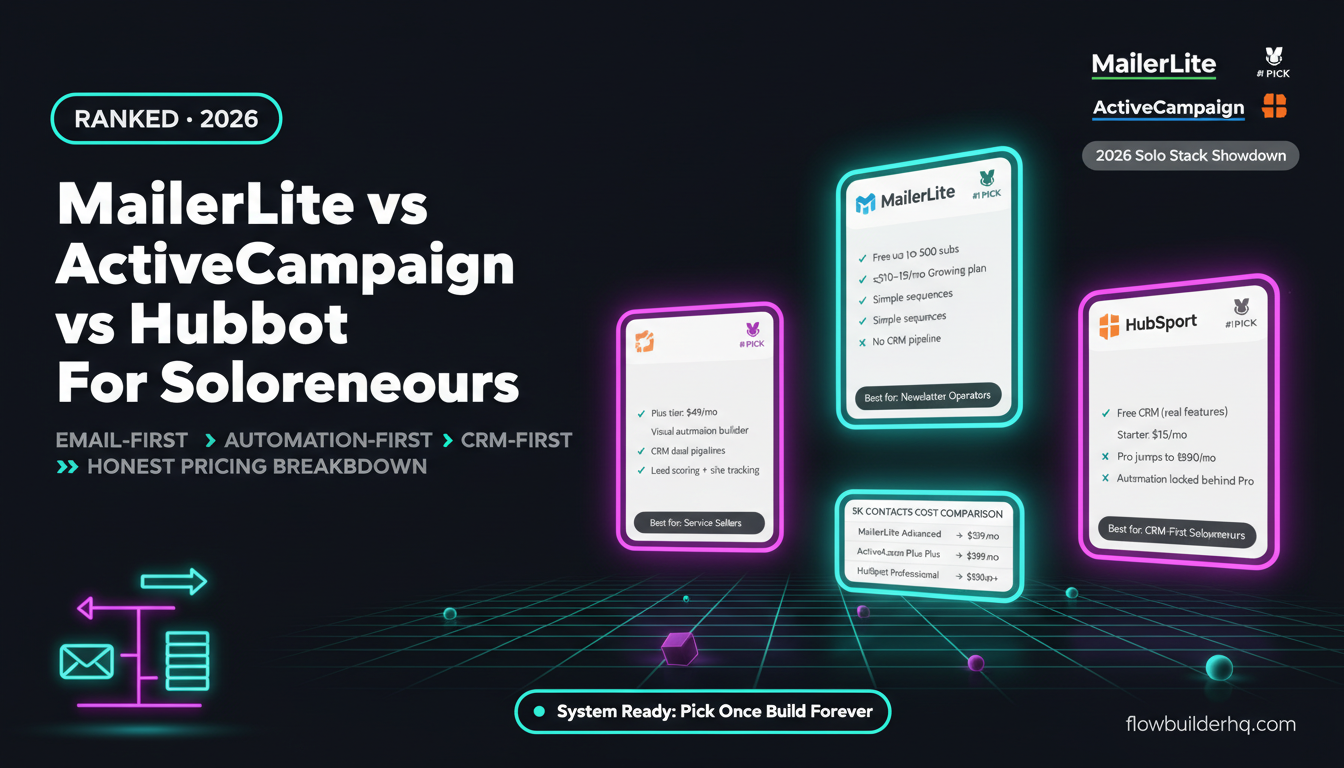
See the full HubSpot pricing breakdown across plans in our MailerLite vs ActiveCampaign vs HubSpot comparison — it covers where HubSpot’s free tier ends and whether the paid plans make sense depending on your email marketing needs.
The Real Decision Point: What Kind of Work Are You Managing?
The HubSpot vs Notion question for solopreneurs usually breaks down into two scenarios:
You’re managing client relationships and deals
If your business involves active sales conversations, proposals, client onboarding, and ongoing relationship management — coaches, consultants, freelancers, service providers — HubSpot wins. The automatic logging, deal pipelines, and email integration do work you’d otherwise do manually. You can’t replicate that in Notion without building an automation system that adds its own maintenance overhead.
For consultants specifically, the way HubSpot handles lead-to-client pipelines is worth reading about in our post on automating client workflows as a consultant, which covers how automation tools integrate alongside a CRM setup.
You’re managing projects and deliverables alongside contacts
If your contacts are tied directly to ongoing work — design projects, content deliverables, writing briefs — and you need to see client context alongside project tasks, Notion has a real edge. HubSpot doesn’t do project management. Notion does both.
The honest hybrid answer: run HubSpot for CRM (contacts, deals, follow-ups) and Notion for project and doc management. They serve different jobs. Many solopreneurs run both. The data doesn’t overlap enough to create confusion.
Automation: Where Make.com Fits In
If you’re using HubSpot, there are gaps Make.com fills well. When a new contact is added in HubSpot, Make.com can trigger a Notion page creation for their project. When a deal closes in HubSpot, Make.com can fire an onboarding sequence, generate an invoice, or update a reporting sheet.
If you’re using Notion as your CRM, Make.com can help patch missing features — routing form submissions into Notion, setting up automated follow-up emails based on Notion database updates. But it requires more setup, and you’re building infrastructure around a tool that wasn’t designed for the job.
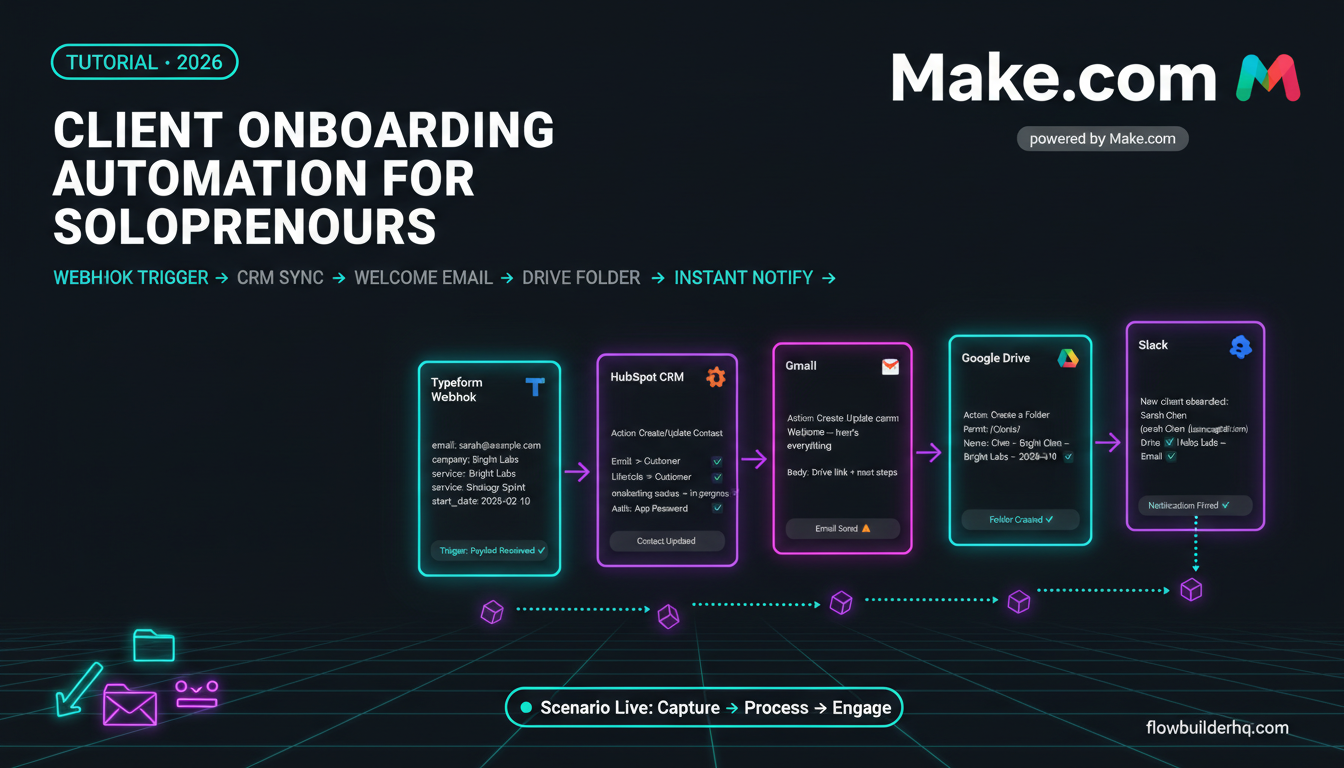
Either way, connecting your CRM to the rest of your stack is where real efficiency comes from. Make.com starts free with 1,000 ops/month and the Core plan is $9/mo — low enough to justify even for a simple two or three-step automation. For a step-by-step look at what Make.com can do alongside a CRM, see our client onboarding automation guide — though it covers n8n, the logic applies directly to Make.com workflows too.
For a broader sense of which automation tools actually fit a one-person operation, our roundup of the best no-code automation tools for solopreneurs in 2026 covers the full landscape.
Who Should Use HubSpot CRM
- Solopreneurs with active sales pipelines (proposals, follow-ups, closes)
- Service providers who do client calls regularly and need automatic logging
- Anyone who’s missed a follow-up because they forgot to update a spreadsheet or Notion database
- Coaches and consultants managing 20+ active leads or clients
- Anyone who wants Gmail integration without building automations
Who Should Stick With Notion
- Solopreneurs with a small, stable client roster (fewer than 20 active contacts) where deep CRM features aren’t needed
- Operators whose “CRM” is really a project tracker — clients are tied to deliverables, not deal stages
- Anyone who needs a single tool for contacts, projects, notes, and SOPs without the overhead of maintaining two systems
- Bootstrapped operators who want zero additional tooling cost and can live with manual updates
The Verdict
For HubSpot CRM vs Notion for solopreneurs, HubSpot wins on CRM function — and it’s not close. Automatic activity logging, deal pipeline tracking, and Gmail integration are not features you can replicate in Notion without significant automation overhead. If your business depends on relationship management and follow-up, HubSpot’s free tier gives you more than most solopreneurs need.
Notion wins on flexibility and breadth. If you need one tool that handles contacts, projects, notes, and docs — and your contact management needs are genuinely light — Notion is a legitimate choice. The mistake is using Notion as a CRM when your business has grown past the point where manual updates are sustainable.
Most solopreneurs hit that wall earlier than they expect. When they do, HubSpot is where they land.
If you’re ready to set up HubSpot the right way without wading through enterprise documentation, our HubSpot CRM tutorial for solopreneurs walks through a clean setup built for a one-person operation. And if you want to connect HubSpot to the rest of your stack, start a free Make.com account and build your first automation in under an hour.
For official HubSpot CRM documentation and feature details, the HubSpot product pages are the most current reference — especially useful for confirming what’s on the free plan before you commit.