MailerLite vs ActiveCampaign vs HubSpot for Solopreneurs: The Honest 2026 Breakdown
If you’re a solopreneur trying to pick between MailerLite, ActiveCampaign, and HubSpot for your email marketing and CRM setup, you’ve probably noticed that every comparison article on the internet is written for marketing teams with a budget and a staff. This one isn’t.
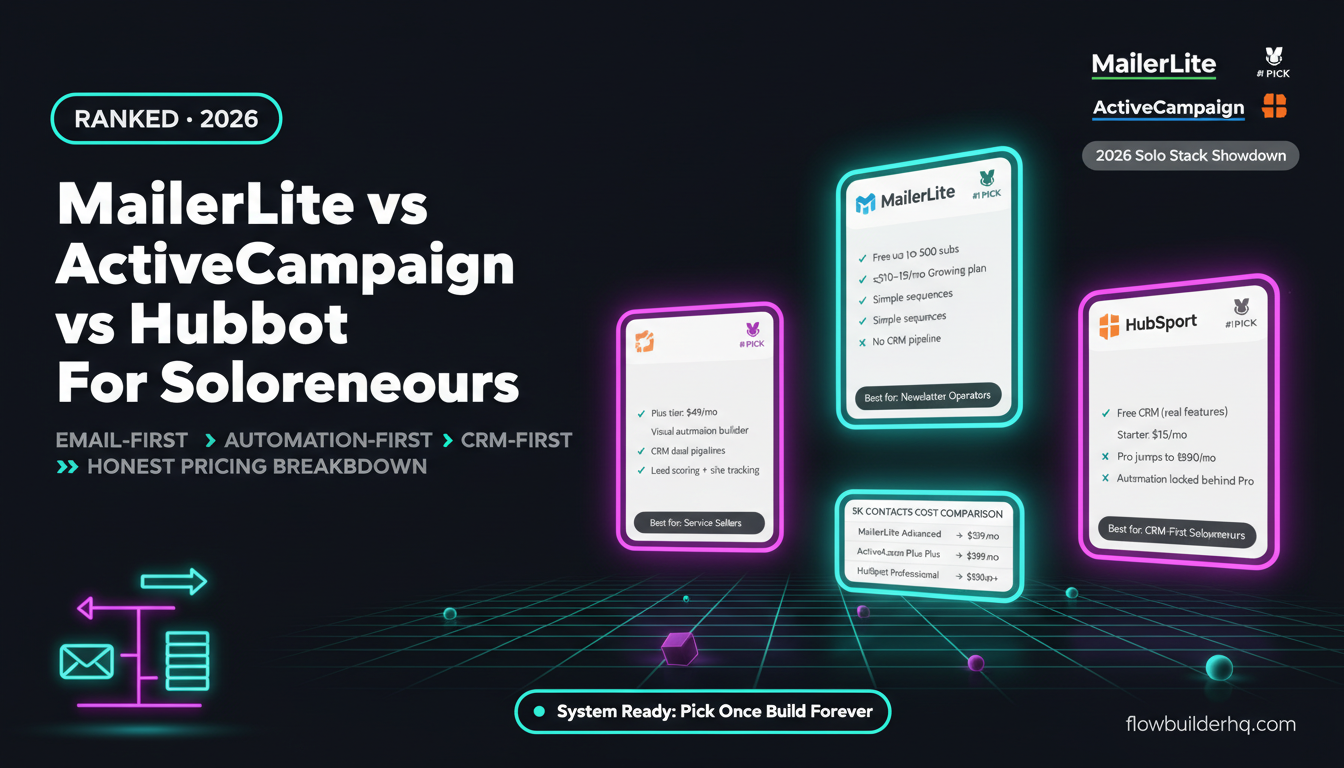
The comparison of MailerLite vs ActiveCampaign vs HubSpot for solopreneurs comes down to three very different tools built around three very different assumptions about who’s using them. One assumes you want to keep things cheap and simple. One assumes you want serious automation without enterprise pricing. One assumes you eventually want the whole stack — and will pay for it.
Here’s the honest breakdown: which tool fits which operator, what each actually costs at scale, and where each one will frustrate you.
What These Tools Actually Are (Skip the Marketing Copy)
Before comparing features, it helps to understand what each tool was built to do:
- MailerLite — An email marketing platform first. Grew into landing pages and basic automation. Priced for people who don’t want to think about cost.
- ActiveCampaign — An email automation and CRM platform. Built for people who want conditional logic, behavioral triggers, and actual sales pipeline management without buying an enterprise suite.
- HubSpot — A full CRM platform that includes email marketing as one feature among dozens. The free tier is genuinely useful. The paid tiers are genuinely expensive.
That framing matters. You’re not choosing between three email tools. You’re choosing between an email-first tool, an automation-first tool, and a CRM-first tool.
Pricing: What You Actually Pay
Here’s the 2026 pricing for each platform, since “free” and “affordable” mean different things when your list grows:
| Platform | Free Tier | Entry Paid | Mid Tier |
|---|---|---|---|
| MailerLite | Up to 500 subs | ~$10–15/mo (Growing) | ~$18–25/mo (Advanced) |
| ActiveCampaign | None | $15/mo (Starter, 1K contacts) | $49/mo (Plus) |
| HubSpot | Free CRM (real features) | $15/mo (Starter) | $890/mo+ (Professional) |
That HubSpot Professional jump is not a typo. There’s a massive cliff between Starter and Professional — and most of the automation features solopreneurs actually want sit behind that cliff. The free and Starter tiers are useful, but limited in ways that will start to sting once your operation grows.
For a deeper look at whether HubSpot’s paid tiers make sense at the solo level, the HubSpot Free vs Paid breakdown on this site covers the specific feature walls you’ll hit.
MailerLite’s pricing scales relatively gently by subscriber count. ActiveCampaign scales by contacts too, but the jump from Starter to Plus ($15 to $49) unlocks the features that make it worth using — CRM pipelines, advanced segmentation, and deeper conditional logic.
MailerLite: The Case For Keeping It Simple
MailerLite’s appeal is that it does what 80% of solopreneurs actually need: send emails, set up basic automations, build a landing page, and collect subscribers. The interface is fast, the onboarding is painless, and the free tier up to 500 subscribers is genuinely usable — not crippled.
Where it works well:
- Content creators, newsletter operators, and coaches who want to send weekly emails without thinking about it
- Solopreneurs who don’t have a sales pipeline to manage
- Anyone whose automation needs are basically: “send a welcome sequence when someone signs up”
Where it starts to break:
- Automation logic is limited. You can’t build complex conditional branches the way you can in ActiveCampaign.
- CRM functionality is minimal — there’s no real deal pipeline or contact scoring.
- Deliverability has historically been a concern for some users, particularly those in certain niches. MailerLite’s platform is shared, and spam-heavy industries sometimes face stricter account reviews.
- Reporting is basic. If you want to know which automation step lost the most subscribers or which segment converts best, you’ll hit walls.
If your email list is your main audience channel and your offers are relatively simple, MailerLite at $10–15/month is hard to argue with. But the moment you want email behavior to trigger a CRM action, or you want lead scoring, you’re looking at a different tool.
ActiveCampaign: The Solopreneur’s Power Tool
ActiveCampaign sits in the most interesting position in this comparison. It’s not cheap at scale — 1,000 contacts at $15/month sounds reasonable, but the features you want (CRM pipelines, contact scoring, advanced automation) push you toward Plus at $49/month. And the contact pricing compounds as your list grows.
But what you get for that $49/month at the Plus tier is genuinely powerful for a solo operator:
- Visual automation builder with real conditional logic — if/else branches, wait steps, goal conditions
- CRM with deal pipelines — track leads from contact to close without a separate tool
- Contact and lead scoring — score contacts based on email opens, link clicks, page visits, form submissions
- Site tracking — know when a specific contact visits your pricing page
- Deep segmentation — filter by almost any contact attribute or behavior
For a full picture of where ActiveCampaign excels and where it frustrates, the ActiveCampaign Review 2026 covers it in detail. And if you’re specifically trying to decide between MailerLite and ActiveCampaign, the ActiveCampaign vs MailerLite head-to-head is worth reading before you commit.
Honest cons of ActiveCampaign:
- No free tier. You’re paying from day one.
- The interface has a lot going on. It’s not hard to learn, but it’s not minimal either.
- Cost compounds fast as your list grows past 5K–10K contacts.
- The CRM is solid but not a full replacement for a dedicated sales tool if you’re running high-volume outreach.
If you’re running a service business, selling digital products with a real sales process, or want email automation that responds to behavior rather than just time delays, ActiveCampaign is the most capable tool in this comparison for solo operators.
HubSpot: Powerful Free Tier, Brutal Upgrade Cliff
HubSpot’s free CRM is legitimately good. You get contact management, deal pipelines, email tracking, meeting scheduling, forms, and basic email marketing — all free, all reasonably polished. For a solopreneur who wants a CRM first and email second, the free tier covers a surprising amount of ground.
The HubSpot CRM setup guide for solopreneurs walks through how to actually configure the free tier without getting lost in features built for 50-person teams.
But here’s where HubSpot gets complicated for solo operators: the free tier’s email marketing is limited to 2,000 sends per month with HubSpot branding. Starter at $15/month removes the branding and bumps send limits, but automation is still basic. To get the automation that actually makes HubSpot worth using — sequences triggered by behavior, lead scoring, advanced workflows — you’re at Professional, which starts at $890/month.
That’s not a solopreneur price.
Where HubSpot makes sense for solo operators:
- You want a CRM to manage contacts and deals and you’re happy sending email elsewhere
- You’re using the free tier as a contact database connected to other tools via automation
- You eventually plan to grow to a team and want a tool that scales with you
Where it doesn’t:
- You want powerful email automation under $50/month — HubSpot doesn’t offer that
- You want a single tool to handle email, automation, and CRM without paying enterprise prices
- You’re annoyed by being upsold constantly within a product you’re already paying for
One pattern that works well for solopreneurs: use HubSpot’s free CRM as the contact database and connect it to a dedicated email tool via automation. Tools like Make.com or n8n can sync contacts, deal stages, and tags between HubSpot and MailerLite or ActiveCampaign without you manually managing two systems. The lead capture-to-CRM automation workflow on this site shows how that kind of setup works in practice.
Feature Comparison: What You Actually Use Day to Day
| Feature | MailerLite | ActiveCampaign | HubSpot |
|---|---|---|---|
| Email automation | Basic (time-based) | Advanced (behavior-based) | Basic free, advanced at $890/mo |
| CRM / deal pipeline | None | Yes (Plus tier+) | Yes (free tier) |
| Lead scoring | No | Yes (Plus tier+) | Professional only |
| Landing pages | Yes | Yes | Yes (limited free) |
| Site tracking | No | Yes | Yes |
| Free tier | 500 subs | None | Free CRM (limited email) |
| Reporting depth | Basic | Good | Good (Starter), deep (Pro) |
| Integration ecosystem | Decent | Strong | Very strong |
Automation Integrations: Which Plays Best With Your Stack
All three tools connect to the major automation platforms — Zapier, Make.com, and n8n all have native integrations or webhook support for each. But there are differences in how deeply you can interact with each tool programmatically.
ActiveCampaign’s API is well-documented and reliable. You can add contacts, update deal stages, trigger automations, and pull reporting data without fighting the API. This matters if you’re building multi-tool workflows. HubSpot’s developer ecosystem is expansive — the HubSpot API is one of the more mature in the CRM space, and connecting it to other tools is generally well-supported. MailerLite has a decent API, but it’s less feature-rich than either competitor when it comes to what you can trigger or update remotely.
For solopreneurs who want to build automated workflows across tools — say, new lead from a form triggers a contact in ActiveCampaign, updates a deal stage, sends a Slack message, and logs to Airtable — the best no-code automation tools for 2026 post covers the platforms that make that kind of multi-step workflow manageable without writing code.
MailerLite vs ActiveCampaign vs HubSpot: The Real Decision Matrix
Stop trying to pick the “best” tool. Pick the right one for your actual situation:
Pick MailerLite if:
- You run a newsletter, content site, or creator business
- Your automation needs are simple sequences, not behavioral triggers
- You want to keep monthly costs under $20 and don’t need a CRM
- You’re just starting out and want to learn email marketing without a steep interface
Pick ActiveCampaign if:
- You’re selling services, digital products, or anything with a real sales process
- You want email behavior (opens, clicks, page visits) to drive automation, not just time delays
- You want a combined email + CRM tool without paying HubSpot Professional prices
- You’re comfortable spending $49/month to get a tool that actually does the heavy lifting
Pick HubSpot if:
- You want a free CRM to manage contacts and deals and will use email marketing elsewhere or accept basic email from HubSpot free
- You’re building toward a team and want a platform that won’t require migration later
- You’re integrating with clients or partners who already use HubSpot
- You don’t need advanced email automation at the price point you’re at now
There’s also a fourth path worth naming: MailerLite for email + HubSpot free for CRM, connected via automation. It’s not a single tool, but it keeps costs low and functionality high for solopreneurs who want both capabilities without paying for a combined platform. The best CRM options for solopreneurs in 2026 covers this kind of hybrid setup in more detail.
What the Pricing Actually Looks Like at Scale
Let’s run the math on a solopreneur with 5,000 contacts who wants email automation and basic CRM functionality:
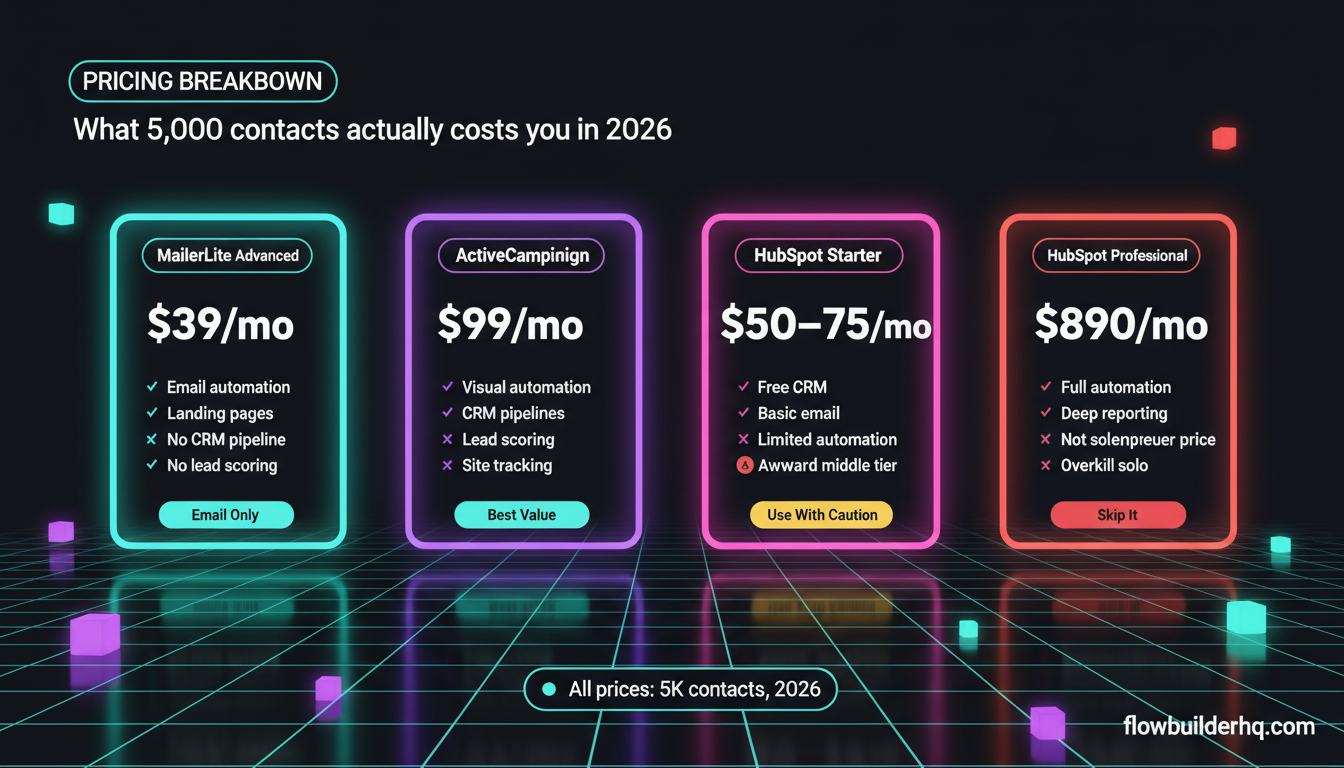
- MailerLite Advanced (5K subs): approximately $39/month — email only, no CRM
- ActiveCampaign Plus (5K contacts): approximately $99/month — email + CRM + automation
- HubSpot Starter (5K contacts): approximately $50–75/month — basic email + CRM, limited automation
- HubSpot Professional (5K contacts): $890/month+ — full stack, full automation
That middle ground — Starter at $50–75/month — is where HubSpot becomes awkward. You’re paying more than MailerLite but getting less automation than ActiveCampaign. The value proposition only clicks at the free tier or the Professional tier, neither of which is ideal for most solopreneurs at the 5K contact level.
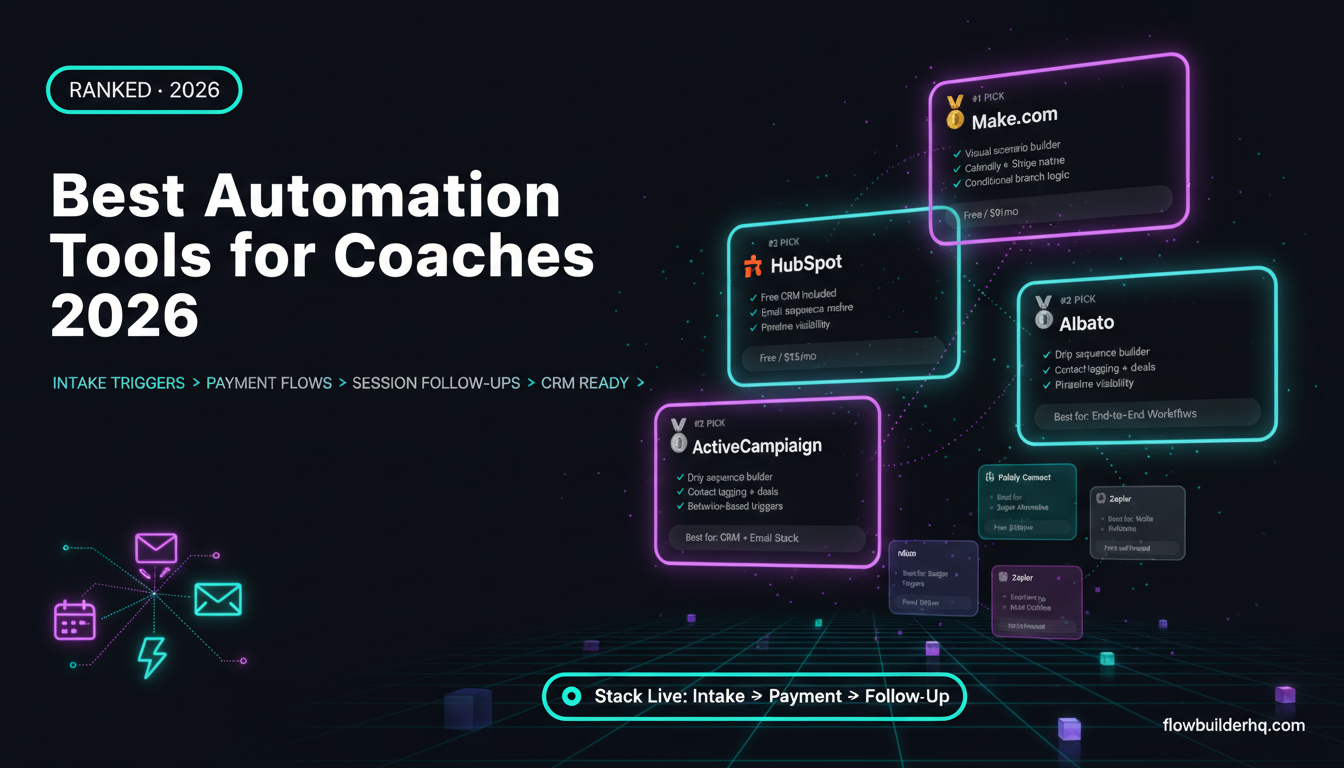
For solopreneurs who find ActiveCampaign’s per-contact pricing climbing too fast, it’s worth knowing that tools like Albato can automate contact management across platforms — syncing, tagging, and segmenting — so you’re not paying for contacts you’re no longer actively marketing to.
The Verdict
For most solopreneurs, ActiveCampaign is the strongest single-tool choice if you’re willing to spend $49/month on Plus. It does the job of both an email automation platform and a CRM without requiring a five-figure annual contract.
MailerLite wins on price and simplicity for solopreneurs who genuinely don’t need CRM functionality or complex automation logic. If your email program is newsletters and welcome sequences, it’s a clean, cost-effective tool.
HubSpot is worth using — specifically the free CRM tier — but not as your primary email automation platform unless you’re prepared to pay Professional prices or you’re pairing it with another email tool.
Whatever you pick, don’t overthink the migration path. These tools all export cleanly to CSV, and moving contacts between platforms takes an afternoon, not a week. Pick what solves your problem today, build the habit of actually using it, and revisit when you’ve outgrown it.
If you want to see how automation connects these tools into a real operating system rather than three separate platforms you check manually, the best automation tools for solopreneurs guide is a useful next read.
Building this yourself? Get the workflow pack.
5 ready-to-import n8n workflows — lead capture, invoicing, content repurposing, onboarding, social posting. Free.