7 Best n8n Alternatives in 2026 (Honest Picks for Solopreneurs)
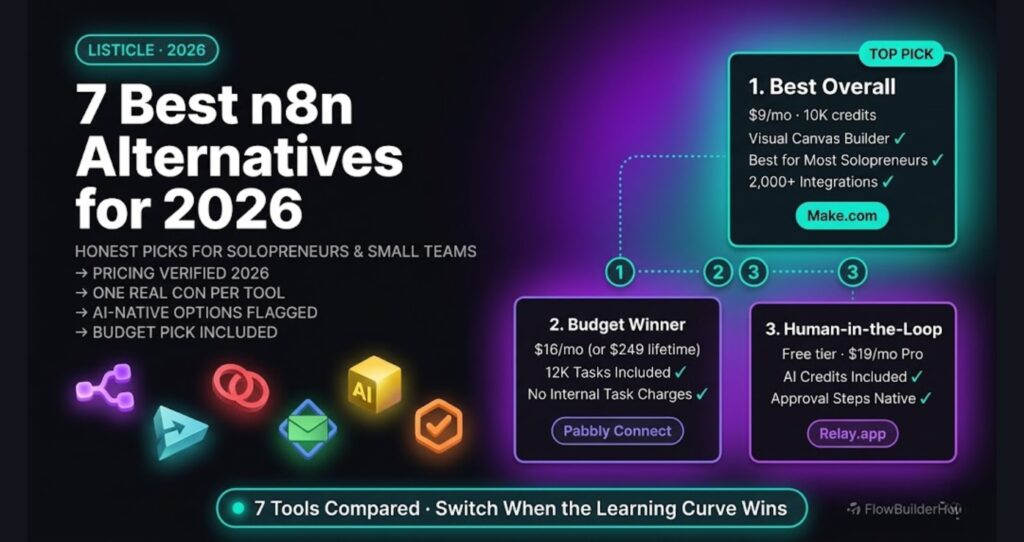
Looking for n8n alternatives 2026? n8n is genuinely powerful — we run a production auto-publishing pipeline on n8n Cloud and it handles logic that would break most no-code tools. But it has a real learning curve, and depending on your workflow complexity, budget, and patience, one of these alternatives might actually be the better call.
This list isn’t a hit piece on n8n. It’s an honest look at what else exists, who each tool actually suits, and where the real trade-offs live. Max 7 tools. One real con per entry. Let’s get into it.
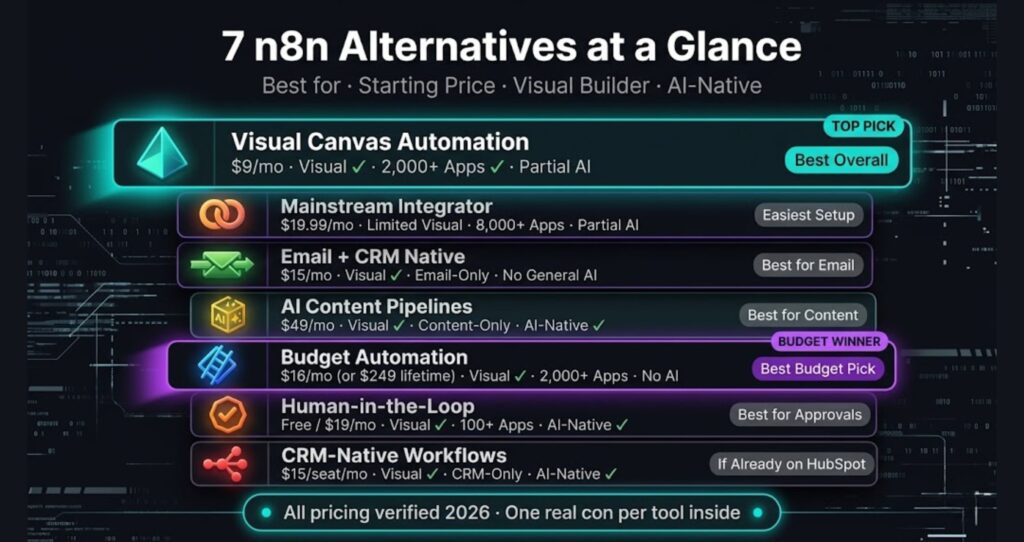
Quick Comparison: n8n Alternatives at a Glance
| Tool | Best For | Starting Price | Visual Builder | AI-Native |
|---|---|---|---|---|
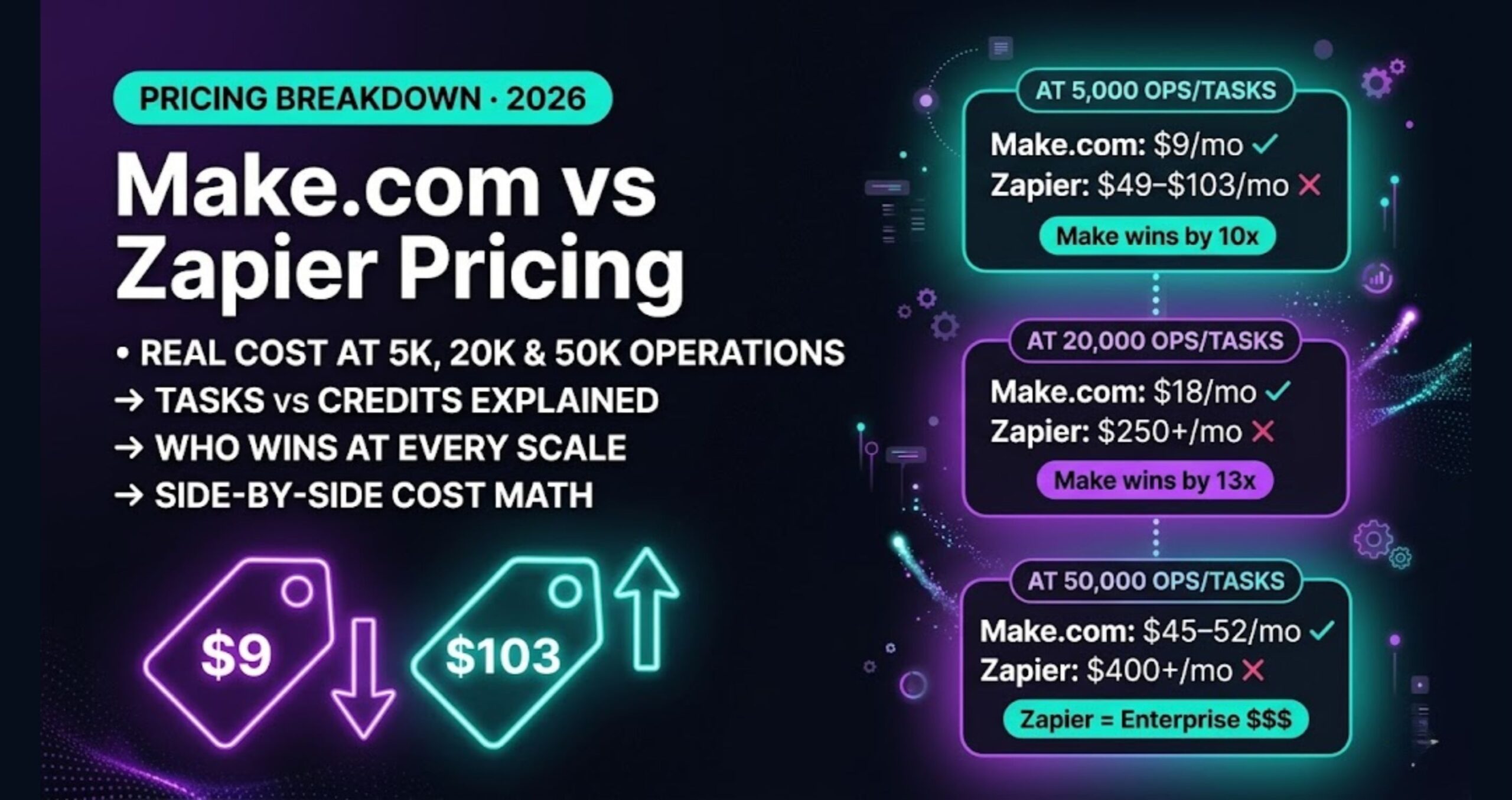
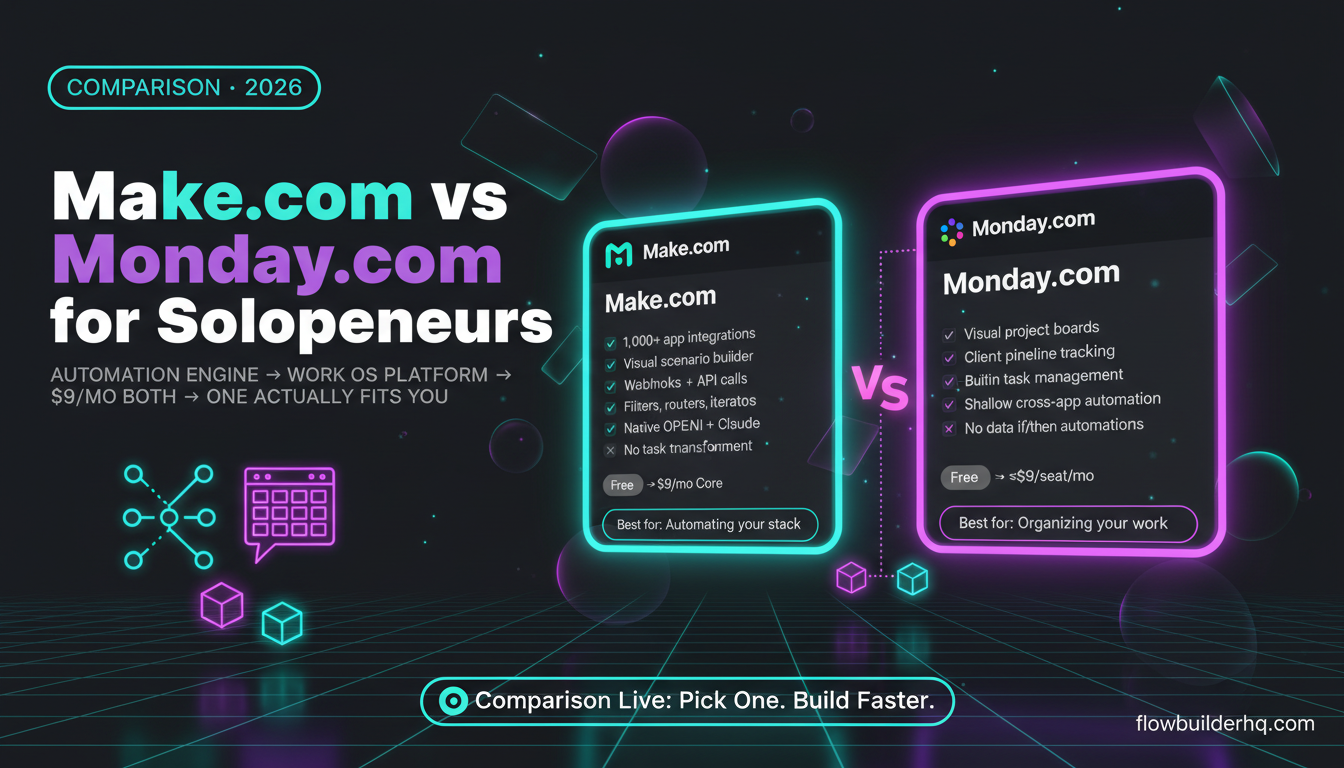
| Make.com | Complex multi-step flows, freelancers | $9/mo | Yes | Partial |
| Zapier | Simple integrations, speed | $19.99/mo | Limited | Partial |
| ActiveCampaign | Email + CRM automation | $15/mo | Yes | No |
| Copy.ai Workflows | AI content pipelines | $49/mo | Yes | Yes |
| Pabbly Connect | Budget-conscious solopreneurs | $19/mo (lifetime avail.) | Yes | No |
| Relay.app | Human-in-the-loop automation | Free tier / $9/mo | Yes | Partial |
| HubSpot Workflows | Sales + marketing teams | $15/mo (Starter) | Yes | Yes |
1. Make.com — Best Overall n8n Alternative for Visual Workflow Building
If n8n’s node editor feels like wiring a circuit board, Make.com feels like drawing on a whiteboard. The visual canvas is genuinely intuitive — you can see your entire scenario in one view, trace data paths, and spot errors without digging through execution logs.
Make.com is the most direct recommendation for solopreneurs who need multi-step automation without the configuration overhead that n8n demands upfront. The scenario builder handles branching logic, error handling, and conditional routing in a way that clicks faster for most people.
What it does well: 2,000+ app integrations, strong HTTP module for custom calls, solid scheduling controls, data transformation built into the flow. The Make.com free plan gives you 1,000 operations per month — enough to test real workflows before committing.
Pricing: Free (1k ops), Core at $9/mo (10k ops), Pro at $16/mo (10k ops with priority execution), Teams at $29/mo. Operations-based pricing can sneak up on you with high-volume flows, so map your operation count before scaling.
Honest con: Operations-based pricing means a single busy day of form submissions can burn through your monthly allowance faster than expected. n8n Cloud charges per workflow execution, not per operation step — so for high-volume, multi-step flows, Make can get expensive relative to n8n.
Who it’s for: Solopreneurs switching from Zapier who want more logic control. Freelancers managing client workflows. Anyone who finds n8n’s learning curve too steep right now.
Who it’s not for: Developers who want version control, self-hosting, or deep custom code nodes.
See how Make.com stacks up in detail: Make.com Review 2026 and Make.com for Freelancers.
2. Zapier — Best for Simple Integrations Without Configuration
Zapier is the tool everyone already knows, and that’s both its strength and its ceiling. Setup is genuinely fast — connect two apps, define a trigger and action, done. No visual canvas to learn, no node configurations, no data mapping syntax.
What it does well: 8,000+ app connections, the largest integration library available. Zap setup takes minutes. The interface is clear enough that a non-technical assistant could build and maintain Zaps without hand-holding.
Pricing: Free (100 tasks/mo, single-step Zaps only), Starter at $19.99/mo (750 tasks), Professional at $49/mo (2,000 tasks). Multi-step Zaps require a paid plan.
Honest con: Zapier’s pricing is genuinely hard to justify at scale. At 2,000 tasks per month you’re paying $49 — n8n Cloud or Make.com handles far more complexity for less. And Zapier’s logic capabilities are shallow compared to either: no real branching, limited error handling, no native custom code on lower tiers.
Who it’s for: Teams where non-technical people need to build and edit automations independently. Businesses with simple trigger-action needs across mainstream apps.
Who it’s not for: Anyone building multi-step logic flows, handling webhook data transformations, or watching their budget at volume.
3. ActiveCampaign — Best for Email and CRM Automation
ActiveCampaign isn’t a general automation platform — it’s a CRM and email marketing tool with automation baked in. If your core use case is nurturing leads, running email sequences, and tracking contact behavior, it does that better than any general-purpose tool on this list.
What it does well: Visual email automation builder, contact scoring, pipeline management, conditional send logic, site tracking. The automation workflows are purpose-built for marketing sequences in a way that n8n requires significant setup to replicate.
Pricing: Starter at $15/mo (1,000 contacts), Plus at $49/mo, Professional at $79/mo. Pricing scales with contact count, which is standard for email platforms.
Honest con: It’s not a general automation tool. You cannot use ActiveCampaign to automate your invoicing, pull data from spreadsheets, or chain together multi-app business processes the way n8n can. If you need both email automation and business process automation, you’ll end up paying for two platforms.
Who it’s for: Solopreneurs whose main automation need is email sequences, lead nurturing, and CRM pipeline management.
Who it’s not for: Anyone who needs cross-app workflow automation beyond email and CRM.
4. Copy.ai Workflows — Best for AI-Native Content Pipelines
Copy.ai started as an AI writing tool and evolved into something more interesting: an AI workflow builder that chains prompts, web research, data inputs, and content outputs into repeatable pipelines.
What it does well: If your automation goal is content — research, drafts, repurposing, social posts — Copy.ai Workflows handles the AI orchestration natively without needing to connect separate AI API calls. The prompt chaining is visual, and outputs feed directly into next steps.
Pricing: Starter at $49/mo, Advanced at $249/mo. Copy.ai offers one of the stronger affiliate programs in the space, but the price point is a real commitment for a content-specific tool.
Honest con: Narrow use case. If you want to automate anything outside of AI content workflows — CRM updates, invoice generation, client onboarding — Copy.ai can’t do it. It’s a vertical tool, not a platform.
Who it’s for: Content creators, newsletter operators, and marketers who want AI content pipelines without touching API configuration.
Who it’s not for: Anyone who needs general business process automation. Try Copy.ai Workflows
5. Pabbly Connect — Best Budget Pick
Pabbly Connect is the least-talked-about tool on this list and the most interesting on pure price-to-value math. They offer a one-time lifetime deal periodically, and their recurring pricing is significantly below Make.com and Zapier for comparable workflow counts.
What it does well: 1,000+ integrations, multi-step workflows, webhook support, internal tasks don’t count toward your plan limit (a meaningful difference from Zapier’s task counting). The interface is functional and clear.
Pricing: Standard at $16/mo (12,000 tasks, annual billing), Pro at $33/mo (24,000 tasks), Ultimate at $67/mo (up to 300,000 tasks). Lifetime deals are available starting at $249 one-time for 3,000 tasks/month — worth checking their site directly.ly.
Honest con: Smaller community and fewer third-party resources than Make.com or Zapier. When you hit an edge case or need help with a specific integration, you’ll find far fewer tutorials and forum answers than you would for the bigger platforms. Support quality is inconsistent based on reported user experience.
Who it’s for: Budget-focused solopreneurs who need multi-step automation and want to minimize recurring SaaS spend.
Who it’s not for: Anyone who relies on community resources, third-party templates, or needs enterprise-grade support.
6. Relay.app — Best for Human-in-the-Loop Automation
Relay.app fills a specific gap: automation workflows where a human needs to review, approve, or make a decision before the next step runs. Most automation tools treat human input as a friction problem. Relay treats it as a feature.
What it does well: Built-in approval steps, human review triggers, collaborative workflow runs. If you’re automating client proposals, content approvals, or anything where sign-off matters before sending, Relay handles that natively. Clean interface, fast setup.
Pricing: Free tier (200 steps + 500 AI credits/month), Professional at $19/mo (750 steps + 5,000 AI credits), Team at $69/mo (2,000 steps + 5,000 AI credits, 10 users). Annual billing saves 50%.
Honest con: Integration depth is still catching up to Make.com and n8n. If your workflow depends on a less common app or requires custom data transformations, you may hit walls that more mature platforms wouldn’t create. The tool is growing fast, but it’s not feature-complete against established alternatives yet.
Who it’s for: Solopreneurs and small teams who need automation with human checkpoints — content review, client approval gates, quality control steps.
Who it’s not for: Anyone who needs high-volume, fully automated flows with complex logic and broad app coverage.
7. HubSpot Workflows — Best If You’re Already in the HubSpot Ecosystem
HubSpot’s workflow automation is legitimately powerful within its own ecosystem. If you’re already using HubSpot for CRM, marketing, or sales, the native workflow builder gives you automation that operates directly on your contact, deal, and company data without syncing headaches.
What it does well: Deep CRM-native automation, lead scoring, deal stage triggers, email sequences, task creation, internal notifications — all tied directly to your HubSpot data. No data mapping, no webhook setup. It just works against your existing records.
Pricing: Starter at $15–$20/seat/mo (basic workflows), Marketing Hub Professional at $890/mo + $3,000 one-time onboarding fee (advanced automation). The jump from Starter to Professional is steep and the advanced features are where the real automation power lives.
Honest con: HubSpot Workflows is not a standalone automation platform — it’s an add-on to an increasingly expensive CRM suite. If you’re not already invested in HubSpot, building your automation stack around it means committing to their full pricing model. The Professional tier cost is prohibitive for most solopreneurs.
Who it’s for: Businesses already on HubSpot who want automation without a separate tool.
Who it’s not for: Solopreneurs evaluating their first automation platform or anyone not already inside the HubSpot stack.
n8n Alternatives 2026: Which One Should You Actually Pick?
Here’s the honest read: most people asking about n8n alternatives are hitting the learning curve, not an actual capability ceiling. n8n Cloud can handle complex multi-step logic, AI integrations, and production workflows — including the auto-publishing pipeline running behind this blog. The Claude AI to n8n connection alone opens up AI automation that most of these alternatives can’t replicate at the same depth.
But capability isn’t the only variable. If you need something running today with minimal configuration, Make.com is the most direct path. If your core need is email and CRM, ActiveCampaign is better tool selection than forcing n8n to do marketing work. If budget is the constraint, Pabbly deserves a serious look.
The question isn’t which tool is objectively best — it’s which tool matches your actual use case, technical comfort level, and budget right now.
If you’re still evaluating whether n8n fits your setup before jumping to an alternative, the comparison at n8n Self-Hosted vs Cloud is worth reading — it clarifies the real cost and setup differences that affect whether n8n Cloud makes sense for your operation.
And if Make.com is where you’re landing, start with their free tier. Build one real scenario before upgrading. That’s the right way to test any automation tool.
Ready to try Make.com? Start free on Make.com — 1,000 operations per month, no credit card required.
Building this yourself? Get the workflow pack.
5 ready-to-import n8n workflows — lead capture, invoicing, content repurposing, onboarding, social posting. Free.