Make.com Review 2026: Is It Worth It for Small Business Automation?
Quick Verdict
Here’s a full Make.com review as the best visual automation tool for non-technical business owners who need multi-step workflows without hiring a developer. It handles complex logic cleanly, the error handling is readable, and the free tier is generous enough to test real workflows before paying anything.
It’s not perfect. The pricing jumps sharply once you hit volume, and if you want self-hosted infrastructure or low-cost high-volume automation, n8n beats it on both counts.
Recommended for: Solopreneurs, freelancers, and small business teams (1–10 people) running CRM, lead routing, invoicing, or client onboarding workflows.
Not recommended for: Developers who want code-first control, or businesses processing thousands of operations per month on a tight budget.
Rating: 4.4 / 5 ⭐️
What Make.com Actually Does
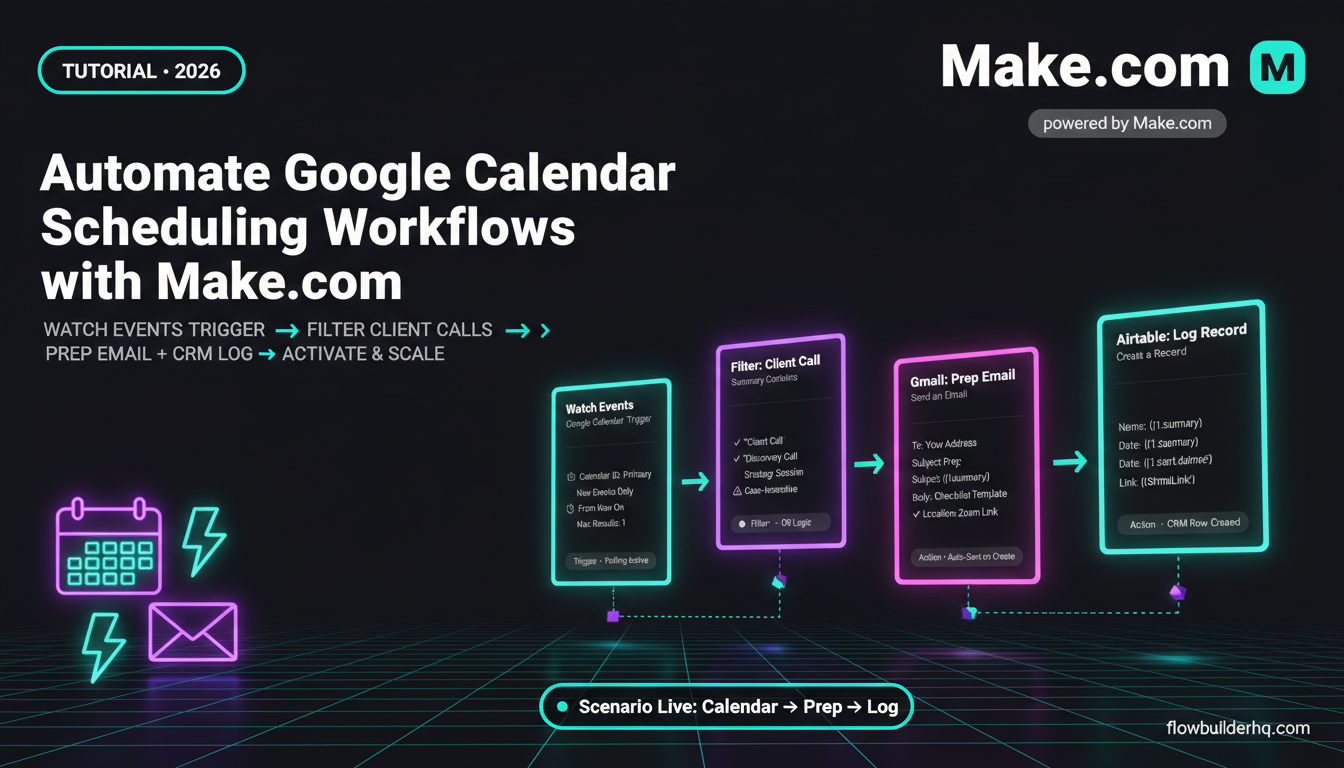
Make.com (formerly Integromat) is a visual workflow automation platform. You build “scenarios” — sequences of triggers and actions connected by a flowchart-style canvas.
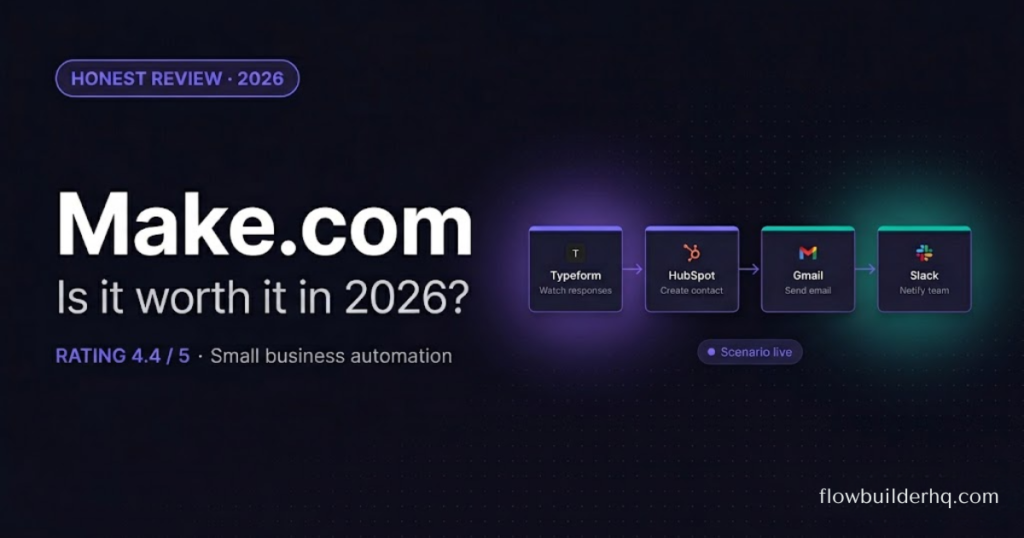
A typical scenario looks like this: a lead fills out a Typeform → Make.com catches the submission → creates a contact in HubSpot → sends a Slack notification → adds a row to Google Sheets → fires a personalized email via Gmail. All of that runs automatically, without writing a line of code.
The key differentiator from Zapier is the canvas. In Zapier, your automation is a linear list — step 1, step 2, step 3. In Make.com, you see the actual data flow as a diagram. When something breaks, you can see exactly where it broke and what data was passing through at that point.
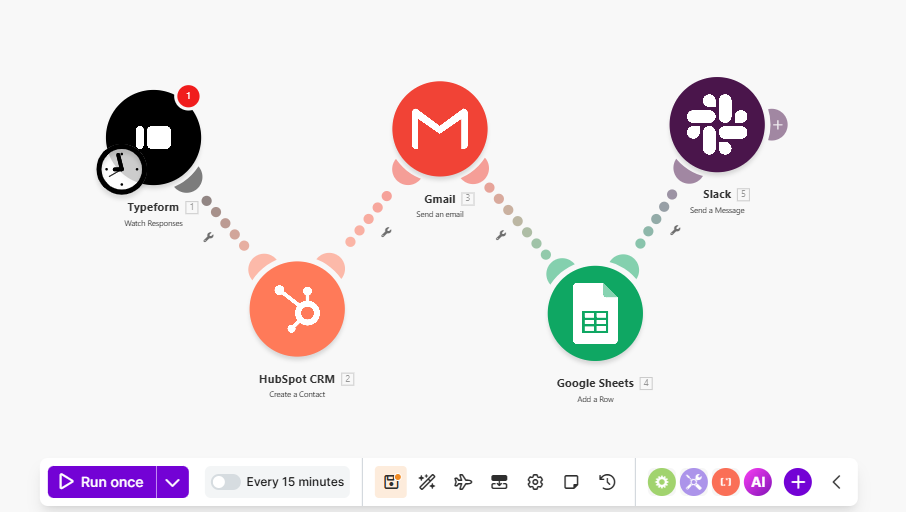
That visual error handling is why Make.com consistently wins for operators who aren’t comfortable reading raw API logs.
Make.com Pricing in 2026 — What You’ll Actually Pay
This is where most reviews get vague. Here’s what the plans actually look like and what they mean in practice:
| Plan | Price | Operations/Month | Active Scenarios | Best For |
|---|---|---|---|---|
| Free | $0 | 1,000 | 2 | Testing only |
| Core | $9/month | 10,000 | Active | Solopreneurs, light workflows |
| Pro | $16/month | 10,000 | Active + full scheduling | Freelancers, client work |
| Teams | $29/month | 10,000 | Collaboration features | Small teams |
The operation math you need to do: Every action in a scenario counts as one operation. A 5-step scenario that runs 100 times uses 500 operations. At Core pricing, 10,000 operations = 2,000 runs of that scenario per month. Most solopreneurs won’t touch the ceiling on Core.
Where it gets expensive: if you’re processing high volumes — thousands of records per batch, or running scenarios every minute — operations stack fast. At that point, n8n self-hosted at ~$0 per operation is the smarter financial decision.
One pricing note: Additional operations can be purchased. Make.com charges roughly $9 per additional 10,000 operations. This gets painful quickly if your workflows are data-heavy.
Check: N8N self hosted VS Cloud pricing
What Make.com Does Well
Visual Interface That Non-Developers Can Actually Use
This isn’t a marketing claim — it’s the real reason to choose Make.com over alternatives. The scenario builder lets you see data flowing through modules in real time. You click any module, open the input/output panel, and see exactly what JSON is passing through. No terminal. No logs. No API documentation hunting.
For someone who has never written a line of code, this is the difference between building the workflow themselves and paying a developer to build it.
Error Handling That Tells You What Broke
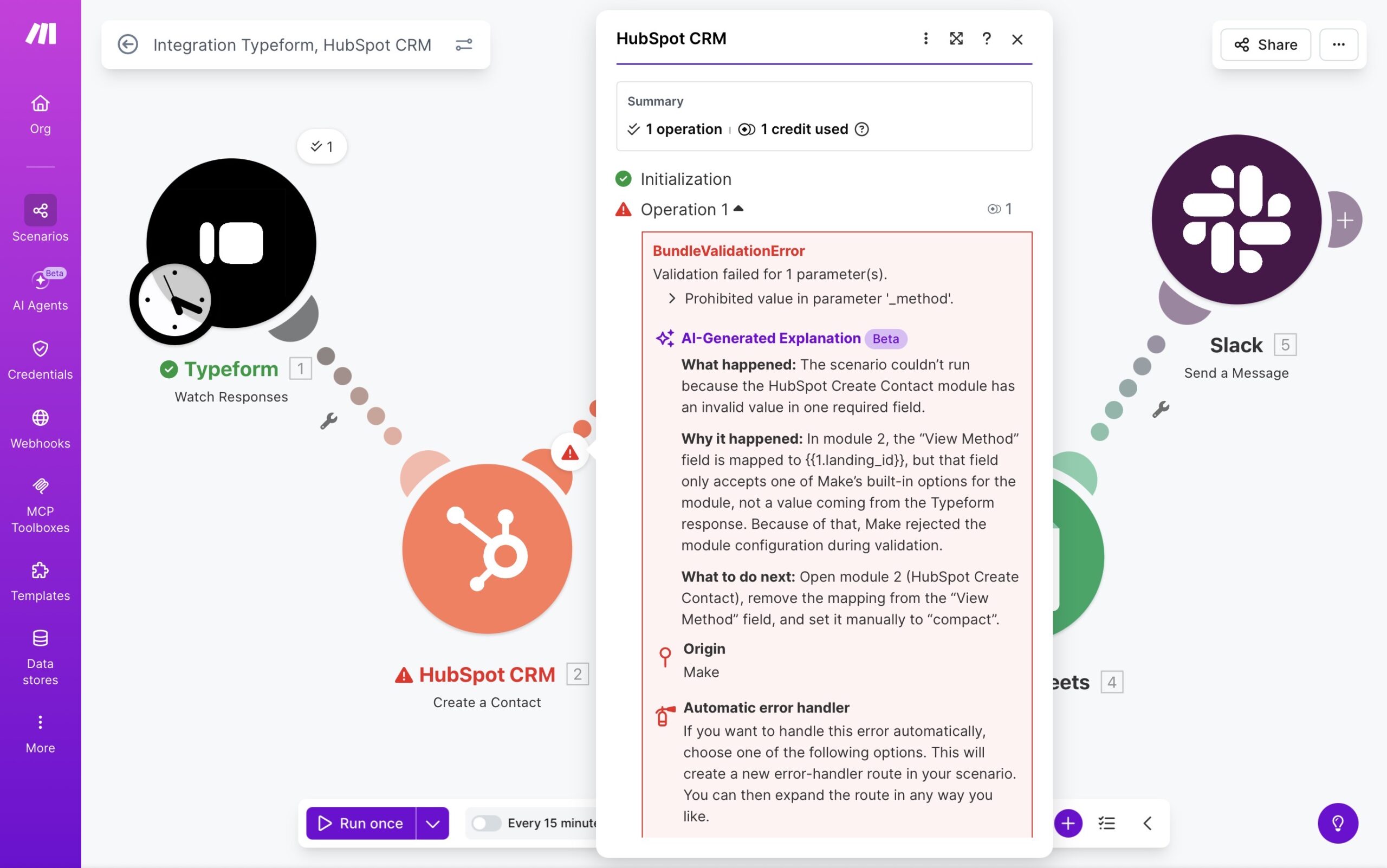
When a scenario fails in Zapier, you get an error notification and a log entry. When a scenario fails in Make.com, you get the exact module that failed, the data that was being processed, and an option to re-run from that exact point with corrected data.
In practice, this means a broken lead routing workflow — where a HubSpot contact creation failed because a required field was missing — is a 2-minute fix in Make.com. You see the failed run, correct the data, re-run from the failed module. No data lost.
Native App Integrations
Make.com connects to over 1,500 apps natively. For small business workflows — HubSpot, Slack, Gmail, Google Sheets, Typeform, Stripe, Notion, Airtable — everything you need is there, with no custom API setup required.
Scheduling Flexibility
Even on paid tiers, you can run scenarios on a schedule down to every 1 minute (Pro tier). Zapier’s equivalent feature requires a higher-tier plan. For time-sensitive workflows like lead response or daily report generation, this matters.
Where Make.com Falls Short
Pricing Gets Steep at Volume
The 10,000 operation cap on base plans sounds generous until you build a workflow that processes customer records in bulk. A single batch import of 500 contacts through a 6-step enrichment workflow burns 3,000 operations. Do that a few times a month and you’re buying additional operations or upgrading plans.
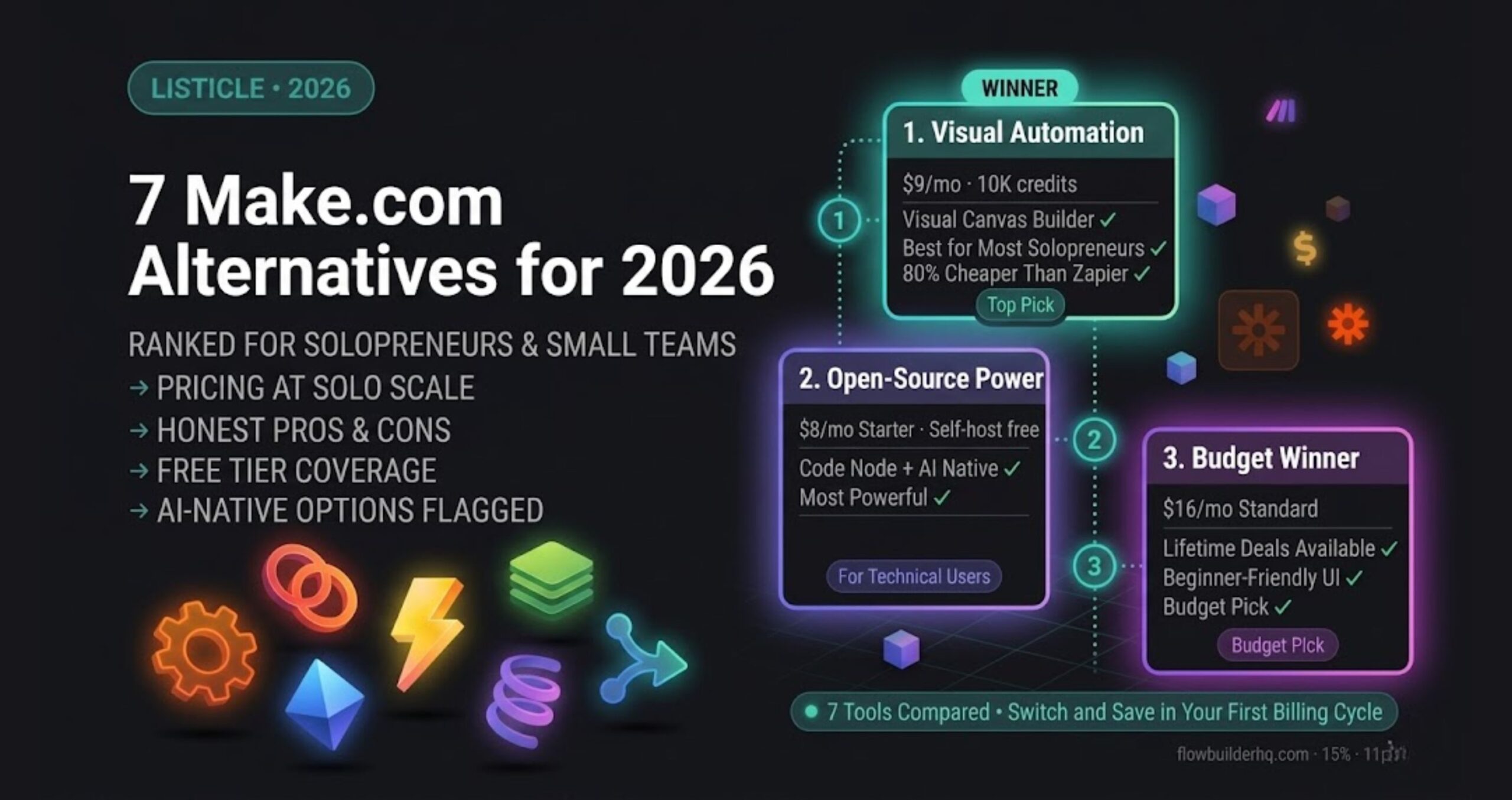
This is the core reason n8n exists as an alternative. If you’re running high-volume automation and have any technical tolerance at all, n8n’s self-hosted version processes unlimited operations at infrastructure cost only.
Make.com vs n8n for small business
The Learning Curve Is Real (But Manageable)
Make.com is easier than n8n. It’s harder than Zapier. If you’ve never used a visual automation tool, your first scenario will take longer than you expect. The router module — which lets you split a workflow into conditional branches — trips up almost every first-time user.
Give yourself 2–3 hours for your first real workflow. After that, scenarios get significantly faster to build.
No Self-Hosting Option
Make.com is fully cloud-hosted. If your business has strict data residency requirements or you want to keep automation infrastructure in-house, this is a hard blocker. n8n is the answer there.
API Rate Limit Errors Aren’t Always Clear
When an integrated app (like HubSpot or Gmail) hits its own rate limit, Make.com’s error message doesn’t always tell you that’s what happened. You’ll see a generic execution error.
The error: Error 429: Too Many Requests on the HubSpot module.
The fix: Add a Sleep module set to 1–2 seconds before any HubSpot create/update action in high-volume scenarios.
Make.com vs. Zapier — The Short Version
Zapier wins on simplicity for single-step or two-step automations. If you need “form submission → send email,” Zapier gets you there in 5 minutes and never requires you to think about data structure.
Make.com wins on everything more complex. Multi-branch logic, data transformation, bulk processing, and error recovery are all significantly better in Make.com. And Make.com’s pricing undercuts Zapier’s at almost every comparable tier.
For anyone building real business workflows — not just connecting two apps — Make.com is the better tool.
Real Workflows Make.com Handles Well
Client onboarding: Typeform submission → HubSpot contact created → welcome email sent → Notion onboarding page generated → Slack notification to team. Setup time: under 90 minutes for a first-timer.
Lead routing by score: New HubSpot lead → router checks lead score → high-score leads assigned to sales rep + notification → low-score leads enrolled in email sequence. The router module is the key — this is what Zapier can’t do cleanly.
Invoice follow-up: Stripe payment fails → 24-hour wait → personalized follow-up email sent via Gmail → if still unpaid after 72 hours → Slack alert to owner. Runs without any manual intervention.
Weekly report generation: Every Monday 8am → pull data from Google Sheets → aggregate totals → format into email → send to owner. No spreadsheet-checking required.
Who Should Use Make.com
Use Make.com if:
- You’re a solopreneur or small team without developer support
- Your workflows involve 3+ steps or conditional logic
- You want readable errors and visual debugging
- You’re already using HubSpot, Stripe, Typeform, or Google Workspace
Use n8n instead if:
- You’re comfortable with JSON and basic coding
- You’re processing high volumes (10,000+ operations/month consistently)
- You want self-hosted infrastructure
- You’re on a tight monthly tool budget
Use Zapier instead if:
- Your only automations are simple 2-step triggers with no logic
- You’ve never used any automation tool and want the most beginner-friendly option
Our Recommendation
Make.com is the best starting point for small business automation in 2026 — not because it’s the cheapest, and not because it’s the most powerful. Because it’s the tool most business owners can actually use without getting stuck.
The visual canvas, the error recovery, and the breadth of native integrations make it the right default for anyone who wants to automate client-facing and internal workflows without technical support.
Start with the free tier. Build your first scenario. When you hit the operation limit, the Core plan at $9/month is worth it.
Building this yourself? Get the workflow pack.
5 ready-to-import n8n workflows — lead capture, invoicing, content repurposing, onboarding, social posting. Free.