Anthropic Claude API vs OpenAI API for Solopreneur Automation Projects: An Honest Technical Comparison
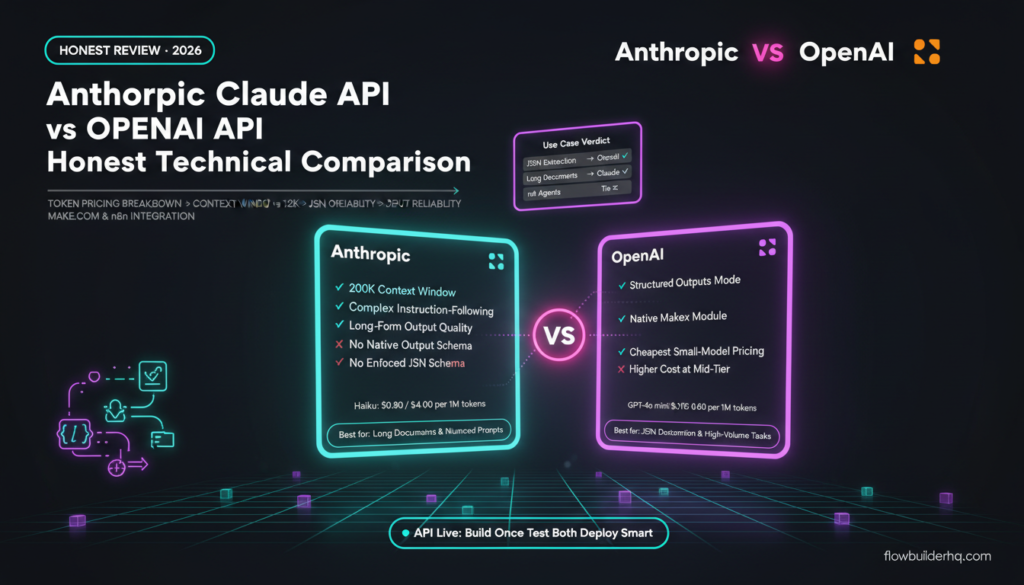
The Anthropic Claude API vs OpenAI API question comes up constantly in solopreneur automation circles right now — and for good reason. Both APIs are genuinely capable. Both have aggressive pricing. Both plug into Make.com and n8n without much friction. But they make very different trade-offs, and picking the wrong one for your specific build will cost you either money, reliability, or both.
This comparison focuses on the four things that actually matter when you’re wiring an LLM into a real automation: token pricing, context window, structured output reliability, and how clean the integration experience is inside your automation platform of choice. If you want a broader take on how these two assistants handle everyday business tasks, the ChatGPT vs Claude business tasks comparison covers that ground. This post is strictly about API automation builds.
The Short Answer (If You’re Short on Time)
OpenAI wins on structured JSON output and ecosystem maturity. Claude wins on context window and instruction-following on longer, more complex prompts. Neither is clearly cheaper — it depends on your token profile. For most solopreneur automation projects, the choice comes down to what your workflow actually does, not brand preference.
Anthropic Claude API vs OpenAI API: Pricing Per Token
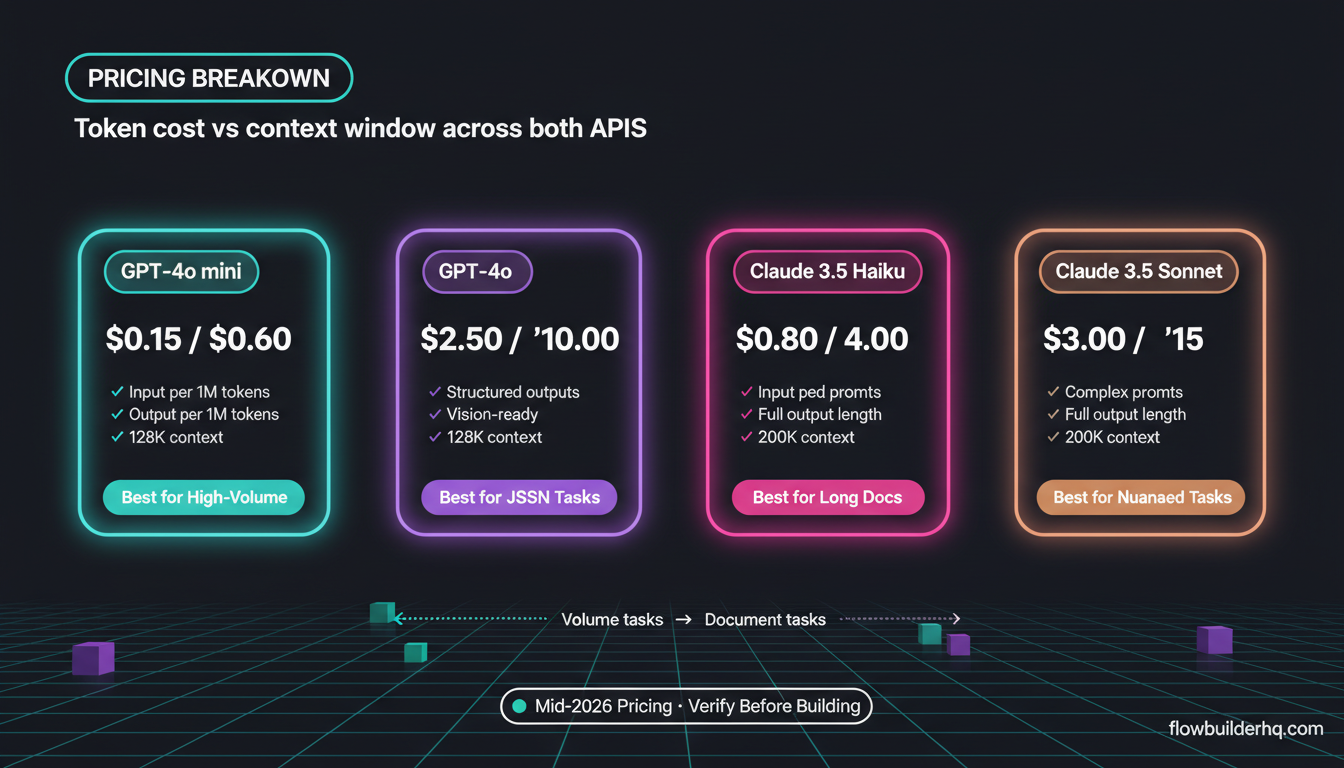
Pricing changes fast, so check the official Anthropic pricing page and OpenAI’s API pricing page before committing to a build. That said, here’s the current landscape as of mid-2026.
| Model | Input (per 1M tokens) | Output (per 1M tokens) | Context Window |
|---|---|---|---|
| Claude 3.5 Haiku | $0.80 | $4.00 | 200K tokens |
| Claude 3.5 Sonnet | $3.00 | $15.00 | 200K tokens |
| Claude 3 Opus | $15.00 | $75.00 | 200K tokens |
| GPT-4o mini | $0.15 | $0.60 | 128K tokens |
| GPT-4o | $2.50 | $10.00 | 128K tokens |
| o3-mini | $1.10 | $4.40 | 128K tokens |
The headline comparison people make — Claude Haiku vs GPT-4o mini — goes heavily to OpenAI on raw token cost. GPT-4o mini at $0.15/$0.60 per million tokens is hard to beat for high-volume, short-prompt tasks like categorizing support tickets, tagging CRM records, or extracting simple fields from emails. If you’re running thousands of those per month, the math is stark.
But that’s not the full picture. Anthropic’s pricing advantage shows up when your prompts are long. Sonnet vs GPT-4o is close enough ($3.00 vs $2.50 input) that the 200K context window starts mattering. If you’re passing in large documents, full transcripts, or multi-turn conversation history, Claude’s ability to hold more context per request can mean fewer API calls — which can flip the cost equation.
For most solopreneur workflow automation tasks — summarizing intake forms, writing follow-up emails, extracting structured data from short inputs — GPT-4o mini will be cheaper. For document-heavy tasks like analyzing contracts, long research briefs, or multi-step agent reasoning, Sonnet or even Haiku with a fat context starts making more sense.
Context Window: Why 200K vs 128K Actually Matters in Automation
Context window isn’t just a spec sheet flex. In automation, it determines how much you can shove into a single API call before you need to split your workflow into multiple requests.
Practical example: You’re building a workflow that pulls a full client project brief (15,000 words), appends your system prompt and previous conversation turns, then asks Claude or GPT to generate a proposal draft. At 200K tokens, Claude handles this in one call. GPT-4o’s 128K window fits this too — 15,000 words is roughly 20,000 tokens, well within both limits. But scale that up to a legal document review, a full SaaS product spec, or a 100-page PDF, and Claude’s window stops being a tie and starts being a meaningful advantage.
In Make.com and n8n, every additional API call is another module, another error surface, and another potential rate-limit hit. If Claude’s larger context window lets you do in one HTTP request what would take two with GPT, that’s a simpler scenario, fewer ops used (on Make.com’s metered billing), and less to debug. If you’re building on Make.com and thinking about ops efficiency, the Make.com pricing breakdown is worth reading before you design your scenario architecture.
JSON Output Reliability: This Is Where It Gets Honest
This is the most practically important difference for solopreneurs building automations, and it’s the one that gets glossed over in most comparisons.
OpenAI introduced structured outputs — a mode where the API guarantees the response matches a JSON schema you define. You pass in a schema, you get back valid, parseable JSON. Every time. No post-processing regex hacks. No JSON.parse() try-catch wrapped around prayer. This feature has been a reliability unlock for automation builders because it removes an entire class of workflow-breaking failures.
Anthropic doesn’t have a direct equivalent at the same level of enforcement. Claude is very good at following instructions to output JSON, and for most use cases it does so reliably — but “very good at following instructions” and “API-enforced schema compliance” are not the same thing. When you’re building an automation that runs 500 times per month unattended, that difference matters. A single malformed response from Claude can break your Make.com scenario if you haven’t built explicit error handling around it.
This is the primary technical reason to lean toward OpenAI for structured data extraction tasks. If your workflow depends on reliable JSON output — parsing form responses into CRM fields, generating structured reports, extracting entities from documents — OpenAI’s structured outputs mode is the safer build. For anyone building these kinds of pipelines on n8n, the guide to connecting Claude AI to n8n covers how to handle Claude’s output parsing, including the workarounds that compensate for the schema gap.
Claude does support tool use (function calling), which gives you structured responses through a different mechanism — you define tools and Claude returns structured tool calls. This works well in agent-style workflows. But it’s a different paradigm than simply asking for JSON output, and the integration setup is more involved.
Integration Ease: Make.com and n8n Compared
Both APIs are HTTP-based, so technically you can call either from any automation platform that supports HTTP requests. But the native module support and community knowledge base differ.
Make.com
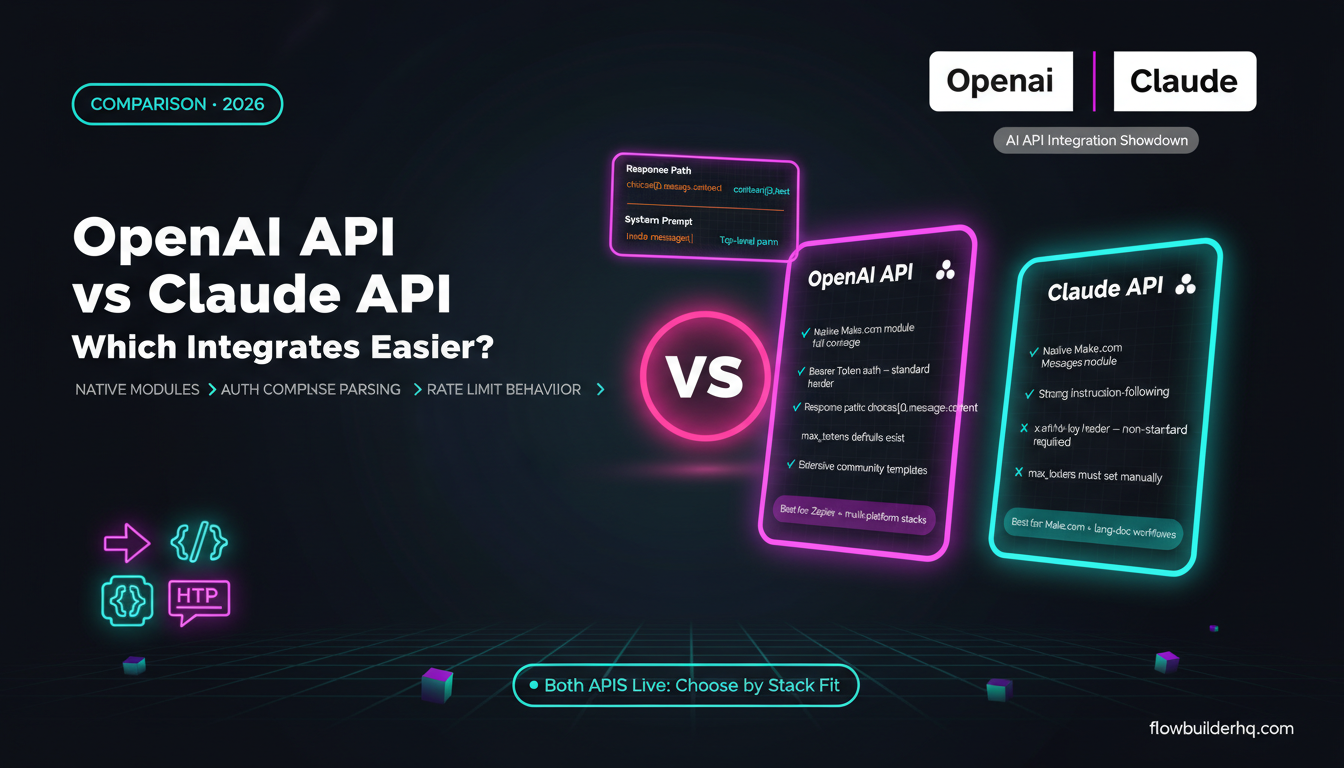
Make.com has native OpenAI modules — you can drop one in, connect your API key, pick your model, and you’re running in under five minutes. The module handles message formatting, model selection, and basic response parsing. Claude doesn’t have a native Make.com module (as of mid-2026). You use the HTTP module with a manual JSON body pointing to the Anthropic API endpoint. It’s not hard, but it’s more setup, and it means you’re handling response parsing yourself rather than relying on Make’s built-in module structure.
For teams already using Make.com for their core automation stack, OpenAI’s native integration reduces friction significantly. If you’re new to building AI modules in Make.com scenarios, the difference between a native module and an HTTP request module is real — native modules give you cleaner data mapping in the visual editor.
That said, Make.com’s HTTP module is solid, and calling the Claude API manually isn’t difficult once you’ve done it once. The Anthropic API follows standard REST conventions. Your request body looks like this:
{
  "model": "claude-3-5-sonnet-20241022",
  "max_tokens": 1024,
  "messages": [
    {"role": "user", "content": "Your prompt here"}
  ]
}
You set your x-api-key header and anthropic-version header, and you’re making API calls. Not complicated — just a few more manual steps than the OpenAI native module. Check the official Anthropic API documentation for current header requirements and model identifiers, since these change with model releases.
n8n
n8n has native nodes for both OpenAI and Anthropic. This closes the integration gap significantly compared to Make.com. If you’re building on n8n, neither API has a meaningful setup advantage — you get a node for both, and both nodes handle authentication and response parsing. The bigger n8n decision is usually self-hosted vs cloud, which affects latency and cost in ways that ripple through your AI API usage. The n8n self-hosted vs cloud comparison covers that trade-off in detail.
For agent-style workflows — where your automation needs to make decisions, call tools, and loop back based on LLM responses — n8n’s agent nodes support both OpenAI function calling and Anthropic tool use. If you’re building that kind of workflow, the guide to building AI agents in n8n is a practical starting point.
Where Claude Actually Has an Edge
The case for Claude in solopreneur automation isn’t just “bigger context window.” Claude 3.5 Sonnet in particular has a reputation for better instruction-following on complex, nuanced prompts. When your system prompt has multiple conditions, exceptions, and output requirements, Claude tends to honor all of them more consistently than GPT-4o under the same conditions.
This shows up clearly in content generation workflows where you’re passing detailed brand voice instructions, formatting rules, and constraints simultaneously. It also shows up in classification tasks where the categories aren’t clean-cut — Claude is less likely to default to the most obvious category when a more precise one is clearly indicated by your prompt.
For solopreneurs doing content repurposing automation or building AI-assisted client deliverable workflows, this instruction-following quality can reduce the revision loop enough to matter. Fewer bad outputs means less manual review, which is the point of automation in the first place.
Claude also has a longer default output before it starts truncating. In practice, if you’re generating long-form content, detailed reports, or multi-section documents in a single API call, Claude is less likely to cut itself off mid-response. This isn’t universal — it depends on your max_tokens setting — but Claude’s tendency to produce complete, well-structured long outputs is consistently observed.
Where OpenAI Has an Edge
Beyond structured outputs and cheaper small-model pricing, OpenAI’s ecosystem depth is real. There are more tutorials, more community-built Make.com templates, more third-party integrations that assume OpenAI, and more documentation for edge cases. When you hit a weird problem at 11pm on a deadline, the odds of finding a Stack Overflow answer or a forum thread are higher with OpenAI.
GPT-4o also has multimodal capabilities that are more mature — if your automation involves processing images (reading screenshots, extracting data from photos, analyzing visual content), GPT-4o’s vision is well-tested in production automation contexts. Claude’s vision capabilities are improving but the community knowledge base for image-based automation workflows is thinner.
For solopreneurs building on Make.com specifically, the native module advantage compounds over time. Native modules get updated when OpenAI releases new models. HTTP modules for Claude require you to manually update model identifiers when you want to use a newer version. Small thing — but it’s maintenance work that accumulates.
Head-to-Head: The Decision Framework
| Use Case | Better Choice | Reason |
|---|---|---|
| High-volume short-prompt classification | OpenAI (GPT-4o mini) | Cheapest token cost by a wide margin |
| Structured JSON extraction (unattended) | OpenAI | Structured outputs mode enforces schema |
| Long document analysis (contracts, transcripts) | Claude | 200K context, fewer split-call workarounds |
| Complex instruction-following | Claude | More consistent adherence to nuanced prompts |
| Long-form content generation | Claude | Less likely to truncate, better output completeness |
| Agent/tool-use workflows on n8n | Tie | Both have native nodes; Claude tool use vs OpenAI function calling are comparable |
| Image/vision processing in automation | OpenAI | More mature, better community support for production vision workflows |
| Make.com native integration | OpenAI | Native module vs manual HTTP module setup for Claude |
The Honest Verdict
There’s no universal winner in the Anthropic Claude API vs OpenAI API comparison for solopreneur automation. What there is: a clear decision process.
Start with your dominant use case. If you’re doing structured data extraction at volume — especially unattended — build on OpenAI and use structured outputs mode. If you’re processing large documents, running complex multi-condition prompts, or generating substantial content outputs, Claude’s quality and context window make it the better default.
If you’re on Make.com and want the fastest path to a working scenario, OpenAI’s native module wins on convenience. If you’re on n8n, the native nodes for both close that gap and the decision is purely about capabilities.
The other honest note: don’t overbuild toward one API provider. Both offer pay-as-you-go pricing with no lock-in. Run your first workflow on whichever fits the use case, measure actual costs after a month, and switch if the math doesn’t work. For a broader look at what you can actually build with Claude specifically, the Claude API for solopreneurs post breaks down specific workflow types and what the API actually returns in production. And if you’re still thinking through your broader automation stack before you pick an AI layer, the no-code automation tools roundup for 2026 covers how all the pieces fit together.
Pick the right tool for the task. Run both if the tasks differ. The API costs at solopreneur scale are low enough that running a controlled test on your actual workflow is almost always worth more than any comparison post — including this one.
Building this yourself? Get the workflow pack.
5 ready-to-import n8n workflows — lead capture, invoicing, content repurposing, onboarding, social posting. Free.