ChatGPT vs Claude for Solopreneur Business Tasks: An Honest 2026 Comparison
The debate around ChatGPT vs Claude for solopreneur business tasks isn’t academic. If you’re already using AI in your stack, you may also want to see how these tools fit alongside the best AI writing tools for solopreneurs covered separately. Both tools sit in your browser tab all day, both generate revenue-adjacent work, and both cost real money. Picking the wrong one — or using the wrong one for the wrong tasks — bleeds time you don’t have.
This comparison doesn’t crown a “best AI.” It tells you which tool wins at which specific tasks solopreneurs actually do: writing client emails, drafting proposals, building content, analyzing numbers, running automation logic, and handling customer-facing copy. The answer isn’t the same across all of them.
The Two Models, Plainly Stated
ChatGPT (OpenAI) runs on GPT-4o and o-series models depending on your plan. It’s the most widely known AI assistant, has the broadest ecosystem (plugins, GPTs, API integrations), and has been around long enough that most automation tools — from Zapier to Make.com — treat it as a first-class integration. You can check OpenAI’s official product page for current model availability.
Claude (Anthropic) runs on the Claude 3.5 and Claude 3 family. It’s built with a heavier focus on instruction-following, long document handling, and nuanced tone — and it shows in everyday use. The official Claude documentation covers capabilities, context windows, and API specifics in detail.
Both have free tiers. Both have paid plans (~$20/mo for Plus/Pro). The real cost isn’t subscription price — it’s time lost doing tasks in the tool that’s worse at them.
ChatGPT vs Claude for Solopreneur Business Tasks: Head-to-Head
1. Writing Client Emails and Proposals
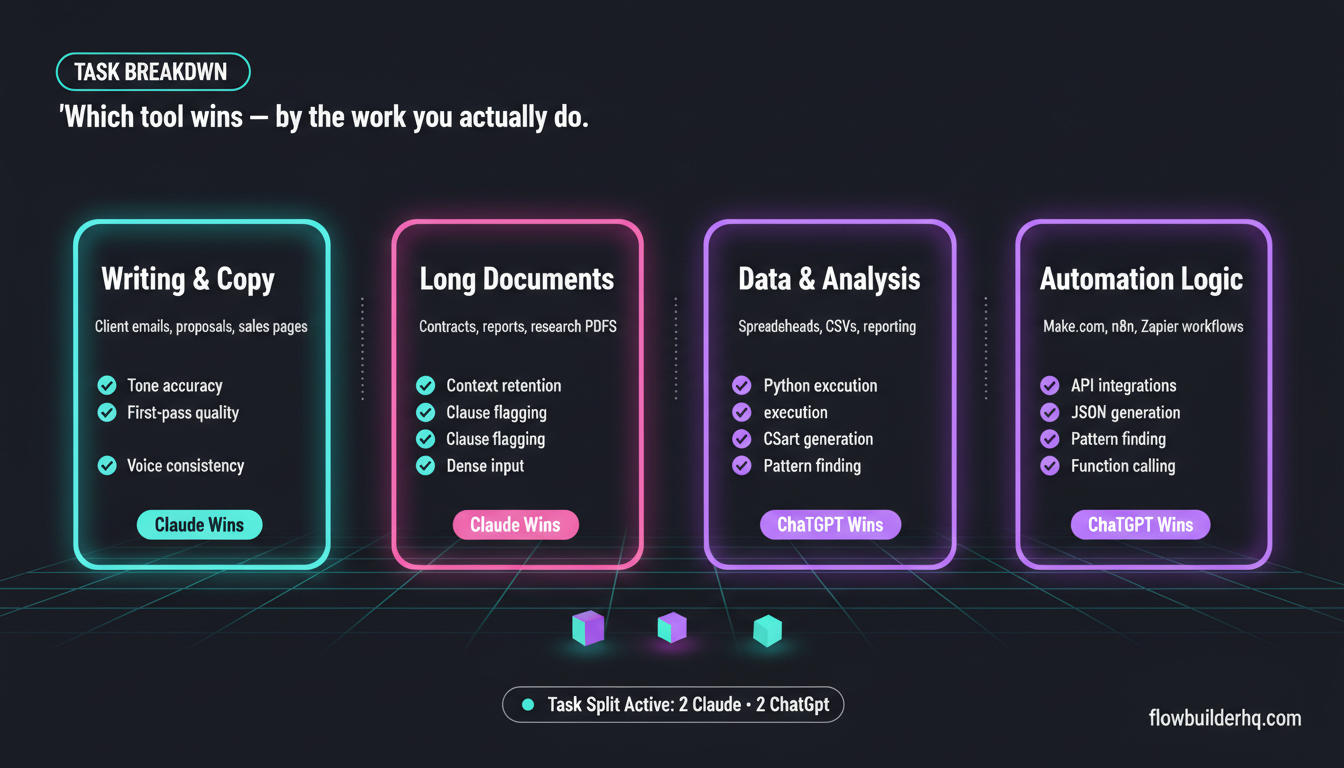
Claude wins here. Claude’s tone calibration is noticeably better for professional writing. Give it a rough dump of what you want to say and it returns something you can send with minor edits. ChatGPT’s proposals often read polished but generic — you’ll spend more time stripping filler phrases. For repetitive client communication work, Claude’s ability to hold voice and context across a long conversation without drifting is a practical advantage. If you’re using AI to handle business automation tasks, Claude’s writing quality is a core reason it fits that workflow.
2. Content Creation and Blog Writing
Draw, with caveats. ChatGPT with a custom GPT or a well-tuned system prompt can match Claude’s output quality for blog content. Claude’s default output tends to be cleaner on first pass — fewer clichés, better paragraph structure. But ChatGPT’s web browsing (available on Plus) gives it a real edge for research-heavy posts where you need current data. For pure long-form drafting without research, Claude is faster to usable output. The best AI writing tools for solopreneurs breakdown covers both in the context of a full content stack.
3. SEO Content with a Brief
ChatGPT edges out Claude here. When you provide a keyword brief, ChatGPT tends to distribute keywords more naturally and follow structural SEO instructions (H2 placement, meta descriptions, internal link suggestions) with more consistency. Claude sometimes prioritizes readable prose over structural compliance, which means you may need an extra editing pass for on-page SEO requirements. Tools like Frase pair better with ChatGPT’s API in most integrations — see the Frase 2026 review for context on how these workflows connect.
4. Handling Long Documents (Contracts, Reports, Research)
Claude wins, clearly. Claude’s context window handling is genuinely better for solopreneurs who paste in long contracts, client briefs, or research PDFs. It doesn’t lose the thread mid-document. Ask it to summarize a 30-page contract and flag clauses worth reviewing — it does this well. ChatGPT can do this too, but it more frequently summarizes inaccurately or drops specifics when the document is dense. For any task involving long, detail-heavy input, Claude is the safer choice.
5. Automation Logic and Workflow Building
ChatGPT wins, partly by ecosystem. If you’re building automations in Make.com, n8n, or Zapier, ChatGPT’s API is the default integration target for most platforms. The OpenAI node in n8n and Make.com is more mature, better documented, and has more community-built examples. Claude’s API works well too — and connecting it to workflows is entirely doable, as the guide on connecting Claude AI to n8n shows — but if you’re debugging automation logic or asking an AI to generate JSON, API schemas, or webhook configurations, ChatGPT’s training on code and structured data is stronger. For AI agent workflows specifically, ChatGPT handles function calling and structured output more reliably right now.
6. Customer-Facing Copy (Sales Pages, Emails, Ad Copy)
Slight edge to Claude. Claude tends to write copy that sounds like a person wrote it. ChatGPT’s copy often needs a pass to remove phrases that feel AI-generated (“elevate your,” “designed to,” “in today’s competitive landscape” — the usual tells). Both require prompt engineering to hit a specific voice, but Claude requires less correction. If you’re using an AI writing layer inside your content repurposing workflow, Claude’s output typically needs fewer cleanup steps before publishing.
7. Data Analysis and Spreadsheet Logic
ChatGPT wins. ChatGPT’s Advanced Data Analysis (formerly Code Interpreter) is a genuine feature advantage. You can upload a CSV, ask it to find patterns, build a chart, or calculate metrics — and it runs Python to do it, not just text-generates an answer. Claude can analyze data described to it in text, but it doesn’t execute code or process uploaded spreadsheets the same way. For solopreneurs who manage their own reporting, this gap matters. If you’re looking to automate client reporting, ChatGPT’s analysis capabilities are a useful layer before automation handles distribution.
8. Brainstorming and Strategic Thinking
Claude edges out ChatGPT. Claude handles open-ended strategic questions with more nuance. Ask it to pressure-test a business model, argue the other side of a decision, or help you think through a positioning problem — the reasoning is more grounded, less likely to produce corporate-speak answers. ChatGPT can do this too, but tends toward more structured, listy outputs that feel like consulting slides rather than actual thinking.
Pricing: What You Actually Pay
| Tool | Free Tier | Paid Plan | Key Paid Feature |
|---|---|---|---|
| ChatGPT (OpenAI) | Yes (GPT-4o limited) | Plus $20/mo | Advanced Data Analysis, web browsing, GPT store |
| Claude (Anthropic) | Yes (Claude 3.5 Haiku limited) | Pro $20/mo | Higher message limits, priority access, Projects |
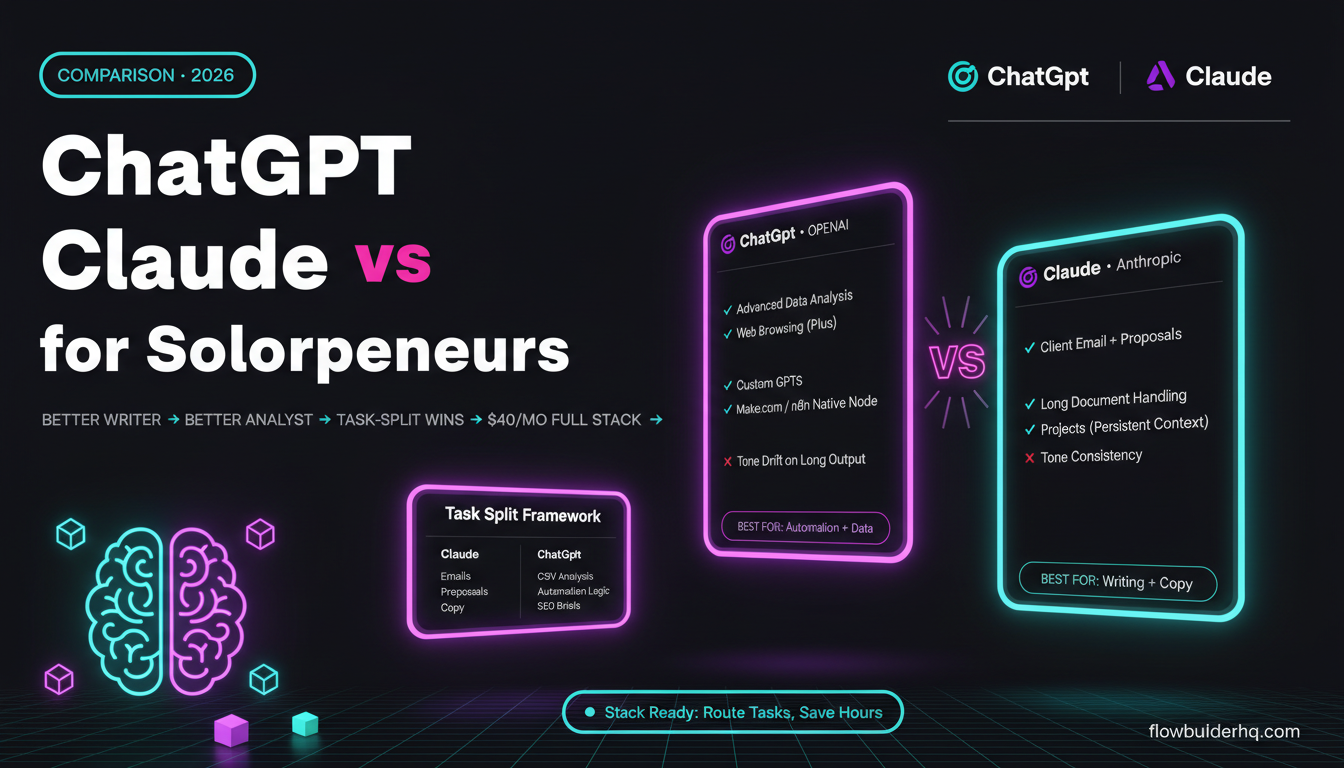
At $20/mo each, price isn’t the differentiator. If you’re only paying for one, the task split above should make the decision obvious based on your actual workflow. Most solopreneurs who run both justify the $40/mo combined because the task-specific wins compound over time.
Integrations: Where Each Tool Connects
ChatGPT’s API and native integrations run deeper through the automation ecosystem. Make.com, n8n, Zapier, and most no-code tools have OpenAI as a first-class node. If automation is central to your business — and it should be — ChatGPT’s API is easier to wire up out of the box. The best no-code automation tools all have OpenAI integrations baked in.
Claude’s API is available and well-documented at Anthropic’s official site, and it works cleanly in n8n and Make.com when you set it up manually. The quality difference in Claude’s output can make that setup time worthwhile for writing-heavy workflows. But if you need to move fast and use community templates, ChatGPT wins on available resources.
For automation-heavy solopreneurs, the integration question matters more than the writing quality question. Check how n8n and Make.com compare for small business if you’re still choosing your automation platform — that choice will influence which AI fits more naturally into your stack.
What Claude Does That ChatGPT Doesn’t (and Vice Versa)
Claude’s Unique Strengths
- Projects: Claude Pro’s Projects feature lets you maintain persistent context, instructions, and uploaded files across sessions. This is more useful for ongoing client work than ChatGPT’s custom GPTs for most solopreneurs.
- Instruction following at length: Give Claude a 500-word system prompt with specific rules and it follows them throughout a long output. ChatGPT drifts more often in long generations.
- Tone consistency: If you’re producing content at volume, Claude maintains voice better across a session.
ChatGPT’s Unique Strengths
- Code execution: Advanced Data Analysis runs real Python. Not just text about Python — actual execution.
- Web browsing: Real-time research built in on Plus. Claude’s knowledge cuts off without a web tool.
- Custom GPTs: Build a repeatable AI tool for a specific workflow and share or reuse it without reconfiguring every session.
- Ecosystem depth: More third-party integrations, more community-built prompts, more tutorials specific to solopreneur workflows.
Which One Should Solopreneurs Actually Use?
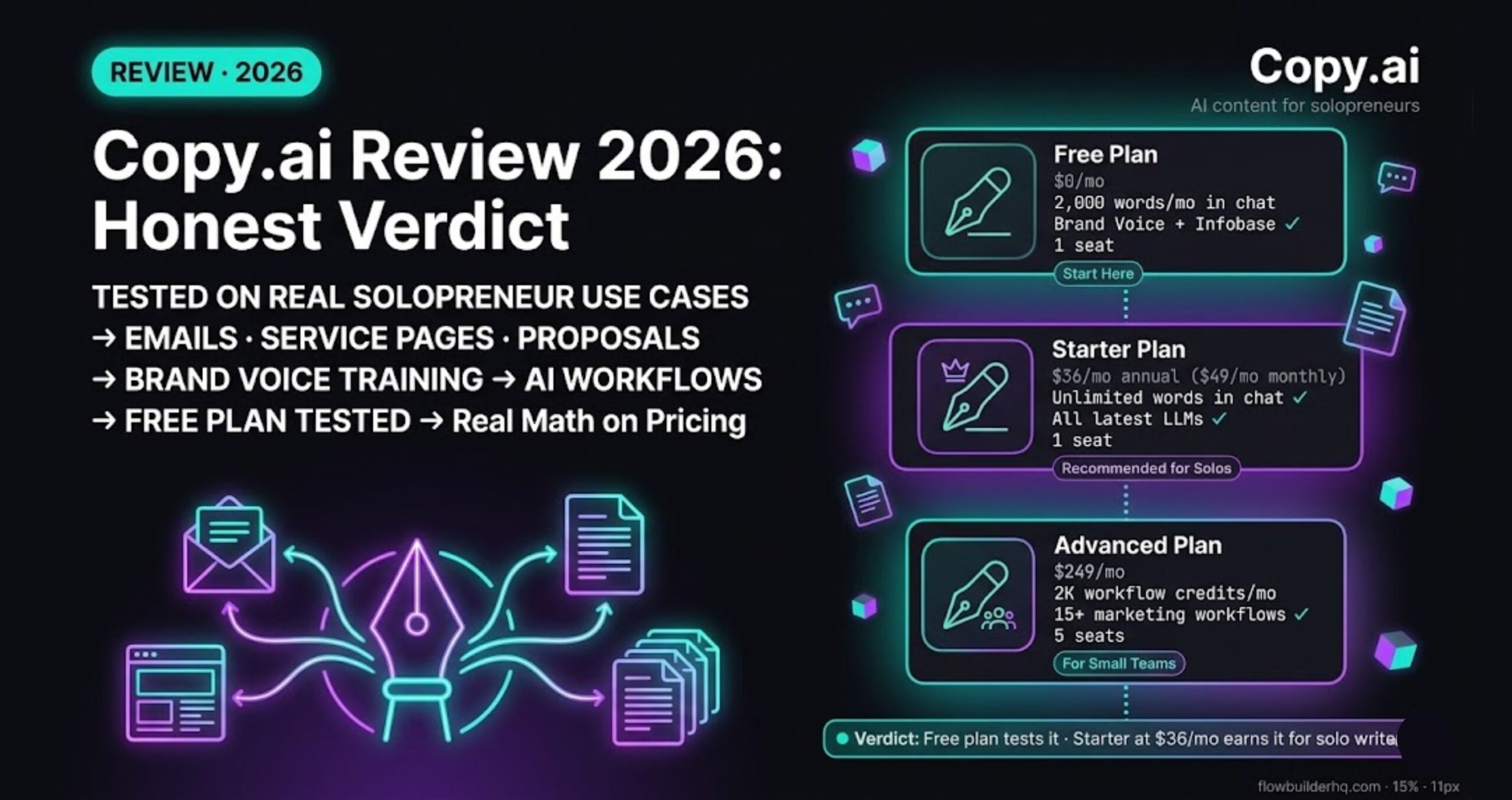
If your primary work is writing — client deliverables, content, copy, proposals — start with Claude. The output quality on first pass is higher, and the Projects feature keeps context organized across clients. The Copy.ai review makes a useful contrast here — Copy.ai targets specific use cases like sales copy, but Claude is a more flexible tool for solopreneurs who write across content types.
If your primary work is automation, data analysis, or building AI-powered workflows, start with ChatGPT. The ecosystem support and code execution capability make it the better backend tool. If you’re running an automation-first business, the best automation tools for solopreneurs guide covers how ChatGPT fits into a broader stack.
If you’re doing both — which most solopreneurs are — run both tools and split by task type. The $40/mo combined is cheaper than the time cost of doing writing tasks in ChatGPT or automation logic in Claude.
One framework that works: use Claude as your drafting and client communication tool, and ChatGPT as your technical and research tool. Keep each open in a separate tab and route tasks consciously. Within two weeks, the routing becomes automatic.
The Bottom Line on ChatGPT vs Claude for Solopreneur Business Tasks
Neither tool dominates across the board. Claude is the better writer. ChatGPT is the better analyst and automation partner. The comparison that matters isn’t which one is smarter — it’s which one saves you more time on the tasks you do every day.
Most solopreneurs who’ve used both for more than a month end up with the same split: Claude for anything client-facing or writing-heavy, ChatGPT for anything data-adjacent or automation-adjacent. That split isn’t a workaround — it’s a deliberate stack decision.
Pick your primary tool based on your current bottleneck. Add the second when you hit the ceiling on the first.
Building this yourself? Get the workflow pack.
5 ready-to-import n8n workflows — lead capture, invoicing, content repurposing, onboarding, social posting. Free.