n8n Self-Hosted vs Cloud: Which One Should You Actually Use?
Quick Verdict about n8n self-hosted vs cloud
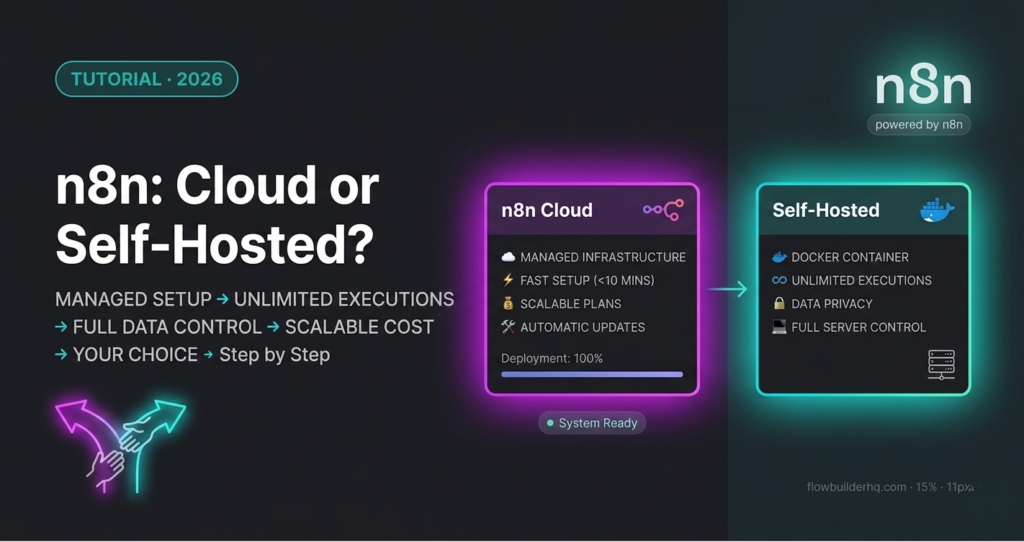
Choose n8n Cloud if you want workflows running today without touching a server. Managed infrastructure, automatic updates, and a clean onboarding experience make it the right default for non-technical users and anyone who wants to move fast.
Choose self-hosted if you’re a developer, running high execution volumes, or need full data control. A $5/month VPS running n8n processes unlimited workflows at a fraction of Cloud pricing once you scale.
The feature set inside the workflow builder is identical on both. What you’re deciding is infrastructure ownership — not capability.
What’s Actually Different Between the Two
What’s identical:
- The n8n workflow builder — same canvas, same nodes, same logic
- Every native integration (Typeform, HubSpot, Gmail, Notion, Slack, and 400+ more)
- Execution behavior — workflows run the same way on both versions
What’s different:
| Self-Hosted | n8n Cloud | |
|---|---|---|
| Setup time | 1–3 hours | Under 10 minutes |
| Monthly cost | $5–20/month (VPS) | $8–50+/month (plan) |
| Execution limits | Unlimited | Plan-dependent |
| Maintenance | You manage updates + uptime | Fully managed |
| Data residency | Your server, your control | n8n EU infrastructure |
| SSL / domain | You configure | Included |
| Backups | You manage | Automatic |
| Community nodes | Easy to install | Restricted on lower plans |
| Support | Community forums | Official support on paid plans |
n8n Cloud Pricing in 2026 — Full Breakdown
| Plan | Price | Executions/Month | Active Workflows | Best For |
|---|---|---|---|---|
| Starter | $8/month | 2,500 | 5 | Testing, early-stage projects |
| Pro | $20/month | 10,000 | 15 | Growing automation stack |
| Pro+ | $50/month | 50,000 | Unlimited | High-volume businesses |
| Enterprise | Custom | Unlimited | Unlimited | Teams, compliance, SSO |
The execution model: One execution = one full workflow run, regardless of node count. A 6-node onboarding workflow that runs 200 times uses 200 executions — not 1,200. This is significantly more generous than Make.com’s per-operation pricing.
Where Cloud gets expensive fast: High-frequency scheduled workflows. A workflow polling for new data every minute burns 43,200 executions per month — that blows past every Cloud plan except Enterprise. Scheduled high-volume automation is where self-hosted becomes the only financially rational option.
Where Cloud stays affordable: Webhook-triggered and form-based workflows. If your automations fire on events (form submissions, payments, CRM updates) rather than on a fixed schedule, execution counts stay low and Cloud pricing holds up well even at scale.
n8n self-hosted vs cloud: Real Cost and Setup Breakdown
Self-hosted n8n is free. You pay only for the server.
Recommended VPS providers and cost:
| Provider | Spec | Monthly Cost |
|---|---|---|
| Hetzner Cloud | 2GB RAM, 2 vCPU | ~$4/month |
| DigitalOcean | 1GB RAM, 1 vCPU | $6/month |
| Vultr | 1GB RAM, 1 vCPU | $6/month |
| Contabo | 4GB RAM, 4 vCPU | ~$7/month |
Hetzner is the most popular choice in the n8n community right now — best specs per dollar, EU-based, and stable. For most self-hosted n8n setups a 2GB RAM instance is the sweet spot.
What setup actually involves:
- Provision a VPS (5 minutes)
- Install Docker (10 minutes)
- Run the n8n Docker container (5 minutes)
- Configure a reverse proxy (Caddy or Nginx) for SSL and your domain (30–60 minutes)
- Point your domain DNS to the server (5 minutes, propagation takes up to 24 hours)
Total: 1–2 hours for someone comfortable with a terminal. 3–4 hours if it’s your first VPS setup. There are solid community guides and a one-click install available on DigitalOcean and Railway that cut this down significantly.
Ongoing maintenance:
- n8n updates every 2–3 weeks — pull the new Docker image, restart the container
- Monitor uptime — a crashed container means missed webhook events
- Manage backups of your workflow data manually or via a cron job
The hidden cost of self-hosting is time. Updates, debugging, and occasional downtime are real — factor that in before choosing purely on price.
The Real Cost Comparison at Scale
| Monthly Executions | n8n Cloud Cost | Self-Hosted Cost |
|---|---|---|
| Under 2,500 | $8 (Starter) | $4–7 (VPS) |
| 2,500–10,000 | $20 (Pro) | $4–7 (VPS) |
| 10,000–50,000 | $50 (Pro+) | $6–10 (VPS) |
| 50,000+ | Enterprise (custom) | $6–15 (VPS) |
At low volumes the difference is marginal — $8 Cloud vs $5 self-hosted. The gap widens fast at scale. By the time you’re running 10,000+ executions per month, self-hosting saves $40–45/month over Cloud. At 50,000+ executions the math becomes impossible to ignore.
Who Should Use n8n Cloud
Use Cloud if:
- You’re non-technical or don’t want to manage server infrastructure
- You’re building your first n8n workflows and want to learn without setup friction
- Your workflows are event-driven (webhooks, form submissions, API triggers) rather than high-frequency scheduled
- You run under 10,000 executions per month
- You want official support and guaranteed uptime SLA
- You’re a small team and need shared access to workflows without setting up multi-user infrastructure
The Starter plan at $8/month is the right entry point for most solopreneurs. Pro at $20/month covers serious automation stacks for growing businesses.
Who Should Use Self-Hosted
Use self-hosted if:
- You’re a developer comfortable with Docker and Linux CLI
- You need unlimited executions — high-frequency schedules, bulk data processing, or large workflow libraries
- Data residency matters — legal, compliance, or client confidentiality requirements
- You want to install community nodes freely without plan restrictions
- Your monthly Cloud cost would exceed $20–30 consistently
- You want to modify n8n’s source or run custom configurations
Self-hosted also works well as a dev/test environment alongside Cloud production — unlimited test runs without burning your execution quota on experiments.
Migration: Starting on Cloud and Moving Later
A common concern: what if you start on Cloud and outgrow it?
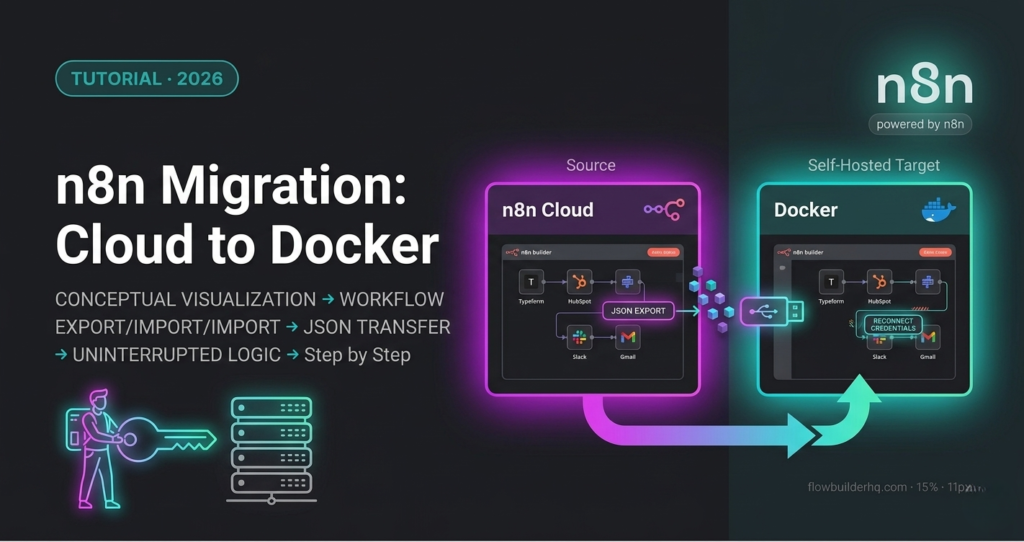
n8n exports workflows as JSON files. Moving from Cloud to self-hosted means exporting your workflows, standing up your self-hosted instance, and importing them. Credentials need to be reconnected manually on the new server — the workflow logic transfers without changes.
This is a 1–2 hour migration, not a full rebuild. Starting on Cloud and switching later when volume justifies it is a completely valid strategy.
Common Questions
Does self-hosted have all the same integrations?
Yes — every node on Cloud is available self-hosted. Community nodes (third-party integrations not in the official library) are easier to install on self-hosted than on Cloud lower tiers.
What happens if my self-hosted server goes down?
Scheduled workflows pause until the server recovers. Webhook triggers miss any incoming events during downtime. Cloud manages uptime for you — that’s a meaningful part of what the subscription covers if uptime is critical.
Is n8n Cloud GDPR compliant?
Yes. n8n is a German company and Cloud infrastructure runs on EU servers. For most European business use cases this covers compliance. If you have stricter data residency requirements, self-hosted gives you full control over where data lives.
Can I use n8n for free?
Self-hosted n8n is free to use with no license cost. You only pay VPS infrastructure costs. n8n Cloud has no permanent free tier — the 14-day trial is the only free entry point.
Which version do most businesses use?
Small businesses and solopreneurs lean toward Cloud for the managed convenience. Developers, agencies, and high-volume users lean toward self-hosted for cost and control. Both are widely used — the n8n community forums have active discussions from both camps.
The Recommendation
Start on n8n Cloud Starter at $8/month if you’re new to n8n or don’t want to manage infrastructure. Build workflows, understand your execution volume, and validate that n8n fits your stack before committing to server management.
Go straight to self-hosted if you’re a developer, already know your volume will be high, or have data residency requirements. The setup investment pays back fast once you’re past 10,000 executions per month.
Either way, the workflow builder is the same. You’re not choosing between power levels — you’re choosing who manages the infrastructure underneath.
Building this yourself? Get the workflow pack.
5 ready-to-import n8n workflows — lead capture, invoicing, content repurposing, onboarding, social posting. Free.