Notion CRM vs HubSpot Free for Solopreneurs: Which Actually Works
Everyone says build your CRM in Notion. It’s flexible, it’s pretty, it fits the aesthetic of the productive solopreneur. Here’s why that advice sends a lot of people down a time-sink with no floor — and why HubSpot’s free CRM quietly outperforms it for most solo operators who actually need to manage clients and close deals.
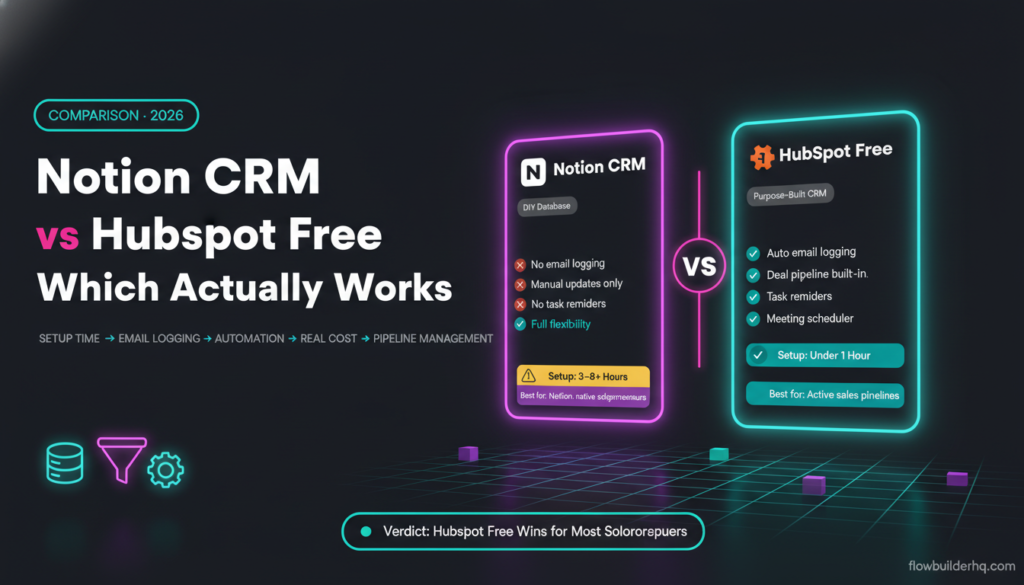
This comparison covers the notion crm vs hubspot free for solopreneurs decision across four dimensions that matter: setup complexity, contact management, automation, and the real cost of each. Not the sticker price — the actual cost in time and friction.
The Core Difference Nobody Talks About
Notion is a database tool. HubSpot is a CRM. That distinction sounds obvious but it drives every practical difference between them.
When you “build a CRM in Notion,” you are literally building software. You’re designing the schema, deciding which properties matter, wiring up relations between databases, and building every view you need. Notion won’t tell you what to track. It won’t remind you to follow up. It won’t log your email activity. You decide what the system does — and then you build it.
HubSpot Free is opinionated. It ships with contact records, deal stages, activity logging, email integration, and a pipeline view. You don’t design the system — you configure it. For a solopreneur who wants to spend time selling, not building internal tooling, that difference is everything.
If you’re evaluating where HubSpot fits in a broader CRM decision, our full breakdown of the best CRM options for solopreneurs in 2026 covers how it stacks up against paid alternatives as well.
Setup Complexity: Notion CRM vs HubSpot Free
Setting Up Notion as a CRM
You have three realistic starting points with Notion: build from scratch, use a community template, or buy a premium template. All three have the same ceiling problem — Notion templates are not software. They’re starting points that require your time to adapt, extend, and maintain.
A typical Notion CRM setup involves:
- A Contacts database with custom properties
- A Deals or Projects database related to Contacts
- A Companies database (if B2B)
- A Notes or Interactions database related to all of the above
- Linked views, filtered views, and gallery or board views for pipeline visibility
Getting this to a functional state takes most people 3-6 hours minimum — and that’s before you’ve entered a single real contact. Then every time your business changes (new service, new stage, different reporting need), you’re back in Notion re-engineering the schema.
Setting Up HubSpot Free
HubSpot Free setup is: create account, connect your Gmail or Outlook, import your existing contacts from a CSV, set your deal stages. You’re operational in under an hour for most solopreneurs. The pipeline, the contact view, the activity feed — they’re already there.
HubSpot’s contact record automatically pulls in email history once you connect your inbox. Notion’s contact record shows you whatever you manually typed in. That alone closes the setup debate for anyone who relies on email communication with clients.
For a step-by-step walkthrough of the HubSpot Free setup process, this HubSpot CRM tutorial for solopreneurs covers the full configuration without the enterprise bloat.
Contact Management: Where the Gap Gets Wide
This is where Notion CRM vs HubSpot free stops being a fair fight.
HubSpot Contact Records
A HubSpot contact record is a living document. It automatically logs:
- Email conversations (via Gmail/Outlook integration)
- Meetings booked through HubSpot’s scheduling tool
- Notes and calls logged manually
- Form submissions if you use HubSpot forms
- Deal associations and pipeline stage history
You can open a contact you haven’t spoken to in 4 months and immediately see the full history without searching your inbox. That’s a CRM doing its job.
HubSpot Free also includes a built-in meeting scheduler (like Calendly but native), a deals pipeline with drag-and-drop stage management, and task reminders. These come standard at $0.
Notion Contact Records
A Notion contact record contains whatever you put in it. Nothing is automatic. No email logging. No activity timeline. No task reminders triggered by deal stage changes. If you want to see what happened with a contact last month, you go look at your email — Notion won’t tell you.
You can build workarounds. Many people add a “Last Contacted” date property they manually update, a “Next Follow-Up” date, a Notes field. But you have to remember to update all of this. The discipline required to keep a Notion CRM accurate is significantly higher than the discipline required to keep HubSpot accurate — because HubSpot is doing half the work for you.
For solopreneurs managing a sales pipeline specifically, this guide to setting up a sales pipeline in HubSpot Free shows how the deal stages and contact associations work in practice.
Automation Capabilities
This section is where Notion’s limitations become genuinely painful.
HubSpot Free Automation
HubSpot Free includes basic automation: you can create simple email sequences, set task reminders when a deal moves stages, and use workflows (limited on the free tier) to automate follow-up tasks. It’s not the full marketing automation you get on paid HubSpot tiers, but it’s real automation that runs without you.
HubSpot also has a native API and a solid HubSpot integration ecosystem, which means connecting it to external automation tools is well-supported. If you want to trigger Make.com or n8n workflows from CRM events — deal created, contact updated, form submitted — HubSpot gives you clean webhook and API triggers to work with.
For example, you can connect HubSpot to Make.com to automate proposal sending, onboarding sequences, or contact enrichment workflows. This step-by-step guide to connecting Make.com to HubSpot covers the exact integration setup.
Notion Automation
Notion has added some native automation (button triggers, property-change triggers that send notifications or update properties). These are limited and they’re nowhere near CRM automation territory. You can’t send an email from Notion. You can’t trigger a sequence when a contact moves to a new stage. You can’t log activity automatically.
To get meaningful automation out of a Notion CRM, you need an external tool like Make.com or n8n building a bridge between Notion and everything else — your email, your calendar, your billing. That’s a perfectly valid setup, but it means your “free” Notion CRM now requires you to build and maintain automation workflows on top of it.
If you’re interested in how that kind of Notion + automation setup works, these task automation ideas for solopreneurs include Notion-based workflow patterns worth reviewing — though the complexity trade-off is real.
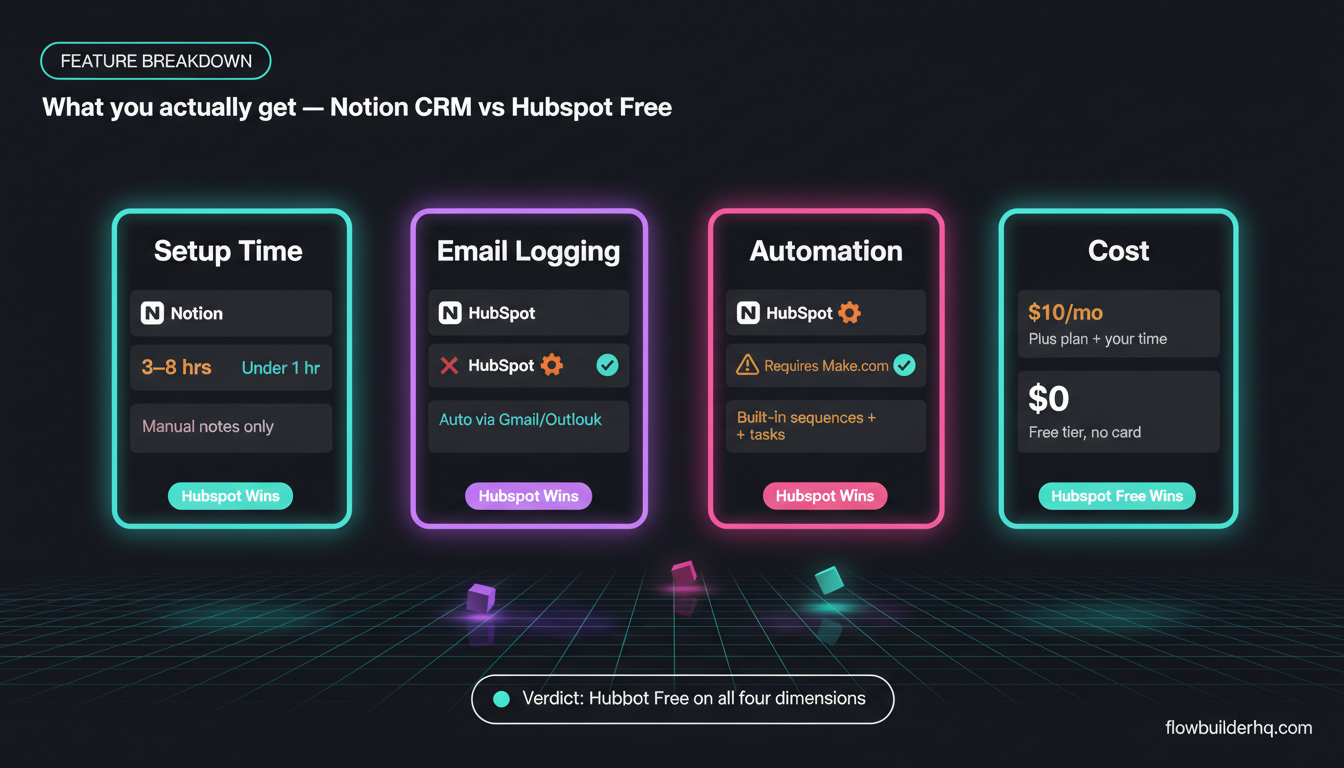
Feature Comparison Table
| Feature | Notion CRM (DIY) | HubSpot Free |
|---|---|---|
| Setup time | 3-8+ hours | Under 1 hour |
| Contact records | Manual, custom-built | Built-in, auto-populated |
| Email activity logging | None (manual notes only) | Automatic via Gmail/Outlook |
| Deal pipeline | Custom Kanban board (manual) | Built-in with stage history |
| Task/follow-up reminders | Manual date properties | Built-in task system |
| Meeting scheduler | None | Built-in (free) |
| Native automation | Very limited | Basic sequences and tasks |
| Third-party integrations | Via Make.com/n8n (requires build) | Native + Make.com/n8n |
| Mobile app usability | Functional but not optimized | Strong dedicated mobile app |
| Learning curve | High (you’re building software) | Moderate (you’re configuring) |
| Cost | Notion Free or Plus ($10/mo) | $0 |
The Hidden Cost of Notion’s Flexibility
Notion’s appeal is real. If you know exactly what you want, you can build a CRM that looks and works exactly the way your brain does. For some solopreneurs — especially those with a technical or design background — that’s genuinely valuable.
But flexibility has a price: every hour you spend building your Notion CRM is an hour not spent on client work. And unlike configuring HubSpot, building in Notion doesn’t compound — you can’t sell your Notion CRM setup to a client, it doesn’t get smarter over time, and it breaks (requires rework) whenever your process changes.
The honest math: if your time is worth $75/hour and you spend 6 hours building a Notion CRM plus 30 minutes/month maintaining it, you’ve invested $450 in setup and $675/year in upkeep. HubSpot Free costs $0 and takes under an hour to configure.
Notion Plus is $10/month. HubSpot Free is $0. So Notion’s flexibility costs you both money and time vs. a purpose-built free CRM.
That’s not an argument against Notion as a tool — it’s excellent for documentation, project management, and knowledge bases, as we’ve covered in comparisons like Make.com vs Airtable for solopreneurs where the database-vs-purpose-built-tool trade-off appears again. For a direct look at how HubSpot stacks up across more CRM options, see our best CRM for solopreneurs 2026 roundup. But using it as your primary CRM for managing sales relationships has real costs that don’t show up on the pricing page.
When Notion CRM Actually Makes Sense
Notion wins this comparison in specific, narrow scenarios:
- You already live in Notion and want a lightweight contact list embedded in your existing workspace — not a full CRM, just a reference list
- Your “CRM” needs are minimal — you have 15 clients, they’re long-term, and you don’t run active sales pipelines
- You prefer one tool and the context-switching cost of opening HubSpot is genuinely disruptive to how you work
- You have a developer background and enjoy building internal tools — the build itself isn’t a cost, it’s a preference
Even in these cases, Notion is a contact database, not a CRM. The distinction matters when a lead goes cold, a deal stalls, or you need to report on pipeline velocity.
When HubSpot Free Is the Obvious Pick
HubSpot Free wins for most solopreneurs because:
- You’re actively running a sales pipeline with multiple open deals
- You communicate with leads and clients primarily via email
- You need follow-up reminders that don’t depend on your memory
- You want to eventually use email sequences or marketing automation (HubSpot’s paid tiers make this easy to upgrade into)
- You want to connect your CRM to automation tools without building a custom API bridge
HubSpot Free’s ceiling is lower than paid CRM tiers, but for most solopreneurs it doesn’t matter — the free tier handles contact management, a deal pipeline, meeting scheduling, and basic task automation without a credit card. That’s a significant amount of functional CRM for zero dollars.
If you’re also weighing HubSpot against email marketing platforms specifically, this comparison of MailerLite, ActiveCampaign, and HubSpot for solopreneurs covers that angle in detail.
Pricing Reality Check
Notion Free is genuinely free for personal use. Notion Plus runs $10/month. If you’re building a CRM, you likely need Plus for advanced database features and page history. That’s $120/year for the platform — plus your time.
HubSpot Free is $0. HubSpot Starter is $15/month (1,000 contacts), which adds email marketing, additional automation, and removes HubSpot branding from tools. The full HubSpot CRM pricing breakdown shows what you actually unlock at each tier.
Professional tier jumps to $890/month — that’s enterprise territory, not relevant for solopreneurs. The realistic upgrade path is Free → Starter at $15/month when you need email sequences. Most solopreneurs can stay on Free for 12-18 months before hitting real limits.
For a deeper look at where the free tier ends and whether the paid upgrade makes sense, this breakdown of HubSpot Free vs Paid covers the specific limits and what triggers an upgrade.
The Automation Integration Question
One area where Notion has a genuine argument: if you’re already running Make.com or n8n workflows, you can pipe data into a Notion database cleanly. Notion’s API is solid, and Make.com’s Notion integration handles most common operations.
But here’s the practical problem: you’re adding a layer of infrastructure to compensate for a tool that doesn’t do the CRM job natively. HubSpot’s API is equally good, the Make.com integration is equally capable, and HubSpot is already doing the CRM job before the automation layer even gets involved.
If you want to automate lead capture into your CRM from a form, for example, this Typeform-to-Make.com workflow tutorial shows how the trigger-to-CRM pipeline works — and HubSpot is a natural endpoint for that kind of workflow.
For solopreneurs thinking about client onboarding automation, this Make.com client onboarding workflow shows how CRM data feeds into a broader automated process — again, HubSpot’s structured contact and deal data makes it a cleaner data source than a Notion database.
The Verdict: Notion CRM vs HubSpot Free
HubSpot Free wins for most solopreneurs. It does the CRM job without requiring you to build the CRM. Email logging, pipeline management, task reminders, meeting scheduling — these come standard at zero cost. The time you save not building and maintaining a Notion CRM compounds into real capacity.
Notion is an excellent tool. It’s not a CRM. Using it as one is a choice to spend your time on internal tooling instead of on the work that pays you.
If you’re committed to the Notion approach, go in knowing the real cost: your time to build, your discipline to maintain, and your tolerance for missing the automatic contact intelligence that purpose-built CRMs provide out of the box.
For most solopreneurs, the honest advice is: set up HubSpot Free this week, get your contacts in, connect your inbox, and spend the hours you saved on client work. If you later hit a limit that Notion uniquely solves, revisit then. But for the vast majority of solo operators running active client relationships and a sales pipeline, HubSpot Free is the practical choice — not because it’s flashier, but because it works without you having to build it first.
Building this yourself? Get the workflow pack.
5 ready-to-import n8n workflows — lead capture, invoicing, content repurposing, onboarding, social posting. Free.