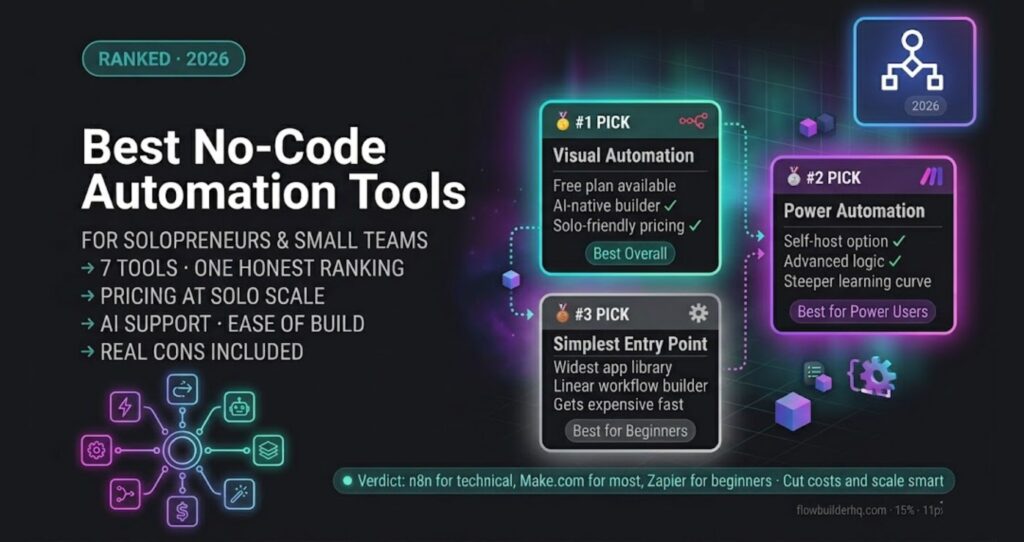
Best No-Code Automation Tools for Solopreneurs in 2026 (Ranked for Solo Operators)
Most “best automation tools” lists rank by feature count or enterprise clout. This one ranks by a single question: how well does this tool serve a one-person or small-team operation in 2026?
That means pricing that doesn’t punish you for growing, a learning curve you can survive without a dev team, and workflows that actually hold up when you’re the only one troubleshooting at 11pm.
Seven tools. One honest ranking. Make.com sits at the top because it earns it — but the gaps between tools matter, and I’ll tell you exactly where each one breaks down for solo operators.
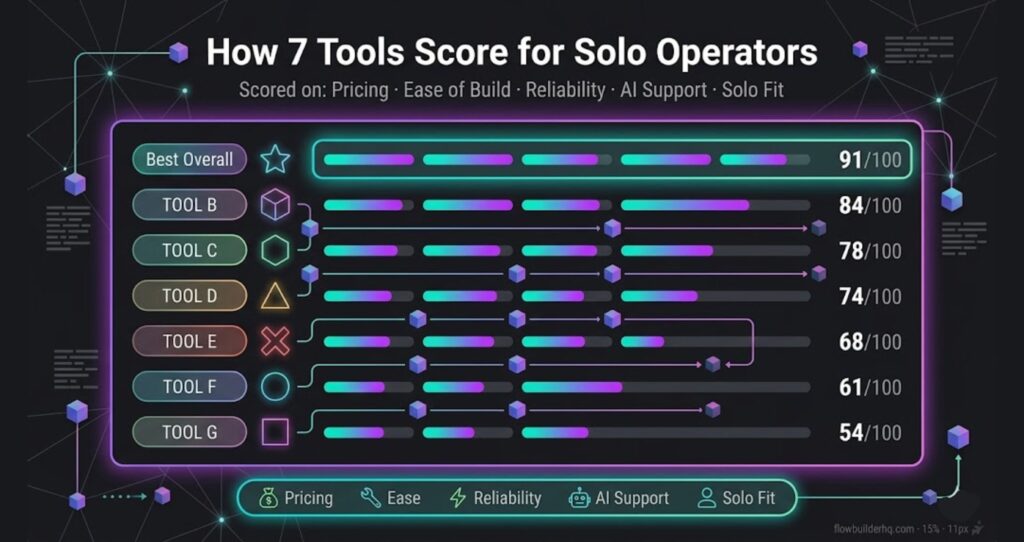
How These Tools Were Scored
Each tool was evaluated on five criteria weighted for solopreneurs:
- Pricing at solo scale — what you actually pay when you’re not an enterprise
- Ease of building — visual vs. code, how fast you ship your first real workflow
- Reliability — do runs fail silently? how good is error logging?
- Ecosystem depth — native integrations, HTTP modules, AI support
- Ownership risk — vendor lock-in, data residency, pricing stability
1. Make.com — Best Overall for Solo Operators
Best for: Solopreneurs who want visual workflow building, strong native integrations, and predictable pricing without writing code.
Make.com (formerly Integromat) is the tool I run most of my own production workflows on. The canvas-based scenario builder is genuinely the best in class for visual thinkers — you can see data flowing through every module in real time, which cuts debugging time dramatically compared to Zapier’s linear step view.
The free tier gives you 1,000 operations/month, which is enough to build and test properly. The Core plan ($9/month) covers most solopreneur needs. Pricing is operation-based rather than task-based, which means complex multi-step workflows don’t cost more than simple ones — a significant advantage over Zapier’s pricing model.
Make’s HTTP module and JSON handling are strong enough that you rarely hit a wall when a native integration doesn’t exist. AI integrations — OpenAI, Anthropic, Google Gemini — all have solid native modules as of 2026.
What Make.com Does Well
- Visual canvas makes complex branching logic readable
- Real-time execution view for debugging
- Operation-based pricing scales fairly for solos
- Data store module for lightweight persistence without an external database
- Strong template library to start from
Honest Cons
- The interface has a learning curve — first scenario takes longer than Zapier’s
- Error notifications require manual setup; they’re not on by default
- Scenario history and version control are limited on lower plans
Pricing: Free (1,000 ops/month) | Core $9/mo | Pro $16/mo | Teams $29/mo
Start with Make.com free — no credit card required. Also see the full Make.com Review 2026 for a deep breakdown of every plan tier.
2. n8n Cloud — Best for Solopreneurs Who Want Control
Best for: Technical-leaning solos who want flexibility, self-hostability, and AI workflow support without paying per-task fees.
n8n is where I spend the other half of my automation time. The honest difference from Make.com: n8n rewards operators who are willing to get closer to the data. It’s not harder, exactly — but the node-based editor assumes you’ll look at JSON structures and occasionally write a short expression.
What n8n does that nothing else matches: the self-hosted option means your data never touches a vendor’s servers, and you pay flat infrastructure costs instead of per-operation fees. For workflows that run thousands of times a month, that’s a real cost difference. The Cloud version removes the hosting overhead while keeping most of the flexibility.
As of 2026, n8n’s AI node ecosystem — LangChain integration, AI agents, vector store connections — is ahead of every other tool on this list for building serious AI-powered workflows.
What n8n Does Well
- Self-hosted option eliminates vendor pricing risk entirely
- AI/LangChain nodes built natively into the editor
- No per-operation pricing on self-hosted or flat Cloud plans
- Code nodes (JavaScript/Python) when you hit the limits of visual building
- Active open-source community with shared workflow templates
Honest Cons
- Cloud plan pricing starts higher than Make.com for low-volume use
- Error handling requires deliberate setup — easy to build brittle workflows early on
- UI is less polished than Make.com; canvas gets cluttered on complex workflows
Pricing: Self-hosted free (open source) | Cloud Starter ~$20/mo | Cloud Pro ~$50/mo
Note: n8n Cloud affiliate enrollment is pending. In the meantime, start at n8n.io directly.
Deciding between the two? The n8n vs Make.com for Small Business comparison breaks down exactly when to pick each one.
3. Zapier — Most Integrations, Worst Solo Pricing
Best for: Solopreneurs who need a very specific integration that only Zapier has, and can’t find it elsewhere.
Zapier has the largest native integration library of any tool on this list — 6,000+ apps. For pure breadth, nothing touches it. The linear Zap builder is the fastest way to connect two apps with zero learning curve.
The problem is pricing. Zapier’s task-based model means every action in a multi-step Zap counts as a separate task. A five-step workflow burns five tasks per run. At any real volume, you hit the free tier ceiling fast and the paid plans ($19.99/month for Starter) don’t scale cleanly for solopreneurs running high-frequency workflows.
Honest Cons
- Task-based pricing penalizes complex, multi-step workflows
- Free tier limited to 100 tasks/month — genuinely not enough for production use
- No visual canvas; debugging linear steps in production is slow
- Pricing has increased significantly year-over-year
Pricing: Free (100 tasks/mo) | Starter $19.99/mo | Professional $49/mo
4. HubSpot — Best If CRM Is Your Core Business System
Best for: Solopreneurs running service businesses where contact management, email, and pipeline are the center of operations.
HubSpot isn’t a general-purpose automation tool — it’s a CRM with automation built in. That distinction matters. If you’re managing leads, sending sequences, tracking deals, and running client comms, HubSpot’s Workflows and Sequences features handle all of that inside one system without stitching together separate tools.
The free CRM tier is genuinely capable. Marketing Hub Starter ($15/month) unlocks email automation that most solopreneurs won’t outgrow quickly. The risk is that HubSpot’s ecosystem is intentionally sticky — migrating out is painful, and costs escalate sharply when you need advanced features.
Honest Cons
- Workflow automation locked behind paid tiers; free tier is limited
- Pricing jumps steeply from Starter to Professional ($800/mo)
- Not a general automation tool — can’t replace Make.com or n8n for non-CRM workflows
Pricing: Free CRM | Starter $15/mo | Professional $800/mo
Try HubSpot free — no time limit on the core CRM.
5. Copy.ai — Best for Automating Content Workflows
Best for: Solopreneurs who want to automate content production — blog drafts, social posts, email sequences — with AI built into the pipeline.
Copy.ai has evolved beyond a writing assistant into an AI workflow platform. The Workflows feature lets you chain AI prompts, web research, and content outputs into repeatable processes — brief in, finished draft out. For content-heavy solopreneurs, that’s a legitimate time multiplier.
It’s not a general automation tool and doesn’t replace Make.com for operational workflows. But for the specific job of content production at scale, the native AI pipeline is faster to set up than building equivalent flows in Make.com with OpenAI modules.
Honest Cons
- Output quality requires prompt tuning — generic workflows produce generic content
- Not useful if content production isn’t a core part of your business
- Integration with external tools is limited compared to Make.com or Zapier
Pricing: Free (limited) | Starter $36/mo | Advanced $186/mo
6. ActiveCampaign — Best Email Automation for Service Businesses
Best for: Solopreneurs running email-driven businesses — courses, coaching, consulting — who need conditional logic and behavioral triggers in their sequences.
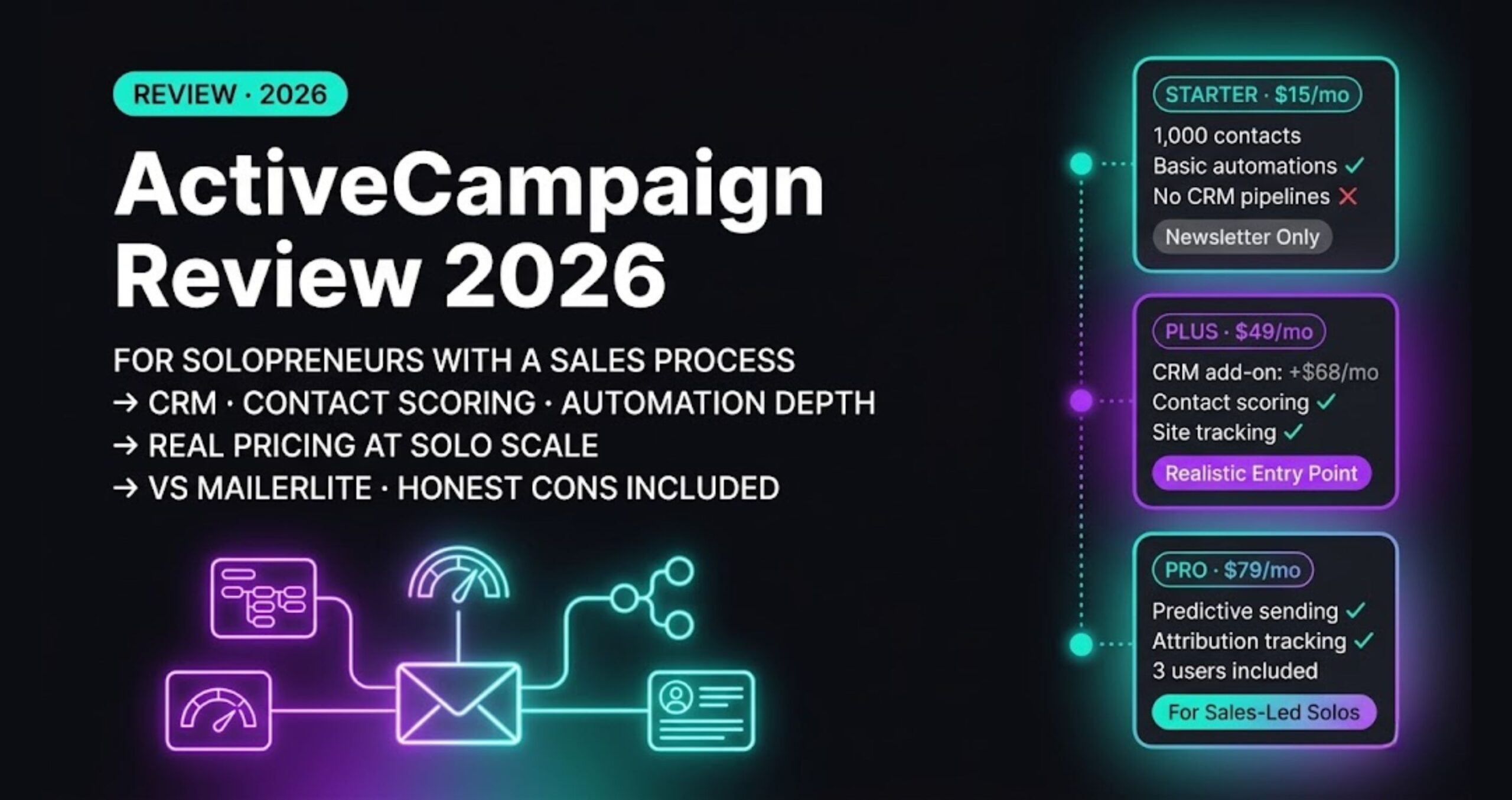
ActiveCampaign’s automation builder is the strongest in the email marketing category for solo operators. Conditional branching, goal tracking, site tracking, and CRM deal automation all work together in one platform. It handles the kind of “if they clicked this but not that, wait three days then send X” logic that most email tools can’t do cleanly.
The entry price ($15/month for 1,000 contacts) is reasonable. The ceiling rises fast as your list grows — a 10,000-contact list puts you closer to $139/month, which is meaningful for a solo operation.
Honest Cons
- Contact-based pricing means costs scale with list size, not usage
- Interface feels dated compared to newer tools
- Steeper learning curve than simpler email tools like MailerLite
Pricing: Starts at $15/mo (1,000 contacts) | Scales by contact tier
7. Notion + Notion AI — Best Lightweight Automation for Knowledge-Driven Work
Best for: Solopreneurs whose automation needs center on structured data, project management, and content pipelines rather than app-to-app triggers.
Notion isn’t an automation platform. But Notion AI and the native automations (database triggers, property updates, Slack/email notifications) cover a surprising range of lightweight workflow needs for knowledge workers. If your business runs on Notion databases, automating within that system is often faster than connecting external tools.
The limitation is clear: Notion automations don’t reach outside the Notion ecosystem effectively. When you need to trigger actions in other apps, you’re back to Make.com or Zapier connecting to Notion via API.
Honest Cons
- Automation features are basic compared to any dedicated tool on this list
- No conditional logic or multi-branch automation natively
- Requires external tools for anything beyond Notion-internal triggers
Pricing: Free | Plus $10/mo | Business $15/mo | AI add-on $8/mo/member
Full Comparison: Solo Operator Score
| Tool | Solo Pricing | Ease of Build | AI Support | Flexibility | Best Use Case |
|---|---|---|---|---|---|
| Make.com | ★★★★★ | ★★★★☆ | ★★★★☆ | ★★★★☆ | General automation |
| n8n Cloud | ★★★★☆ | ★★★☆☆ | ★★★★★ | ★★★★★ | AI workflows, control |
| Zapier | ★★☆☆☆ | ★★★★★ | ★★★☆☆ | ★★★☆☆ | One-off integrations |
| HubSpot | ★★★☆☆ | ★★★★☆ | ★★★☆☆ | ★★☆☆☆ | CRM-led businesses |
| Copy.ai | ★★★☆☆ | ★★★★☆ | ★★★★★ | ★★☆☆☆ | Content production |
| ActiveCampaign | ★★★☆☆ | ★★★☆☆ | ★★☆☆☆ | ★★★☆☆ | Email automation |
| Notion AI | ★★★★☆ | ★★★★☆ | ★★★☆☆ | ★☆☆☆☆ | Knowledge workflows |
Which Tool Should You Start With?
If you’re building your first real automation stack as a solopreneur in 2026, the decision tree is short:
- Start with Make.com if you want visual building, fast iteration, and a tool that handles 90% of solo operator needs without code.
- Start with n8n if you’re comfortable with JSON, want AI agent workflows, or plan to self-host and eliminate per-run pricing.
- Add HubSpot or ActiveCampaign as your CRM/email layer — they complement Make.com rather than replace it.
- Use Zapier only when a specific integration doesn’t exist elsewhere and you can’t use Make.com’s HTTP module as a workaround.
Most solopreneurs end up running Make.com or n8n as their automation core, with one CRM/email tool alongside it. That stack covers the majority of operational workflows without over-engineering.
For a broader look at how to evaluate tools for your specific stack, see Best Automation Tools for Solopreneurs in 2026.
Building this yourself? Get the workflow pack.
5 ready-to-import n8n workflows — lead capture, invoicing, content repurposing, onboarding, social posting. Free.