Make.com vs Activepieces for Solopreneurs: Honest Comparison
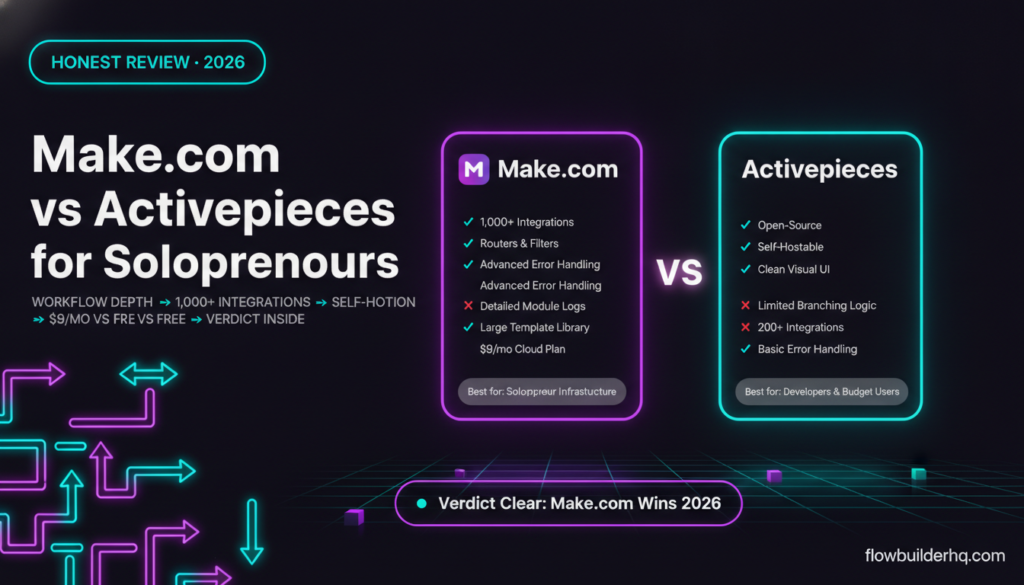
make.com vs activepieces for solopreneurs: Activepieces is getting attention in automation circles — open-source, fast-growing, and positioned as a Zapier alternative that doesn’t cost a fortune. If you’ve seen it come up in no-code communities, you’ve probably wondered whether it’s the next n8n (a technical powerhouse worth the learning curve) or the next Make.com (a genuinely practical tool for running a solo business). This comparison answers that question directly, with no hype in either direction.
The short version: Make.com is the safer, more scalable pick for most solopreneurs right now. Activepieces has real potential, but it’s earlier in its maturity cycle than most people realize. Here’s the full breakdown.
What Is Activepieces?
Activepieces is an open-source automation platform built as a no-code alternative to Zapier. Like n8n, it can be self-hosted. Unlike n8n, it leans harder into a clean visual interface rather than a developer-first experience. There’s also a cloud-hosted version if you don’t want to manage infrastructure.
Its community is growing quickly, and the piece (connector) library is expanding fast. As of 2026, it supports hundreds of integrations — enough to cover most common solopreneur workflows. The pitch is simple: Zapier’s functionality, a fraction of the cost, open-source flexibility.
That pitch is partially true. But “partially” is doing real work in that sentence.
What Is Make.com?
Make.com (formerly Integromat) is a visual automation platform that’s been in the market long enough to develop serious depth. Its scenario builder is genuinely different from trigger-action tools — you build visual flowcharts with modules, filters, routers, iterators, and aggregators. Multi-step logic isn’t an add-on; it’s the default way you work.
If you’ve built anything beyond simple two-step automations, you probably already have an opinion on Make. For solopreneurs running client workflows, content pipelines, or data operations, it tends to be the tool that stays in the stack once it’s in. Our full Make.com pricing and plan breakdown covers the platform in detail — this post focuses specifically on how it compares to Activepieces.
For a broader look at how to evaluate your options before committing to any tool, the automation tool decision framework is worth reading first.
Make.com vs Activepieces: Feature Comparison
| Feature | Make.com | Activepieces |
|---|---|---|
| Visual workflow builder | Yes — flowchart-style | Yes — step-based |
| Multi-step logic (routers, filters) | Yes, native | Limited branching |
| Self-hosting option | No | Yes (open-source) |
| Cloud-hosted version | Yes | Yes |
| Number of integrations | 1,000+ | 200+ (growing) |
| Native AI/LLM modules | Yes (OpenAI, Claude, etc.) | Yes (growing) |
| Error handling | Advanced (routes, retries) | Basic |
| Execution history / debugging | Detailed logs per module | Run logs, less granular |
| Template library | Large, community-backed | Small, growing |
| Community / support resources | Extensive (forums, YouTube, docs) | Smaller but active Discord |
| Operations-based billing | Yes | Tasks-based (cloud) |
Pricing: What You Actually Pay
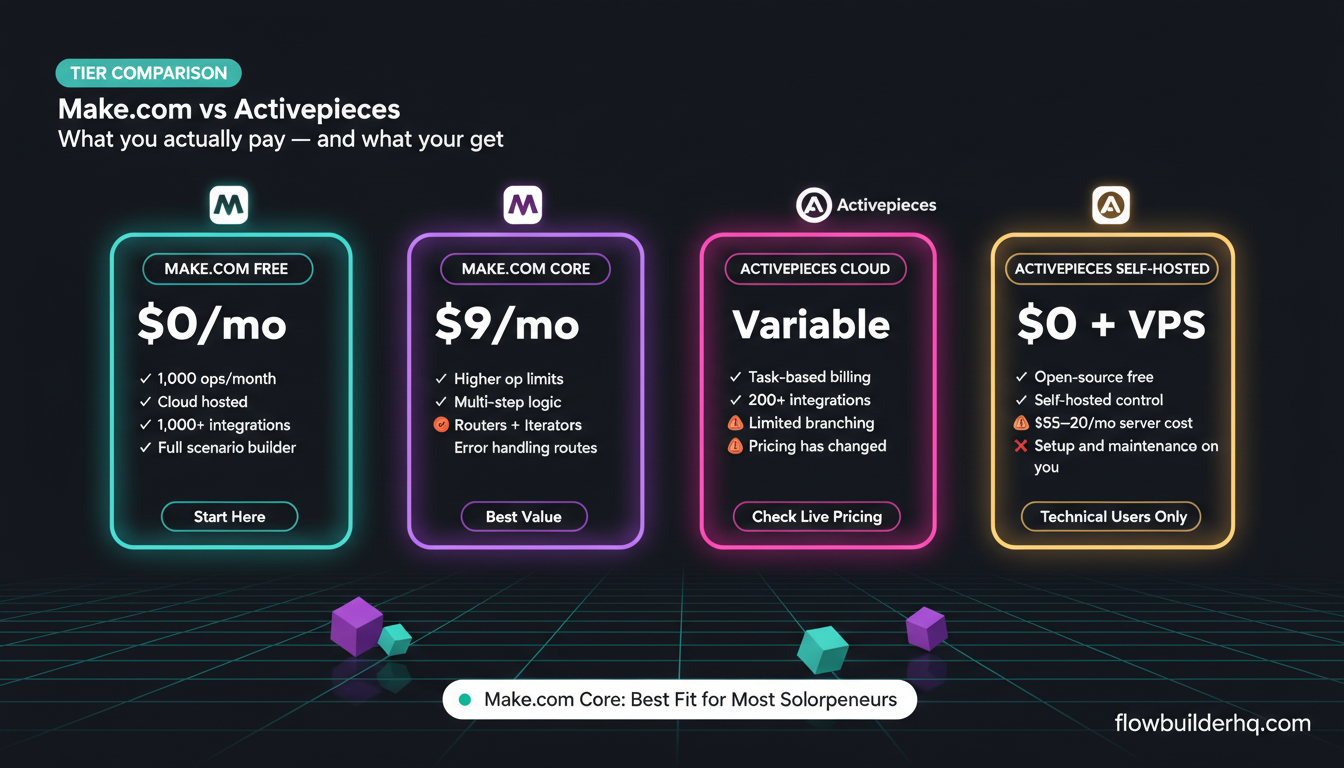
Make.com’s pricing in 2026: Free plan gives you 1,000 operations/month. Core is $9/month, Pro is $16/month, Teams is $29/month. For most solopreneurs running 5-15 active scenarios, Core or Pro covers it. The operations model means complex multi-step scenarios consume more ops, but the full Make.com pricing breakdown shows exactly how to estimate your real costs before upgrading.
Activepieces cloud pricing is harder to pin down precisely because it’s been in active development. Check their current pricing page for live numbers — it has changed more than once in the past year. The self-hosted version is free (you absorb server costs, typically $5-20/month on a basic VPS).
If budget is the primary driver and you’re comfortable with server management, Activepieces self-hosted undercuts everything. But “free” self-hosted tools have non-monetary costs: setup time, maintenance, debugging infrastructure issues rather than automation logic. That’s a real trade-off for a solopreneur whose time is the most expensive thing they have.
The Self-Hosting Question
Activepieces markets self-hosting as a feature. For certain operators — developers, privacy-conscious businesses, agencies managing client data under strict compliance — it genuinely is. For most solopreneurs, it’s complexity without enough upside.
n8n already owns this space. If you want open-source self-hosted automation with serious depth, n8n has a larger connector library, more mature workflow logic, a bigger community, and years of production use behind it. Activepieces is competing with n8n on this angle before it’s matched n8n’s feature depth — which is a tough position.
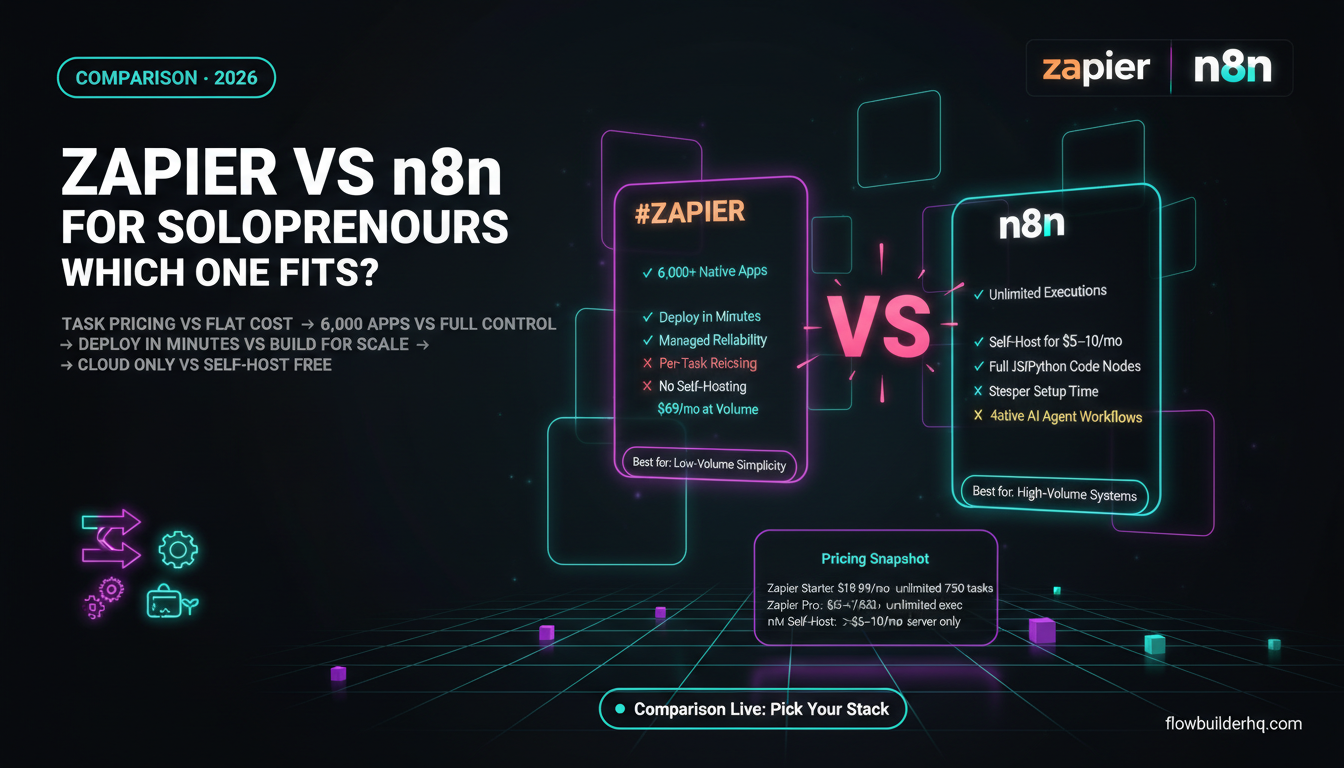
If you’ve already looked at self-hosted options and decided against that path, this comparison between Zapier and n8n for solopreneurs captures why many people end up on a cloud platform anyway.
Workflow Complexity: Where Make.com Pulls Ahead
The most meaningful difference between these two tools isn’t price — it’s how they handle complexity.
Make.com’s scenario builder was designed for multi-branch logic from day one. Routers let you split execution paths based on conditions. Iterators process arrays item by item. Aggregators collect results back into a single data bundle. Error handling routes let you catch failures and respond intelligently rather than watching a scenario silently die. If you’ve ever built anything with more than four steps, these features matter constantly.
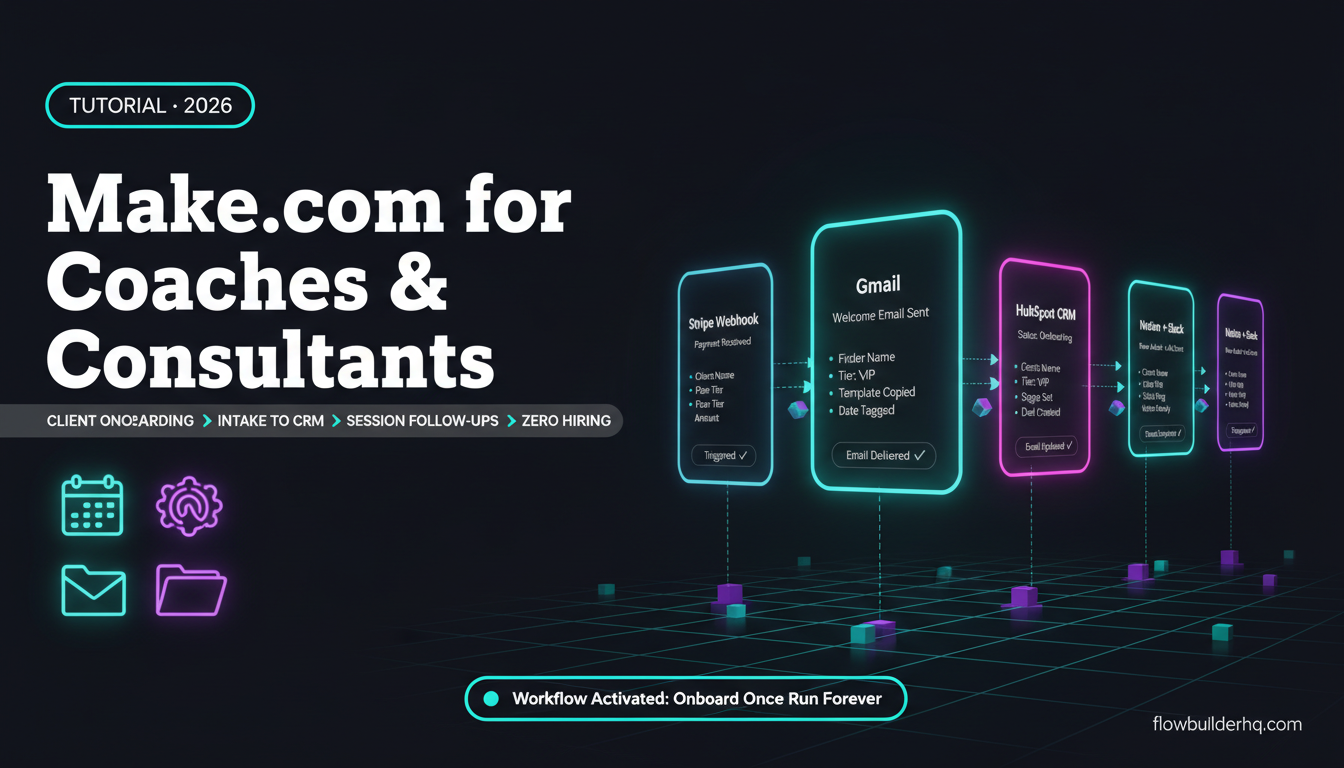
Activepieces supports basic branching, but the conditional logic is shallower. For Zapier-style “if this, do that” workflows, it’s fine. For the kind of multi-step client workflow automation — like the ones covered in the client onboarding automation walkthrough — you’ll hit the ceiling faster.
The Make.com scenario debugger is also genuinely good. You can see exactly what data each module received and returned, which makes diagnosing broken workflows fast. Activepieces has run logs, but the granularity isn’t there yet.
Integrations: Depth vs. Breadth
Make.com has over 1,000 native integrations, many with deep API coverage — not just basic triggers and actions but multiple trigger types, data transformations, and edge-case operations. When you’re connecting HubSpot, Airtable, Notion, Google Sheets, and an AI model in the same scenario, the integration depth matters.
Activepieces is building its piece library fast, and the community can contribute connectors (open-source advantage). But “fast-growing” doesn’t mean “there yet.” If your stack includes less common tools or if you need specific trigger types, there’s a real chance Activepieces doesn’t have a native connector, pushing you to HTTP modules and custom API calls — which defeats the point of a no-code tool for most solopreneurs.
Both platforms support webhooks and HTTP requests as a fallback, so anything with an API is technically connectable. But native connectors are faster to set up, better maintained, and more resilient to API changes.
For practical examples of what a well-integrated Make.com workflow looks like, the Make.com and Airtable integration tutorial shows how module depth translates to real workflow capability.
AI Automation Support
Both platforms have added AI/LLM modules. Make.com has native OpenAI, Anthropic Claude, and other AI service modules — and given its scenario architecture, chaining AI steps with conditional logic, data transformation, and multi-destination outputs is genuinely powerful. You can build an AI-assisted workflow that pulls data, processes it with a language model, filters the output, and routes results to different destinations based on the response.
Activepieces has AI modules too, and they’re improving. But the same workflow complexity ceiling applies. Simple AI automation steps work fine. Sophisticated AI pipelines — the kind that actually replace manual decision-making — benefit from Make.com’s richer logic layer.
For solopreneurs building AI-augmented business workflows, the Claude API for solopreneurs guide shows what’s possible when you pair a capable automation platform with a proper language model integration.
Learning Curve and Onboarding
Neither tool is hard to start with, but they feel different in practice.
Activepieces feels close to Zapier — step-by-step, left-to-right, familiar to anyone who’s used trigger-action tools. The onboarding is relatively smooth. If you’re migrating from Zapier, there’s almost no adjustment period for simple workflows.
Make.com has a slightly steeper initial curve because the canvas-based interface looks more complex. But the payoff arrives quickly once you need to do anything non-trivial. There are also years of tutorials, community posts, and documentation covering nearly every use case. If you get stuck, someone has already solved it.
Activepieces has a smaller knowledge base by definition — it’s newer. The Discord community is active and the maintainers are responsive, but you can’t match the volume of Make.com’s ecosystem. If you hit a specific integration issue at 11pm before a client deadline, that difference is real.
New to Make.com’s interface? The beginner’s guide to building your first Make.com scenario covers the core concepts in under 30 minutes.
Who Activepieces Is Actually Right For
Activepieces isn’t a bad tool. It’s a tool at an earlier stage of maturity than most people presenting it as a “Zapier killer” acknowledge. There are specific use cases where it makes sense:
- Developers or technical operators who want to self-host, contribute custom connectors, and don’t mind maintaining infrastructure
- Budget-constrained early-stage solopreneurs with simple workflows who can’t justify even $9/month yet
- Teams with specific compliance requirements around data residency where self-hosting is mandatory
- Experimenters who want to explore what’s coming in the open-source automation space before it matures
If you’re in one of those categories, Activepieces is worth testing. If you’re not, you’re taking on tool risk that doesn’t serve your business.
Who Make.com Is Right For
Make.com fits solopreneurs who need automation to actually run their business — not as an experiment, but as infrastructure. That means:
- Reliable execution with predictable uptime and maintained integrations
- Multi-step workflows that handle real-world edge cases
- An ecosystem of templates, tutorials, and community knowledge to draw on
- Pricing that scales without shocks — at $9-16/month, it’s one of the better value propositions in the automation space
- Native integrations with the tools already in your stack
It’s worth saying explicitly: Make.com is not perfect. The operations-counting model requires some initial planning on complex scenarios. The interface takes a day or two to feel natural. Some integrations have quirks. But it’s mature, actively developed, and has enough documentation that you’re rarely truly stuck.
The most common automation mistakes solopreneurs make covers the failure modes that trip people up on any platform — worth reading before you build anything mission-critical.
The Honest Verdict: Make.com Wins for Solopreneurs Right Now
Activepieces will probably be a more competitive option in 12-24 months. The open-source community is active, the interface is clean, and the team is shipping fast. Watch it.
But “watch it” is different from “build your business on it today.” Solopreneurs don’t have engineering teams to handle unexpected outages, missing connectors, or platform-breaking updates. The cost of a broken automation at the wrong moment — a missed client trigger, a failed onboarding sequence, a silent error eating your data — is higher than the cost of a $9/month tool that reliably works.
Make.com has a proven track record, a large integration library, genuine workflow depth, and pricing that doesn’t require self-hosting to be affordable. For a solopreneur building real automation infrastructure, that combination is hard to argue against.
If you’re looking at the broader automation tool landscape before committing, the best no-code automation tools for 2026 covers the full competitive picture including where Activepieces, Make, Zapier, and n8n all sit relative to each other.
Ready to test Make.com? The free plan gives you 1,000 operations per month — enough to build and validate several real workflows before spending anything. Try Make.com free and see how it fits your stack.
Still comparing your options? The detailed Make.com vs Zapier pricing and feature breakdown is the most useful next read if you’re coming from the Zapier world. And if the full Make.com alternatives list would help you feel certain you’ve covered all the options, that’s worth a look too.
Building this yourself? Get the workflow pack.
5 ready-to-import n8n workflows — lead capture, invoicing, content repurposing, onboarding, social posting. Free.