7 Make.com Alternatives in 2026 (Ranked by Someone Who Actually Uses Make)
If you’re searching for Make.com alternatives 2026, most lists you’ll find are written by people who have never built a single scenario in Make.
I’ve built real workflows in Make.com — onboarding flows, invoice automations, AI-connected scenarios — and I know exactly what the platform does well and where it genuinely loses to competitors. That hands-on context shapes every pick below, not an affiliate payout chart.
These seven tools are ranked by how useful they actually are for solopreneurs and small teams, not by how much affiliate commission they pay. If Make is still the right answer for you after reading this, I’ll tell you that too.
Want the full picture on Make before comparing? Read the Make.com Review 2026 first.
When Does It Make Sense to Leave Make.com?
Make is the best visual automation builder at its price point. But there are legitimate reasons to look elsewhere:
- You need native CRM automation without stitching tools together
- Your team wants a no-code AI writing workflow, not a general automation canvas
- You hit Make’s operation limits and the next pricing tier isn’t justified
- You want to self-host and own your data completely
- You’re doing simple, linear zaps and don’t need Make’s power
If none of those apply, you probably don’t need an alternative. But if one of them does, read on.
The 7 Best Make.com Alternatives in 2026
1. n8n — Best for Technical Solopreneurs Who Want Full Control
n8n is the closest thing to Make in terms of visual workflow building, but it takes a different philosophy: open source, self-hostable, and built for people who want to own their stack.
Where Make charges per operation, n8n Cloud charges per workflow execution — a model that’s easier to predict for high-volume automations. The node library is extensive, the logic capabilities (branching, looping, error handling) are as deep as Make’s, and the AI integration story has matured significantly going into 2026.
What it does better than Make: Self-hosting means zero per-operation costs at scale. The code node lets you drop into JavaScript when visual logic hits a wall. Data stays on your infrastructure if you want it to.
Real con: The UI has improved but it still has a steeper learning curve than Make’s canvas. If you’re not comfortable with concepts like JSON path expressions, expect a slower start.
Pricing: n8n Cloud starts at around $8/month for 2,500 workflow executions. Self-hosted is free (infrastructure costs apply).
Who it’s for: Solopreneurs with some technical comfort who want to scale automations without watching an operations counter tick up.
See how the two platforms compare side-by-side: n8n vs Make.com for Small Business.
n8n is open-source — explore it directly at n8n.io
2. Zapier — Best for Pure Simplicity, Worst for Value
Zapier is the tool everyone has heard of, which is exactly why it’s not #1 on this list. Name recognition isn’t the same as quality.
For dead-simple, two-step automations — form submission triggers an email, new sale updates a spreadsheet — Zapier is fast to set up and well-documented. The app library is enormous. If you need a specific obscure integration that Make doesn’t have, Zapier might have it.
What it does better than Make: Faster setup for linear workflows. Wider app library for niche tools. Better hand-holding for automation beginners.
Real con: The pricing is punishing at scale. Zapier’s Professional plan runs around $69/month — Make’s Core plan gives you 10,000 operations for $9/month. Once you’re running real workflows, Zapier costs 4-6x more for equivalent volume. The multi-step logic that Make handles visually requires Zapier’s higher-tier plans.
Pricing: Free tier (100 tasks/month), then $19.99/month (750 tasks), with Professional around $69/month. Costs escalate quickly.
Who it’s for: Teams already embedded in the Zapier ecosystem who aren’t price-sensitive, or absolute beginners who need the guardrails.
3. HubSpot — Best If Your Core Problem Is CRM, Not General Automation
HubSpot doesn’t belong on most automation comparison lists. It belongs on this one because solopreneurs frequently hit a point where their Make scenarios are mostly doing CRM work — updating contacts, triggering follow-up sequences, scoring leads — and they’re asking why they’re managing two systems.
HubSpot’s workflow engine, built into its CRM, handles contact-based automation natively. No stitching. No sync delays. Enrollment triggers, branching logic, email sequences, deal stage automation — all inside one platform with your data already there.
What it does better than Make: CRM-native automation is more reliable than syncing an external tool to a CRM. The reporting is built in. For sales and marketing workflows specifically, the depth is hard to match.
Real con: HubSpot is not a general automation tool. It can’t replace Make for things like processing webhooks, building AI pipelines, or connecting non-HubSpot apps. If you try to use it as a Make replacement wholesale, you’ll be disappointed.
Pricing: Free CRM with basic workflows. Starter at $15/month per seat. Professional (where the serious workflow features live) jumps into the high hundreds per month — a significant leap that only makes sense if you’re all-in on HubSpot as your business OS.
Who it’s for: Service businesses and consultants whose automation needs are 80% sales and marketing. Not a Make replacement — a Make complement that might make Make redundant for your specific use case.
HubSpot’s free CRM is worth exploring if CRM is your core system.
4. Copy.ai — Best for Solopreneurs Whose Workflow Problem Is Content Output
Copy.ai sits in a different category from the rest of this list. It’s not a general automation platform — it’s an AI-native workflow builder specifically for content and go-to-market operations.
If a meaningful portion of your Make scenarios exist to move content between tools, trigger AI writing tasks, or run research-to-draft pipelines, Copy.ai’s workflow builder handles that natively without needing to chain together five modules.
What it does better than Make: Pre-built GTM workflows (blog post from keyword, lead research to personalized outreach, repurposing pipelines) that would take significant Make scenario-building to replicate. The AI quality has improved substantially in 2026.
Real con: It’s a vertical tool. You cannot replace Make’s general-purpose automation with Copy.ai. It only makes sense if content production is your actual bottleneck. It also has less flexibility than building your own AI pipeline in Make using Claude or GPT modules.
Pricing: Free tier available. Paid plans start at $49/month.
Who it’s for: Content-heavy solopreneurs — bloggers, agency owners, consultants producing proposals — who want AI workflows without building them from scratch in Make.
Copy.ai offers a free tier to test its workflow builder.
5. ActiveCampaign — Best Make Alternative for Email-Driven Businesses
ActiveCampaign occupies the space between a pure email platform and a lightweight CRM with automation. Its automation builder is genuinely powerful for the price: conditional logic, goal-based sequences, site tracking triggers, lead scoring, and CRM pipeline automation all in one place.
For solopreneurs running course businesses, coaching programs, or subscription services where email sequences drive revenue, ActiveCampaign’s automation can replace a significant chunk of what you’d otherwise build in Make.
What it does better than Make: Email deliverability is a core product focus, not an afterthought. The automation builder is purpose-built for subscriber lifecycle management. Pricing is more predictable for email-heavy use cases.
Real con: Like HubSpot, it’s not general-purpose automation. Connecting it to external tools still requires Make or Zapier for anything outside its native integrations. The UI has also been criticized for feeling dated compared to newer tools.
Pricing: Starts at $15/month for up to 1,000 contacts. Scales with list size.
Who it’s for: Email-first businesses where the automation is fundamentally about subscriber behavior — not app-to-app data movement.
ActiveCampaign‘s plans start at $15/month for up to 1,000 contacts.
6. Pabbly Connect — Best Budget Alternative for High-Volume Simple Workflows
Pabbly Connect is the tool that budget-conscious solopreneurs keep discovering and being surprised by. The core differentiator: lifetime deal pricing and no per-task limits on most plans. You pay once (or a flat monthly fee) and run unlimited workflow executions.
The app library is smaller than Make or Zapier, but for common integrations — forms, email, Sheets, Slack, WooCommerce — it covers the majority of solopreneur use cases. The workflow builder is functional without being beautiful.
What it does better than Make: Total cost of ownership for high-volume, simple workflows. If you’re running thousands of task executions per month and your scenarios aren’t complex, Pabbly can dramatically reduce your automation bill.
Real con: The platform feels less polished than Make, and complex multi-branch logic is harder to build and debug. Support and documentation quality lag behind Make significantly. For anything beyond linear workflows, you’ll feel the limitations.
Pricing: Around $19/month for unlimited tasks on supported apps, or lifetime deals that surface periodically. Verify current pricing before committing.
Who it’s for: High-volume, budget-sensitive solopreneurs running simple, repetitive automations where execution count is the binding constraint.
7. Relay.app — Best for Team-Involved Workflows That Need Human Steps
Relay.app is a newer entrant that solves a specific problem Make doesn’t handle elegantly: workflows that need a human in the loop. Approval steps, manual review gates, handoff notifications that require action before the automation continues — Relay builds this natively.
For solopreneurs working with clients or small teams where some automation steps genuinely need human judgment (proposal review, content approval, exception handling), Relay’s model is more natural than trying to build human-approval logic into Make with workarounds.
What it does better than Make: Human-in-the-loop steps are first-class citizens, not bolt-ons. The collaboration UI is cleaner for non-technical team members. AI step integration is natively built into the flow.
Real con: The app integration library is significantly smaller than Make’s. It’s a young platform, which means features appear on roadmaps that don’t always ship on schedule. For pure app-to-app automation without human steps, Make is still stronger.
Pricing: Free tier available. Paid plans start around $9/month per user. Check their site for current tiers as pricing has evolved.
Who it’s for: Small teams (2-5 people) where workflows regularly touch multiple people and need built-in approval or handoff steps.
Quick Comparison: Make.com vs the Alternatives
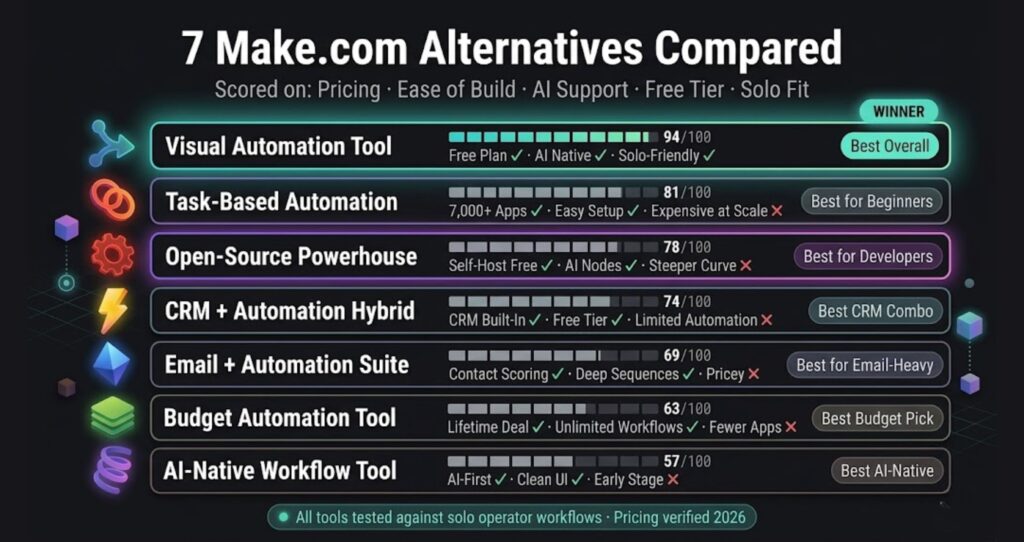
| Tool | Best For | Starting Price | General Automation | Replaces Make? |
|---|---|---|---|---|
| n8n | Technical solopreneurs, self-hosting | $8mo (Cloud) | Yes | Fully |
| Zapier | Simple linear workflows | $19.99/mo | Yes | Fully (at higher cost) |
| HubSpot | CRM-native automation | Free / Pro much higher | Partial | Only for CRM workflows |
| Copy.ai | AI content workflows | $49/mo | No | Only for content tasks |
| ActiveCampaign | Email-driven businesses | $15/mo | No | Only for email sequences |
| Pabbly Connect | Budget, high-volume simple tasks | ~$19/mo | Yes | For simple workflows |
| Relay.app | Human-in-the-loop workflows | ~$9/mo per user | Partial | Only for team handoffs |
Should You Actually Switch Away From Make?
Probably not — if you’re already using it. Make’s visual canvas, operation-based pricing, and depth of logic make it the best general-purpose automation platform for solopreneurs at its price point. I’ve verified this firsthand building real workflows on the platform.
The cases where switching makes sense are specific: you need self-hosting (n8n), your automation is entirely CRM-based (HubSpot), or your core bottleneck is content production (Copy.ai). For everything else, Make holds up.
If you’re still evaluating Make itself, the Make.com Review 2026 covers pricing tiers, operation limits, and who the platform is actually built for. You can also see a full breakdown of how Make stacks up head-to-head at n8n vs Make.com for Small Business.
And if you’re ready to try Make, their free plan includes 1,000 operations per month — enough to build and test real workflows before spending a dollar.
Start building on Make.com free
Building this yourself? Get the workflow pack.
5 ready-to-import n8n workflows — lead capture, invoicing, content repurposing, onboarding, social posting. Free.