Best CRM for Solopreneurs 2026: 7 Picks That Don’t Assume You Have a Sales Team
Most CRM lists are written for someone managing a team of SDRs with a $50k software budget. You’re one person. You follow up on leads between client calls, remember deals in your head longer than you should, and the last thing you need is a platform demanding you configure pipelines, territories, and forecast categories before you can log a single contact.
I evaluated a dozen CRM options as a solopreneur. Most were overbuilt — not because the features are bad, but because they assume a workflow that doesn’t exist when you’re solo. The tools below were chosen specifically because they match a 1-person operation: fast to set up, light on admin, and connectable to the automation stack you’re already running.
If you’re also trying to figure out where CRM fits inside a broader tool stack, the best automation tools for solopreneurs in 2026 post covers that bigger picture.
What Makes a CRM Good for a Solopreneur?
Before the list: the criteria that actually matter when you’re operating alone.
- Fast data entry. If logging a contact takes more than 30 seconds, you won’t do it consistently.
- Automation on the free or base tier. You’re not paying enterprise prices to auto-assign a follow-up task.
- Email integration that works. Not a native email client — actual sync with Gmail or Outlook.
- No mandatory team features. You shouldn’t have to name your “team” to get past the onboarding screen.
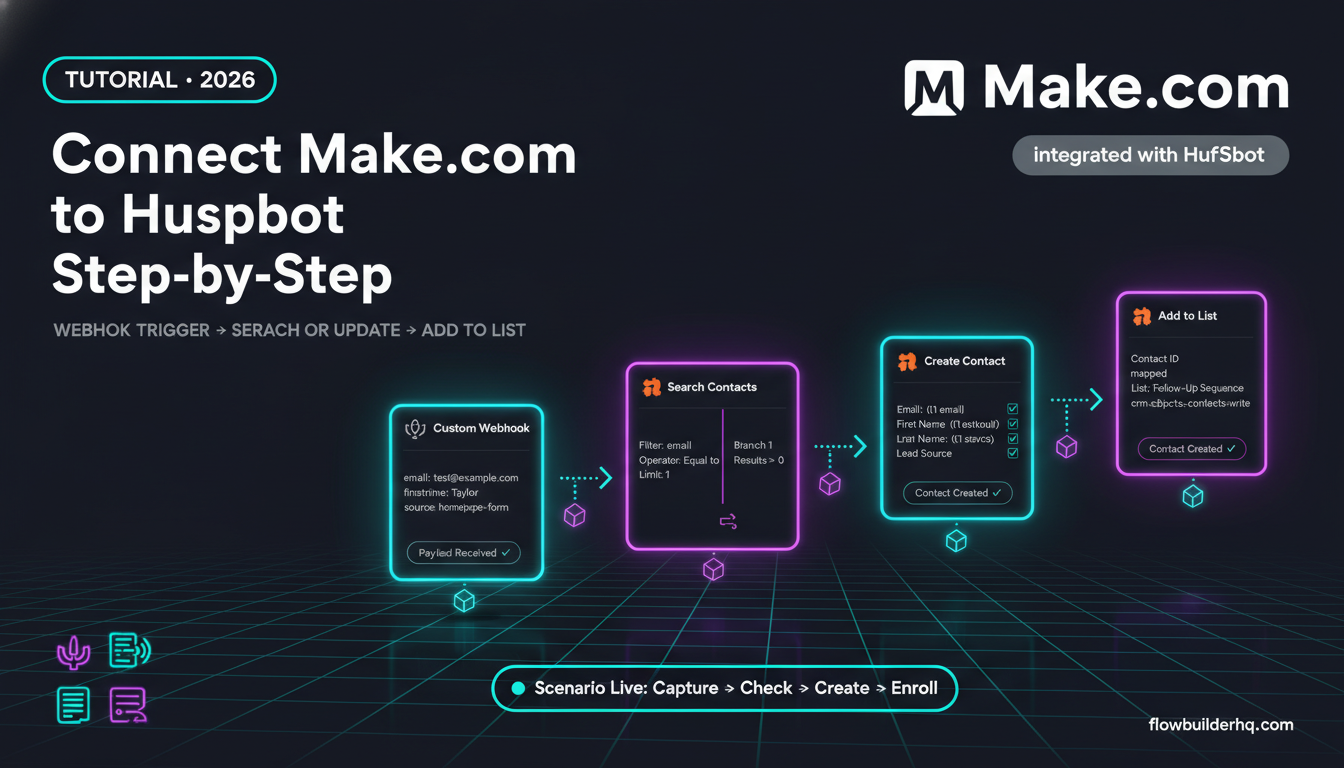
- Plays well with external tools. Make.com, n8n, Zapier — your CRM needs to connect, not isolate.
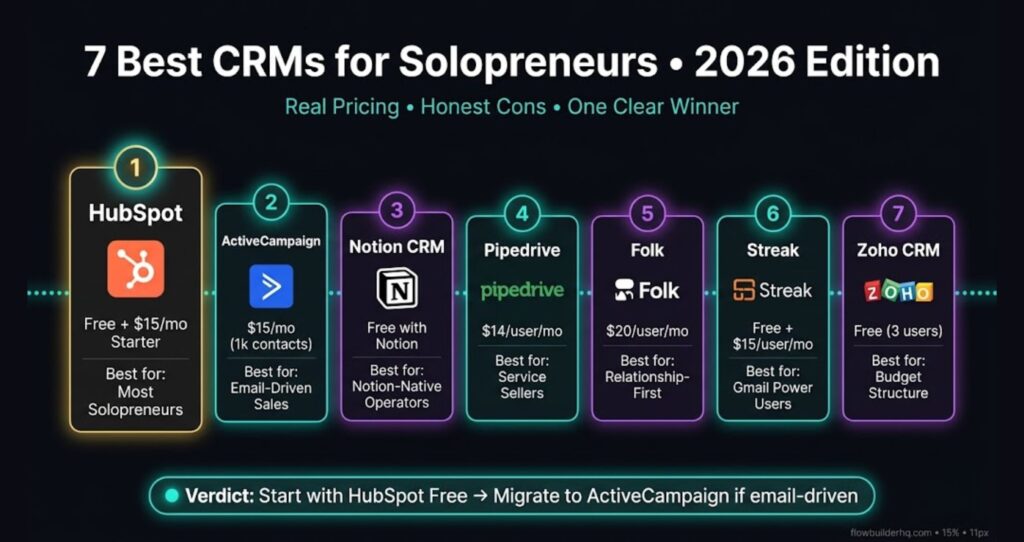
The 7 Best CRMs for Solopreneurs in 2026
1. HubSpot CRM — Best Free Starting Point With Room to Grow
Free tier is genuinely usable. HubSpot’s free CRM isn’t a crippled trial — you get unlimited contacts, a visual pipeline, email tracking, meeting scheduling, and a forms tool with no time limit. For most solopreneurs who are just getting organized, it covers them through the early stages.
The Gmail and Outlook integration is the best in class at this price point. One-click logging, sidebar contact info while you’re in your inbox, and automatic email open tracking without any setup beyond installing the extension.
Where it shines for solos: the contact timeline view. Every email, meeting, note, and deal update lives in one scroll. When you’re juggling 30 active client relationships without an assistant, that context is everything.
Honest con: HubSpot’s upgrade path is aggressive. The moment you want sequences (automated follow-up emails), you’re looking at the Starter tier at $15/month per seat on annual billing. Marketing automation features are split across hubs in a way that can get expensive fast if you grow. Know what the free tier includes before you commit time to building inside it.
Pricing: Free forever (core CRM). Starter from $15/month per seat (annual billing) or $20/month monthly. Professional starts at $100/seat/month with a $1,500 onboarding fee (overkill for solos).
2. ActiveCampaign — Best for Solopreneurs Who Sell With Email
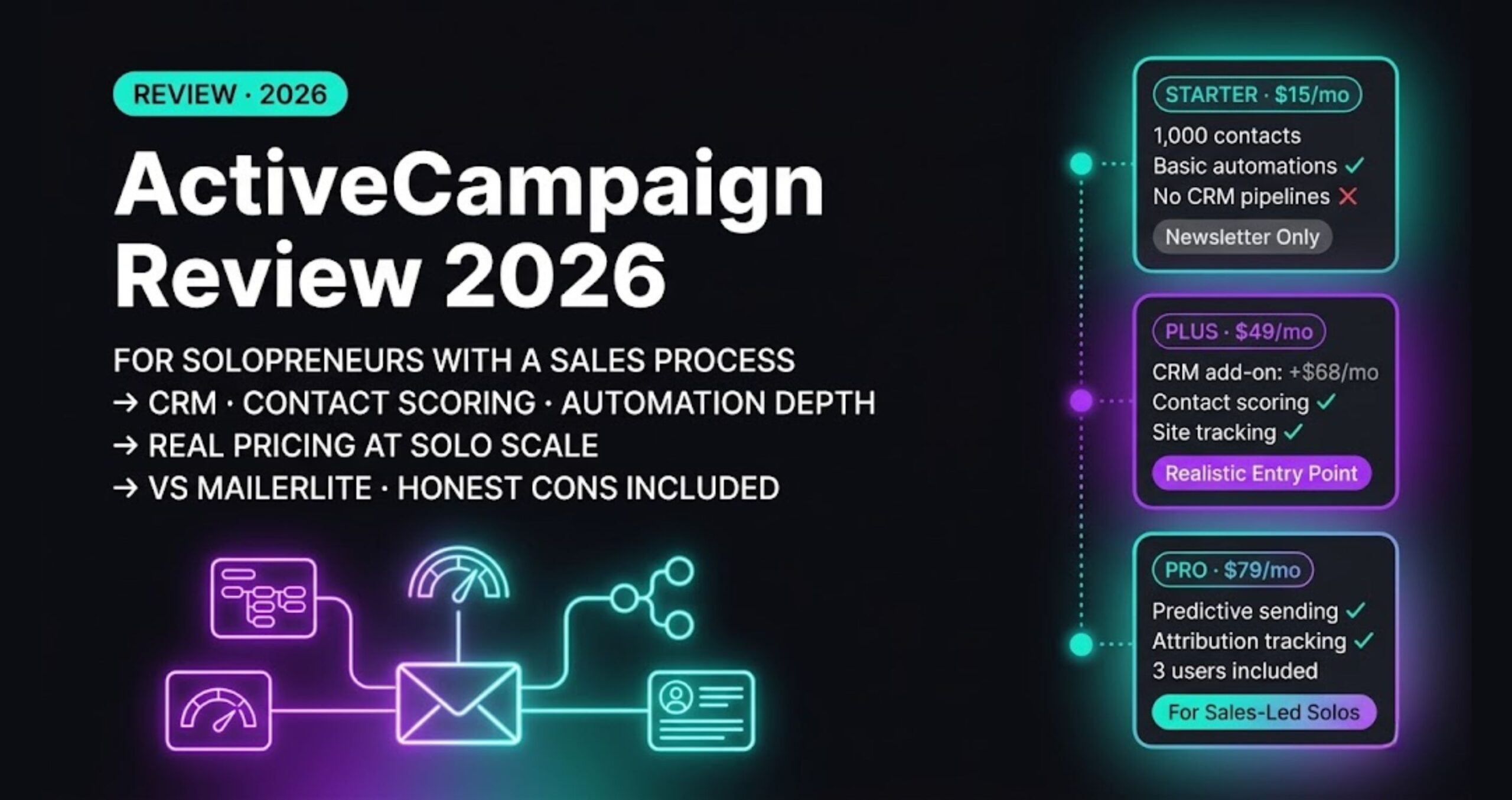
ActiveCampaign is not a traditional CRM first — it’s an email automation platform that added a CRM layer. For solopreneurs whose primary sales motion is email-driven (nurture sequences, launches, service pitches), that order of priority is exactly right.
The automation builder is the reason to pick it. You can trigger deal stage changes from email behavior, tag contacts based on link clicks, and move people through a pipeline without touching anything manually. That kind of automation usually costs enterprise money in dedicated CRMs.
The deal pipeline view is functional but sparse. You won’t love it the way you’d love a dedicated CRM’s pipeline — but if your pipeline is mostly “in sequence → replied → call booked → closed,” it handles that loop cleanly.
Honest con: The UI has a learning curve that rewards power users and punishes people who want to click around and figure it out. If you’re not building automations, you’re overpaying for what is otherwise a mid-tier CRM. The contact record is also less rich than HubSpot’s — fewer native integrations, less timeline depth.
Pricing: Starter from $15/month (up to 1,000 contacts). Plus from $49/month adds CRM features. Pricing scales with list size.
3. Notion + CRM Template — Best for Solopreneurs Who Live in Notion
If Notion is already your operating system, bolting on a dedicated CRM just creates another tab you forget to check. A well-built Notion CRM template — either from the gallery or custom-built — gives you contacts, pipeline, notes, and project links inside the tool you’re already in.
The practical advantage: zero context switching. You’re writing a proposal in Notion, you can link directly to the client record. You finish a call, you log notes in the same workspace your tasks live in.
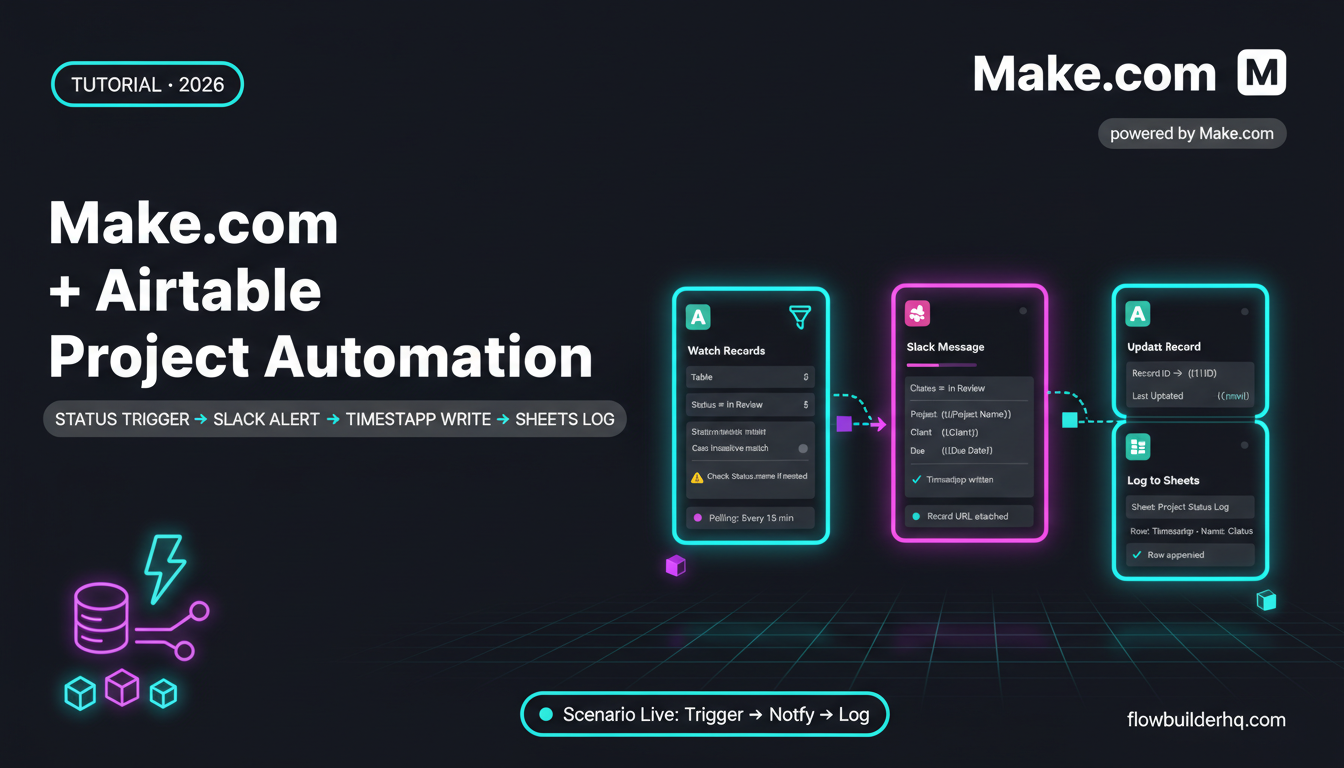
Honest con: Notion is a database, not a CRM. There’s no email sync, no call logging, no activity tracking, and no automation unless you wire it up yourself via Make.com or n8n. If you want the tool to do anything automatically, you’re building that infrastructure yourself. For some people, that’s fine. For others, it becomes a maintenance project that distracts from actual work.
Pricing: Notion free tier works. Plus plan at $10/month/user if you need more blocks or upload space.
4. Pipedrive — Best Pure Pipeline CRM for Service Sellers
Pipedrive was built around one idea: the pipeline view. Every contact, deal, and activity is organized around moving things forward. For solopreneurs selling services — consulting, coaching, freelance — where deals have actual stages (lead → proposal → negotiation → closed), Pipedrive’s UI maps directly to how you think.
Activity-based selling is baked in. The system prompts you to set a next action on every deal. When you’re running 15 active conversations alone, that nudge prevents things from going cold.
The automation features on the base tier are limited but present — you can auto-create activities when a deal moves stages, which is more than most solo-tier plans offer.
Honest con: No free tier. The Essential plan at $14/month is fair, but you’re paying from day one. Email integration exists but isn’t as polished as HubSpot’s. If email is your primary communication channel, you’ll feel the friction.
Note: Pipedrive renamed its plans in July 2025 — Essential is now called Lite, Advanced is Growth. The pricing structure stayed the same.
Pricing: Essential at $14/user/month (annual billing). Advanced at $29-34/user/month adds email automation. No permanent free plan.
5. Folk CRM — Best for Relationship-First Solopreneurs
Folk positions itself as a CRM for people who prioritize relationships over pipeline mechanics. The interface is closer to a smart contact book than a sales tool — which is exactly right if your business runs on referrals, long-term clients, and warm introductions rather than cold outreach volume.
The Chrome extension for importing contacts from LinkedIn is genuinely fast. The “magic fields” feature uses AI to enrich contact records automatically. Group management makes it easy to segment without building formal lists.
Honest con: Folk is newer than the others here, which means the integration ecosystem is thinner. If you’re connecting to Make.com or n8n workflows, check current integration support before committing — it’s improving but not at HubSpot or ActiveCampaign’s level. Reporting is also minimal.
Pricing: Standard from $20/month/user. Free trial available.
6. Streak — Best CRM for Gmail Power Users
Streak lives entirely inside Gmail. Your pipeline is a view inside your inbox, contact records pull from email history, and you never leave Google’s environment. For solopreneurs who manage their entire business from Gmail, removing the “go to the CRM” step removes the biggest reason CRM habits fail.
The free tier is functional for solo use — one pipeline, basic fields, email tracking. The integration with Google Sheets for bulk updates is useful for one-time imports or batch edits.
Honest con: Gmail dependency is the feature and the trap. The moment you want to collaborate with even one contractor, or access your CRM from a non-Gmail context, Streak breaks down. And if you ever switch away from Gmail, you’re migrating everything. It’s also behind on native automation compared to alternatives.
Pricing: Free for solo use (1 pipeline). Solo plan at $15/user/month adds multiple pipelines and email tracking. Pro at $49/user/month adds advanced sharing and reporting.
7. Zoho CRM Free — Best Budget Option If You Need More Structure
Zoho’s free CRM tier supports up to 3 users and includes lead management, contact records, a basic pipeline, and task management. For solopreneurs who want more structure than Notion but can’t justify paid plans yet, it covers the fundamentals.
Zoho’s broader ecosystem (Zoho Books, Zoho Campaigns, Zoho Desk) means there’s a growth path if you want to consolidate tools later — all native integrations, no middleware required.
Honest con: The UI is dated and the free tier has meaningful limits — no mass email, limited custom fields, no workflow automation. Zoho’s interface complexity increases faster than its value as you add features. Many solopreneurs hit a point where it feels more like a mid-market tool wearing a free plan’s clothing than a genuinely solo-optimized product.
Pricing: Free up to 3 users. Standard at $14/month/user. Professional at $23/month/user.
Head-to-Head Comparison
| CRM | Free Tier | Email Sync | Native Automation | Best For |
|---|---|---|---|---|
| HubSpot | Yes (unlimited contacts) | Excellent | Limited on free | Most solopreneurs |
| ActiveCampaign | No | Good | Best in class | Email-driven sales |
| Notion CRM | Yes | None (needs integration) | None (DIY) | Notion-native operators |
| Pipedrive | No | Good | Basic | Service sellers |
| Folk | No (trial) | Basic | Limited | Relationship-focused |
| Streak | Yes (1 pipeline) | Native (Gmail only) | Limited | Gmail-only users |
| Zoho CRM | Yes (3 users) | Good | Paid tiers only | Budget structured users |
How to Connect Your CRM to the Rest of Your Stack
A CRM sitting in isolation is just a fancy address book. The real value comes when it talks to your other tools — your scheduling app sends new meetings to your CRM, a closed deal triggers an onboarding workflow, a contact tagged “hot lead” starts an email sequence automatically.
HubSpot and ActiveCampaign both have native integrations with most major tools. For anything custom, Make.com or n8n handle the connections without requiring code. If you’re deciding between those two, the n8n vs Make.com comparison breaks down exactly which one fits a solo operation better.
The most common CRM workflow I’d recommend setting up first: when a deal moves to “Closed Won,” automatically create the client in your project management tool and trigger your onboarding sequence. That one workflow eliminates 20 minutes of manual setup per new client.
The Honest Pick: Best CRM for Solopreneurs in 2026
Start with HubSpot’s free CRM. It’s the only option on this list that gives you a full contact management system, email tracking, pipeline, and meeting scheduler without paying anything — and it connects to every other tool you’re running. If you outgrow the free tier’s automation limits and email is central to your sales process, migrate to ActiveCampaign at that point rather than paying HubSpot’s steep upgrade prices.
Every other tool on this list serves a specific context. If that context is yours — Gmail-only, Notion-native, relationship-first — use that tool. But for the majority of solopreneurs who just need to stop losing track of leads and follow-ups, HubSpot free is where to start.
Building this yourself? Get the workflow pack.
5 ready-to-import n8n workflows — lead capture, invoicing, content repurposing, onboarding, social posting. Free.