Make.com vs Zapier for Agencies: Which Handles Client Workspaces Better
When you’re running automation for a single business, both Make.com and Zapier work fine. The real gap shows up the moment you’re managing workflows for multiple clients — which is exactly where solopreneurs who’ve grown into micro-agencies find themselves stuck. The question of make.com vs zapier for agencies isn’t really about features in isolation. It’s about whether the platform’s structure matches how a multi-client operation actually works.
This comparison focuses specifically on workspace management, client isolation, team collaboration, and scenario portability — not raw pricing math (that’s covered in the full Make.com vs Zapier pricing breakdown). If you’ve gone from “one business, one automation account” to “I need to keep Client A’s workflows completely separate from Client B’s,” this post is for you.
The Actual Problem: Multi-Client Chaos Without Proper Workspace Structure
Here’s what happens when a solopreneur turned micro-agency tries to scale their automation stack without proper workspace management: everything lives in one account, scenarios get confusing to label, you accidentally edit the wrong client’s workflow, and when you want to hand off access to a VA or a client, you end up sharing your main account login.
Neither Make.com nor Zapier solves all of this perfectly. But they solve it very differently — and the differences matter at the point where you’re managing three or more clients simultaneously. If you’re newer to building these systems, building your first Make.com scenario is a good starting point before worrying about organizational structure.
Make.com vs Zapier for Agencies: Workspace Architecture Compared
Make.com’s Organization and Team Model
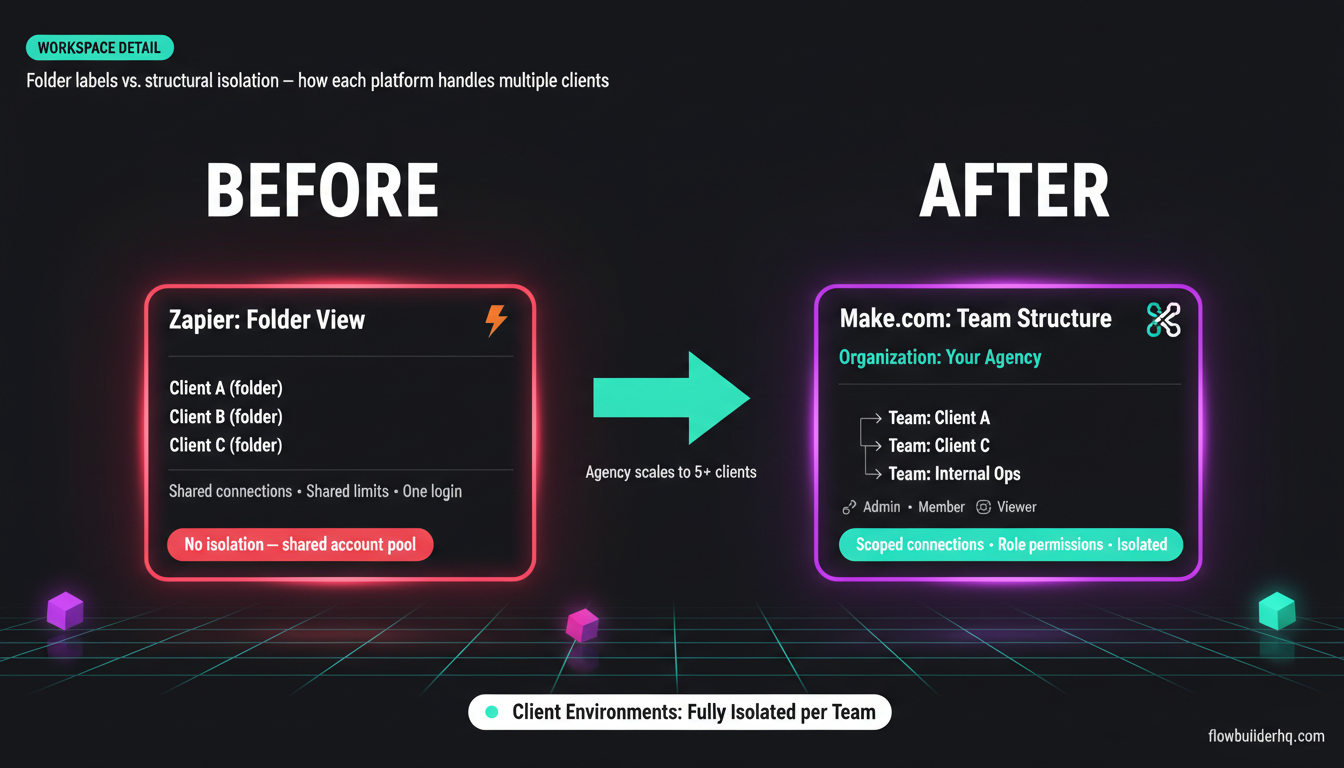
Make.com separates your account into two layers: Organizations and Teams. An organization is the top-level container — typically your agency itself. Under that, you create Teams, and each Team can have its own set of scenarios, connections, and members.
This means you can structure it like this:
- Organization: Your Agency Name
- Team: Client A
- Team: Client B
- Team: Internal Ops
Each team is genuinely isolated. Client A can’t see Client B’s scenarios. If you invite a client into their own team (which you can do), they only see what belongs to them. This isn’t just a labeling system — it’s structural isolation.
Make.com also lets you assign role-based permissions within teams: Admin, Member, or Viewer. A client with Viewer access can see their automations running without being able to break anything. A VA you bring in can get Member access on one team and nothing else. That kind of granular control is worth more than most people realize until they’ve dealt with the fallout of shared logins.
Scenarios can be shared between teams as templates, which becomes particularly useful when you’re building the same intake-to-CRM workflow for multiple clients. Build it once in a base configuration, copy it to a new team, swap out the connections. The scenario template approach cuts setup time significantly when you’re onboarding new clients into similar workflows.
Zapier’s Folder and Workspace Structure
Zapier’s approach to multi-client work is folders — and folders are not workspaces. They’re organizational labels, not isolation layers. Every Zap in your account, regardless of which folder it lives in, runs under the same account, the same connection pool, and the same usage limits.
Zapier does offer a separate product called Zapier for Teams, but this is structured around shared billing, not client isolation. Multiple team members can access and edit Zaps, but there’s no concept of giving a client view-only access to only their workflows without exposing your entire account. There’s also no clean way to package a Zap as a template for other client deployments — you rebuild, or you clone manually and adjust.
For a solopreneur or two-person team working with one type of client, Zapier’s folder system is fine. For a growing agency that needs real boundaries between client environments, it creates friction at every turn.
Zapier does have a Zapier for Companies tier aimed at enterprise teams, but it’s priced for enterprise and doesn’t address the “micro-agency with 5-8 clients” use case. The jump from Professional ($69/mo) to enterprise territory is steep, and the middle ground — where most micro-agencies actually live — is underserved.
Scenario Portability and Reuse: Make.com Wins Clearly
One of the biggest time sinks in agency automation work is redeployment. You built a great lead capture workflow for Client A. Client B needs something almost identical. What happens next determines whether your agency scales or becomes a custom-build sweatshop for every engagement.
Make.com lets you export scenarios as JSON blueprints. You can import those blueprints into any team or organization. More practically, from Make.com’s Teams interface, you can designate scenarios as templates that team members can clone and configure. This is how competent agencies build repeatable service offerings — build the logic once, parameterize the client-specific pieces (webhook URLs, account connections, email addresses), and deploy in minutes instead of hours.
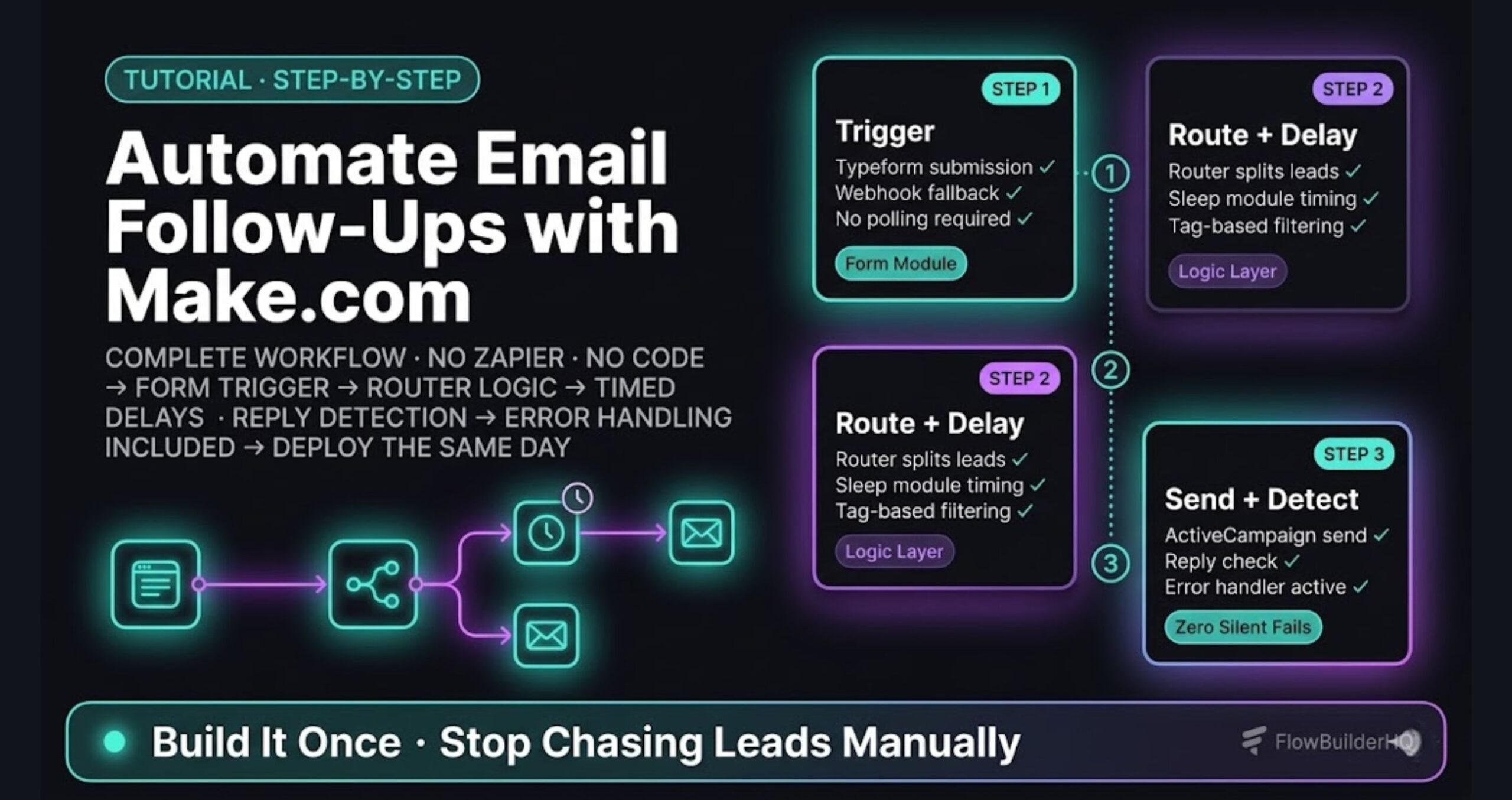
This connects directly to client onboarding: if you’re building a standard onboarding workflow for every new client, automating the onboarding process itself on Make.com means you can combine the organizational structure with a repeatable scenario template, and the whole thing takes under an hour to deploy for a new client.
Zapier doesn’t have a native blueprint export. You can duplicate Zaps, but duplication is manual and account-scoped. There’s no equivalent of “here’s a packaged workflow that any team or client can instantiate.” Third-party tools can help partially, but it’s a workaround, not a feature.
Connection Management Across Clients
When you’re running automations for multiple clients, you’re also managing multiple sets of API credentials, OAuth connections, and third-party app authorizations. This is where organizational hygiene matters.
On Make.com, connections are scoped to teams. A Google Workspace connection you set up for Client A lives in Client A’s team. It doesn’t bleed into Client B’s environment. You’re not scrolling through 40 connections trying to remember which Gmail account belongs to which client. Each team’s connection library stays clean and scoped.
On Zapier, all connected accounts live in a global pool under your account’s “Connected Accounts” section. If you’ve got six clients who all use Google Sheets, you end up with six “Google Sheets (Client A name)” entries in one big list. It’s manageable at two or three clients. At seven or eight, it becomes a real organizational problem — and the risk of accidentally routing data through the wrong account increases.
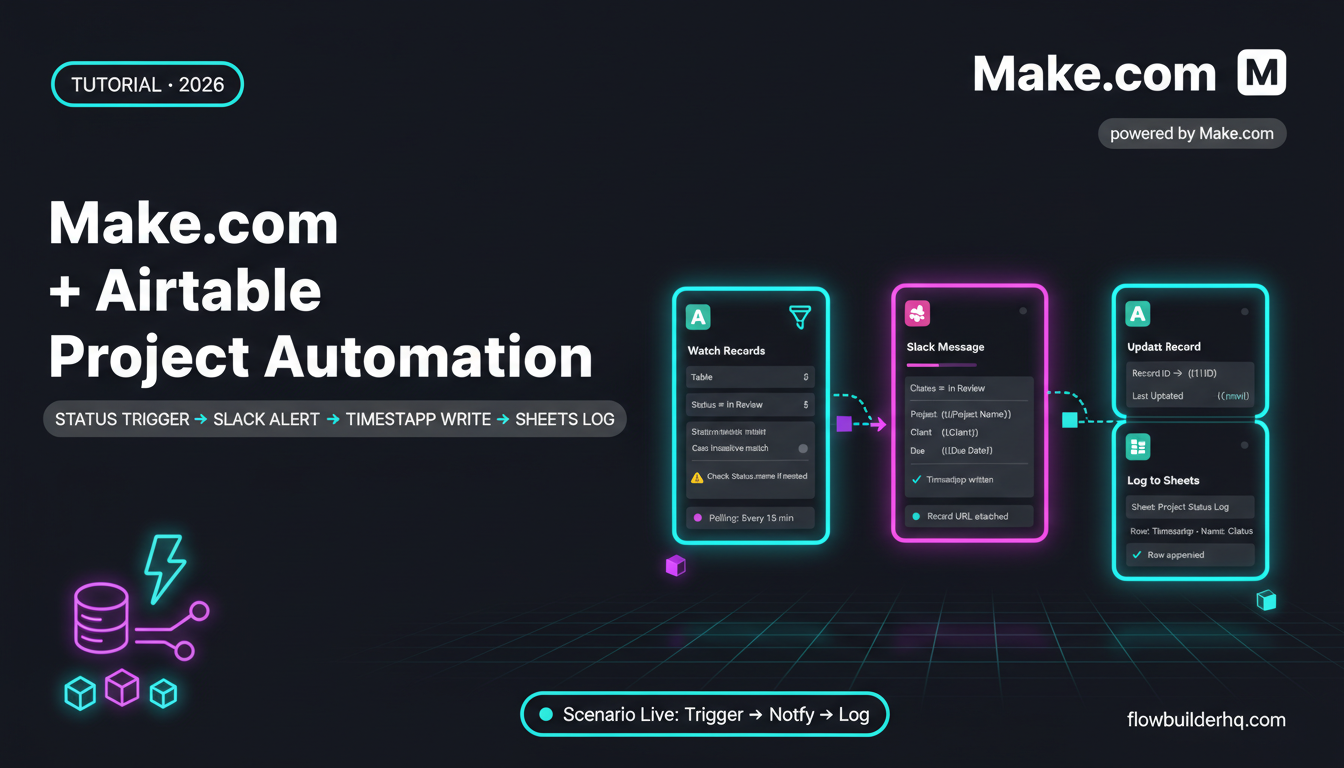
The Make.com and Notion integration is a good example of how team-scoped connections play out in practice: you can have a Notion connection for your internal ops team and a completely separate Notion connection for a client team, and they never cross-contaminate.
Pricing at Agency Scale
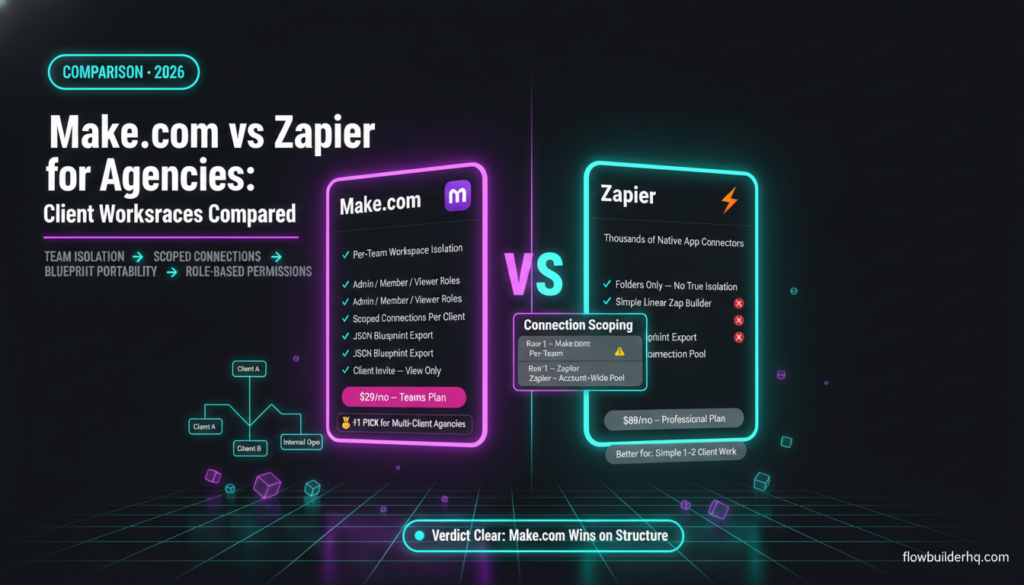
Make.com’s Teams plan is $29/month and supports multiple team members with the organizational structure described above. The Core plan ($9/mo) gives you Teams access but with lower operation limits. For most micro-agencies, the Teams plan is the entry point for real client workspace management.
Zapier’s Professional plan ($69/mo) is where most solo operators and small agencies end up, and it doesn’t include real workspace isolation — just folders and shared access. To get anything approaching true multi-client management, you’re looking at Zapier for Teams pricing that scales with seat count and quickly exceeds $100-200/month for a small team.
The pricing gap is real, but it’s secondary to the structural gap. Even if Zapier cost the same as Make.com’s Teams plan, its architecture doesn’t support client isolation at the workflow and connection level. This is distinct from the solopreneur pricing comparison — the agency case makes Make.com’s advantage structural, not just economic.
Error Handling and Client Accountability
When a workflow breaks for a client, you need to diagnose it fast and communicate clearly. Make.com’s execution history is available per-scenario and shows full module-by-module data for each run. Within a team, every scenario has its own execution log. You can look at exactly what data came in, where it failed, and what the error was.
Zapier’s Zap history works similarly at the individual Zap level, but the organizational layer above it isn’t as clean when managing multiple clients. There’s no team-level dashboard where you can scan the health of all client automations at once without switching contexts repeatedly.
For agencies building error-tolerant workflows, Make.com’s error handling capabilities — including custom error routes and retry logic — are meaningfully deeper. The Make.com error handling documentation on this site covers how to build scenarios that fail gracefully, which is essential when clients are depending on your automations for real business processes like invoicing, scheduling, and lead routing.
Speaking of which — if you’re running automations like automated invoicing through Make.com, having these isolated per-client with proper error handling isn’t optional. A payment webhook misfiring for the wrong client is the kind of mistake that ends business relationships.
What Make.com Can’t Do (Honest Cons)
Make.com’s organizational model is better, but it’s not without friction:
- Teams are a paid feature. The free plan doesn’t give you team management. You need at least the Core plan ($9/mo) to access team structure, and realistically the Teams plan ($29/mo) for agency use.
- The learning curve is steeper. Make.com’s scenario builder is visual and powerful, but it takes longer to get comfortable with than Zapier’s linear Zap builder. New VAs or clients you’re bringing into their workspace may need more hand-holding upfront.
- App library gaps. Make.com’s native app integrations number in the hundreds, not thousands. Zapier’s library is broader. If a client uses a niche SaaS that only has a Zapier integration, you’ll be working through webhooks or custom HTTP modules on Make.com — which is doable but adds setup time.
- No client-facing dashboard. Make.com doesn’t have a white-labeled or client-branded view. Clients you invite see Make.com’s interface. For some agencies, that’s fine. For others who want to present a polished custom experience, it requires additional tooling.
What Zapier Does Better
Zapier’s app integration breadth is genuinely better. If your client roster includes businesses on unusual or niche tools, Zapier often has a native connector where Make.com requires a workaround. For automation work that’s primarily linear — trigger, action, done — Zapier’s interface is faster to build and explain to non-technical stakeholders.
Zapier also has better brand recognition among less technical clients. Some business owners have heard of Zapier and feel more comfortable knowing their automations run on a tool they recognize. That’s not a technical consideration, but it’s a real one for agencies that do client-facing presentations.
If you’re weighing automation tools more broadly, the Zapier vs n8n comparison covers how a self-hosted alternative fits in — useful context if you’re considering whether to move some complex client workflows off cloud-only tools entirely. For a fuller look at alternatives to both platforms, the no-code automation tools roundup is worth reviewing before committing.
Head-to-Head: Feature Comparison Table
| Feature | Make.com | Zapier |
|---|---|---|
| Client workspace isolation | Yes — per-team structural isolation | No — folders only, shared account |
| Role-based permissions | Yes — Admin, Member, Viewer per team | Limited — editor/view per account |
| Connection scoping | Per-team | Account-wide pool |
| Scenario/blueprint portability | Yes — JSON export and team templates | No native export |
| Client-facing access | Invite to team with scoped view | Shared account access only |
| Agency-friendly entry pricing | $29/mo (Teams plan) | $69/mo (Professional, no isolation) |
| App integration library | Hundreds of native apps | Thousands of native apps |
| Error handling depth | Advanced — custom routes, retry logic | Standard — basic error handling |
| Visual workflow builder | Canvas-based, highly visual | Linear, simpler |
| White-label option | No | No (enterprise tiers only) |
Who Should Use Make.com for Agency Work
Make.com is the right choice if:
- You’re managing three or more clients with distinct automation workflows
- You want to build reusable workflow templates you can deploy for each new client engagement
- You need real isolation between client environments — data, connections, and access
- Your client workflows involve conditional logic, multi-step data transformation, or API calls — not just linear trigger-action sequences
- You’re onboarding VAs or contractors and need to give them scoped access without sharing your master account
Make.com is also worth using if you’re building automations that feed into reporting workflows. The client reporting automation guide shows how to build Make.com scenarios that pull data and deliver formatted reports — the kind of deliverable that makes clients visibly see the value of what you’ve built for them.
For freelancers building their first client-facing workflows, the Make.com for freelancers guide is a practical entry point that covers the transition from single-business automation to client-service work.
Who Should Stick With Zapier
Zapier makes sense if:
- You’re managing just one or two clients who use niche apps that only have Zapier connectors
- Your clients are non-technical and the simple Zap interface reduces their learning overhead
- You’re doing straightforward trigger-action automation without complex logic
- Automation is a small part of your service offering, not the core of it
The Verdict: Make.com Is Built for Multi-Client Work. Zapier Isn’t.
The answer to Make.com vs Zapier for agencies handling client workspaces is clear: Make.com’s organizational model — teams, scoped connections, blueprint portability, and role-based permissions — was built with multi-entity management in mind. Zapier’s model was built for single-account simplicity, and it shows the moment you try to manage more than two clients cleanly.
If you’re at the point where client isolation, template reuse, and scoped access actually matter to your day-to-day operations, Make.com’s Teams plan at $29/month is not a close call against Zapier Professional at $69/month for less structural capability.
The one scenario where Zapier wins: your clients are already on niche tools with no Make.com native integration, and your workflows are simple enough that Zapier’s linear builder is sufficient. That’s a real use case — but it’s narrower than most agency operators think before they’ve tried both tools at scale.
Ready to structure your agency workflows properly? Start with Make.com’s free account and build out your first team structure before you bring on your next client. The setup takes less than ten minutes and changes how you think about client work on automation.
Building this yourself? Get the workflow pack.
5 ready-to-import n8n workflows — lead capture, invoicing, content repurposing, onboarding, social posting. Free.