n8n Review 2026: Is the Learning Curve Worth It for Non-Developers?
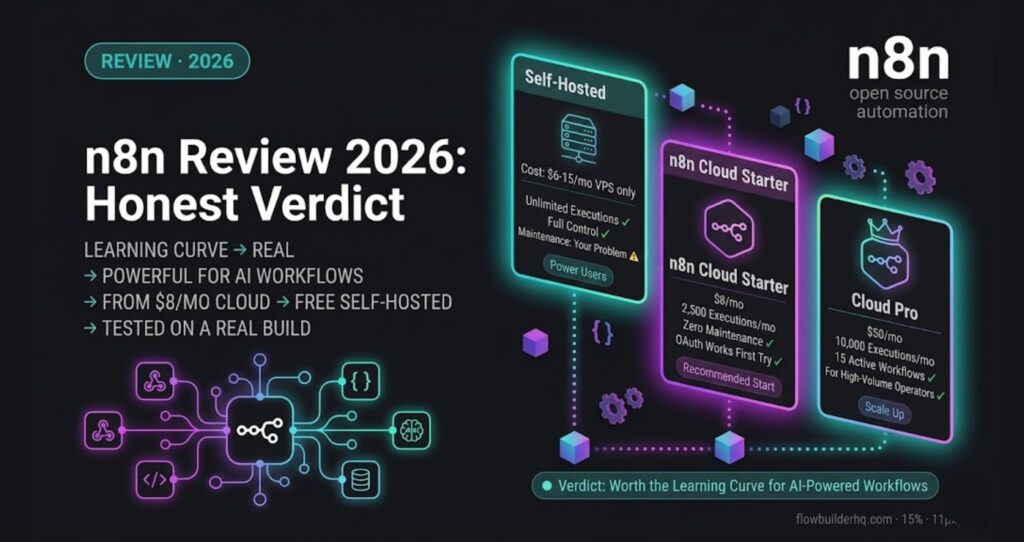
This n8n review 2026 is for solopreneurs who want the honest verdict on whether the most powerful automation tool on the market is worth the learning curve. After building multi-step API automations on both n8n self-hosted and n8n Cloud, here’s the real take.
Verdict: n8n is worth it if you’re willing to invest 5-10 hours getting comfortable with its logic. If you want something running in 20 minutes without touching a single setting, look elsewhere. But if you push through the initial friction, n8n gives you automation capabilities that cost significantly more on competing platforms.
n8n Review: What It Actually Is (and Isn’t)
n8n is a workflow automation tool — similar to Zapier or Make.com — but with a key difference: it’s code-optional, not code-required, and it’s open-source. You can self-host it for near-zero cost or use n8n Cloud for a managed experience.
The node-based visual editor lets you build workflows that trigger on events, process data, call APIs, run conditional logic, and loop through lists. Most of this happens without writing a single line of code. But unlike Zapier, n8n doesn’t hold your hand. It assumes you know what you want to do — it just gives you the tools to do it.
It’s not a chatbot builder. It’s not a landing page tool. It’s pure workflow automation infrastructure, and it’s very good at that one thing.
Real Testing: What I Actually Built
The workflows I’ve run on n8n aren’t toy examples. Here’s what actually got built and what broke along the way:
Multi-Step API Automation (Self-Hosted)
Common Self-Hosted Friction: OAuth Authentication
A typical multi-step n8n workflow — webhook trigger, Function node for data transformation, HTTP Request to a third-party API, write back to Google Sheets — runs about five nodes and is reasonable to build in a couple of hours once you know the platform.
The friction point that catches most self-hosted users: OAuth2 authentication setup. OAuth flows in n8n self-hosted require setting a callback URL in both n8n and the external service. If your n8n instance isn’t running on HTTPS with a proper domain, OAuth fails silently — and the failure mode is hard to diagnose. The fix: make sure your self-hosted instance has a valid SSL certificate and a publicly accessible URL before attempting any OAuth connection. This is the single most common reason self-hosted n8n deployments stall on day one.
Client Onboarding Workflow (Cloud)
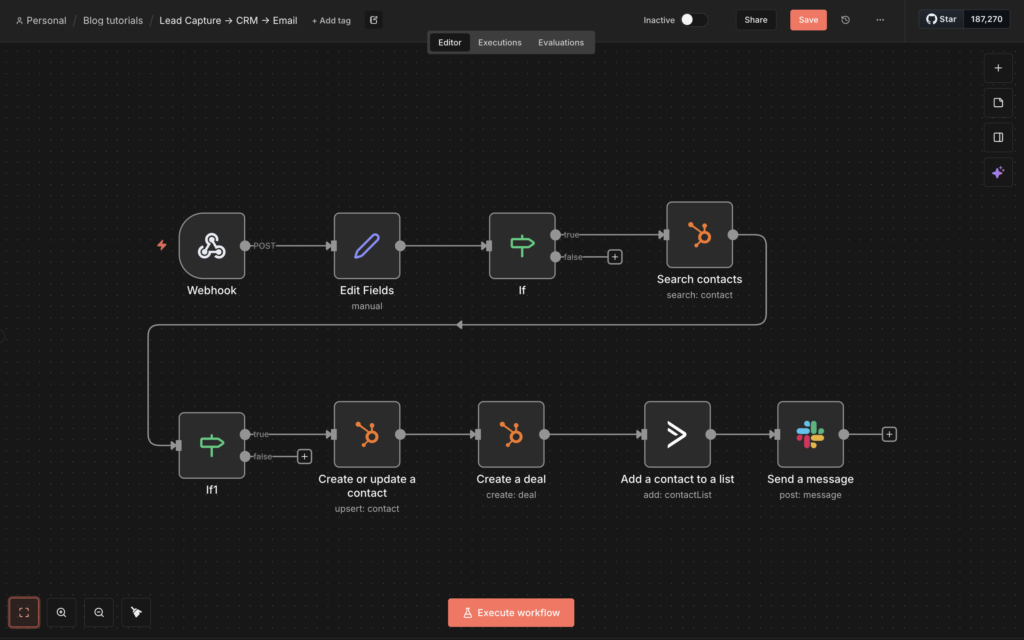
On n8n Cloud, I built a complete lead capture and onboarding pipeline: webhook trigger from a form submission, data validation and normalization, HubSpot duplicate-check and contact upsert, deal pipeline creation, and an ActiveCampaign automation trigger for follow-up. Nine nodes total.
Cloud eliminated the SSL setup entirely. The OAuth flows worked first try. Setup time: a few hours including building, testing, and adding error handling. On n8n Cloud’s Starter plan, this runs for $8/month — substantially less than the Zapier Team-tier pricing the same workflow volume would require. The full build is documented in the client onboarding automation walkthrough and the lead generation tutorial.
Claude AI Integration
Claude AI Integration Pattern
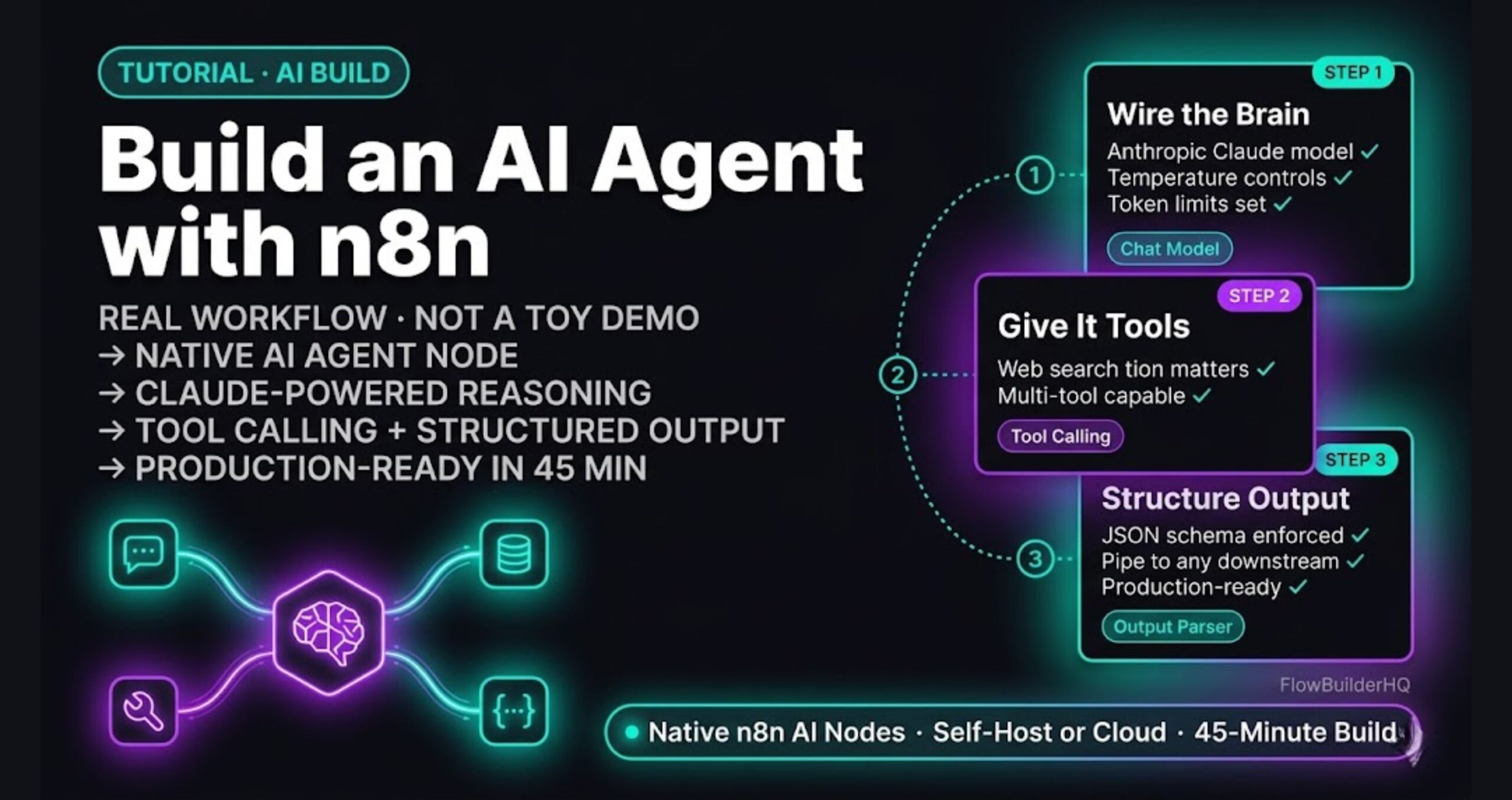
One of n8n’s strongest patterns for solopreneurs: connecting Claude or other LLMs into a workflow for classification, content generation, or content routing. The typical setup uses HTTP Request nodes to call the Anthropic API, then JSON parsing to route the response into downstream nodes. This pattern works for support ticket triage, lead scoring, content categorization, and dozens of other use cases. The Claude AI to n8n connection guide has the exact setup if you want to replicate it.
n8n Pricing in 2026
| Plan | Monthly Cost | Executions | Active Workflows |
|---|---|---|---|
| Self-Hosted (Community) | Free | Unlimited | Unlimited |
| Cloud Starter | $8/mo | 2,500/mo | 5 |
| Cloud Pro | $50/mo | 10,000/mo | 15 |
| Cloud Enterprise | Custom | Custom | Unlimited |
The self-hosted Community edition is genuinely free with no feature restrictions — that’s rare and worth saying clearly. You pay with your time (setup, maintenance, updates) rather than money. n8n Cloud trades that time cost for a monthly fee and gets you running in under an hour.
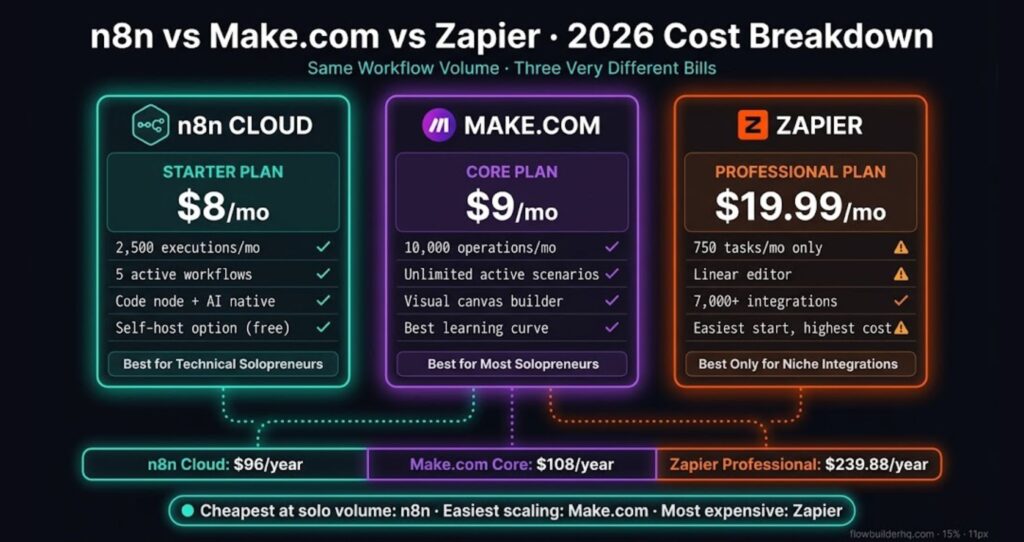
For solopreneurs doing moderate automation volume, Cloud Starter at $8/month is the right call. If you’re hitting workflow limits, the n8n self-hosted vs cloud breakdown has a decision framework based on use case and technical comfort level.
What n8n Does Better Than Competitors
Data Transformation
n8n’s built-in expression editor and Function nodes let you manipulate data mid-workflow without needing a separate tool. Zapier forces you into workarounds. Make.com has similar power but a steeper visual complexity. In n8n, transforming a date format or flattening a nested JSON object takes 30 seconds in the expression editor.
Branching and Conditional Logic
The IF node and Switch node handle complex conditional routing cleanly. You can have a workflow that behaves completely differently based on 8 different conditions without the workflow diagram becoming unreadable. Make.com’s router does this too, but n8n’s visual layout keeps it more manageable at scale.
Error Handling
n8n has built-in error workflow triggering. When a node fails, you can route that failure to a separate notification workflow automatically. This is production-grade behavior. Zapier has nothing comparable at this price point.
Cost at Scale
If your automations run thousands of executions per month, n8n self-hosted costs you server fees only — typically $6-15/month on a basic VPS. No per-task pricing. No operation counts. For high-volume solopreneurs, this alone pays for the learning curve.
The Real Cons — Not Softened
Con 1: The Learning Curve Is Real
n8n does not hand-hold you. The documentation is good but assumes you can read it and apply it. If you’ve never thought about how data flows between steps in an automation, n8n will confuse you. Zapier takes 10 minutes to get a first workflow running. n8n takes 2-3 hours to get comfortable enough to build reliably. That gap matters if your time is genuinely scarce.
Con 2: The Native App Library is Smaller
n8n has 1,100+ integrations. Zapier has 7,000+. Make.com has 2,000+. If your stack includes niche SaaS tools — specialized accounting software, regional payment processors, industry-specific CRMs — there’s a real chance n8n doesn’t have a native node for it. You can always use the HTTP Request node to hit any API manually, but that requires knowing what you’re doing.
Con 3: Self-Hosted Maintenance Is a Real Job
Self-hosting sounds appealing until you hit a breaking update at 11pm before a client deadline. n8n updates frequently. Occasionally those updates change node behavior. On self-hosted, you own that problem. Database migrations, Docker container restarts, credential re-authentication after updates — it’s manageable, but it’s not passive. Cloud removes this entirely, but then you’re paying monthly.
Con 4: Execution Limits on Cloud Starter Are Tight
2,500 executions per month sounds like a lot until you have five workflows running daily triggers, a few webhooks firing unpredictably, and error-retry logic counting as separate executions. Power users will hit the Starter ceiling and need to upgrade to Pro at $50/month, which changes the cost comparison with competitors.
Who n8n Is For
- Solopreneurs who’ve outgrown Zapier’s pricing — If you’re paying $49-103/month on Zapier, n8n Cloud almost certainly does the same work for less
- Anyone building AI-powered workflows — the flexibility to hit any API makes n8n the best environment for LLM integrations right now
- Technical-leaning non-developers — if you can read an error message and Google a solution, you can learn n8n
- High-volume automators — self-hosted removes all per-execution economics entirely
Who Should Skip n8n
- Complete automation beginners — start with Make.com or Zapier, come back to n8n in 6 months
- Businesses heavily dependent on niche SaaS integrations — check the integration list before committing
- Anyone who needs a workflow running today with zero friction — n8n is not that tool
n8n Cloud vs Self-Hosted: Which to Start With
For most solopreneurs reading this: start with n8n Cloud. The $20/month Starter plan eliminates all the infrastructure headaches, gets you running fast, and lets you evaluate whether n8n’s workflow model fits how you think. If you max out Cloud and the cost becomes a factor, then evaluate self-hosting.
The self-hosted path makes sense if you have DevOps experience, need to run sensitive data locally, or are already running other self-hosted services and can add n8n to an existing setup with minimal overhead.
Final Take: Is n8n Worth It in 2026?
n8n is the best automation tool available at its price point for solopreneurs who are willing to learn it. The learning curve is front-loaded and real, but it doesn’t compound — once you understand how nodes and data flow work, every new workflow you build gets faster. The error handling, data transformation capabilities, and AI integration flexibility put it ahead of Zapier for anyone doing serious automation work.
The competitors worth comparing are Make.com (better for visual-first builders, comparable power) and Zapier (much easier start, much higher long-term cost). If you want the comparison in detail, the best automation tools for solopreneurs 2026 post has the full rundown.
If you’re ready to stop paying Zapier prices for simple automation tasks, n8n Cloud’s free trial is the lowest-friction way to find out if it clicks for you. Build one real workflow. If it works, you’ll know immediately whether n8n belongs in your stack.
Building this yourself? Get the workflow pack.
5 ready-to-import n8n workflows — lead capture, invoicing, content repurposing, onboarding, social posting. Free.