OpenAI API vs Claude API for Building No-Code Automations: Which Is Easier to Integrate
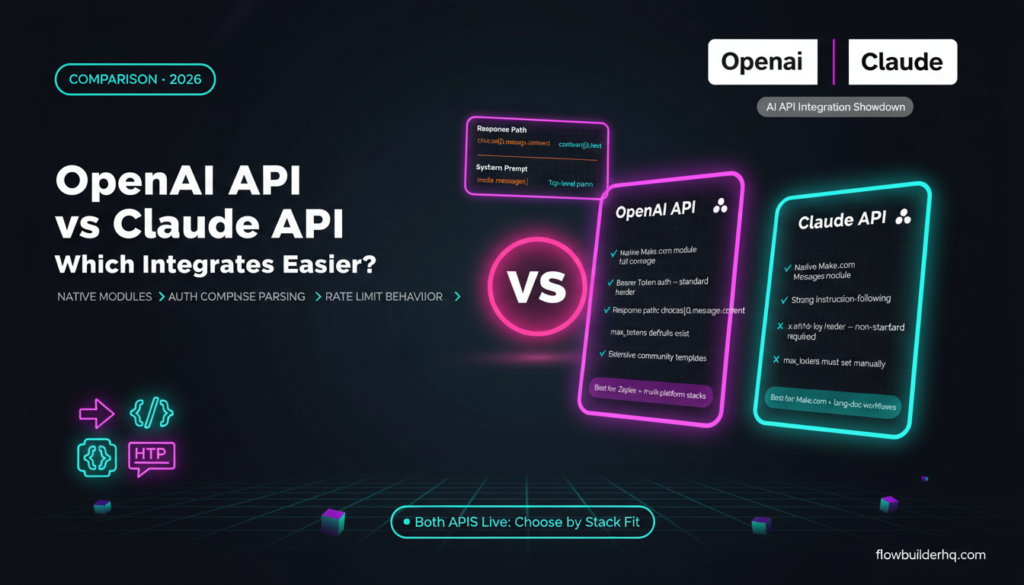
Both have APIs — but which one actually plays nice with your automation stack? That’s the question this post answers. Not which AI writes better copy, not which one reasons through complex problems faster — those comparisons already exist. This one is about integration friction: when you’re building in Make.com, Albato, or another no-code tool, which API gets you to a working workflow faster?
openai api vs claude api for building no-code automations debate looks different when the lens is integration ease. Native modules, auth complexity, JSON handling, rate limit behavior, error messages — these matter more than benchmark scores when you’re wiring up automations at 11pm.
This comparison covers the mechanics of connecting each API, what native support looks like across major no-code platforms, where each one trips you up, and which one to default to depending on your stack.
What “Integration Ease” Actually Means Here
Integration ease isn’t just “can you connect it.” Both APIs connect. The real question is how much work you do before your first successful API call, and how often things break in ways you can’t diagnose quickly.
Specifically, this comparison looks at:
- Native module support in major no-code tools
- Authentication setup complexity
- Request and response structure (what you’re actually parsing)
- Error handling behavior
- Token and rate limit predictability
- Webhook and streaming compatibility
If you’re already comfortable routing HTTP modules and parsing JSON, both APIs are accessible. But the gap between “technically possible” and “works reliably in production” is where these two diverge. For a broader look at how the two APIs compare on capability, see this technical comparison of Claude vs OpenAI for automation projects.
OpenAI API: Native Support Is Its Biggest Advantage
The OpenAI API has been around longer and has broader native integration coverage as a result. In Make.com, there’s a dedicated OpenAI module set that covers completions, chat completions, image generation via DALL·E, transcription via Whisper, and embedding creation — all without touching an HTTP module. You authenticate with an API key, paste it into the module credentials panel, and you’re sending requests.
Albato also has a native OpenAI integration. The module covers chat completions and text generation workflows, which covers the majority of solopreneur use cases — summarizing, classifying, generating draft content from form inputs, routing data based on AI decisions.
Zapier has OpenAI native modules too. Since most no-code tools compete on connector breadth, OpenAI tends to get first-class support because it’s the name clients and customers recognize.
What the OpenAI Request Structure Looks Like
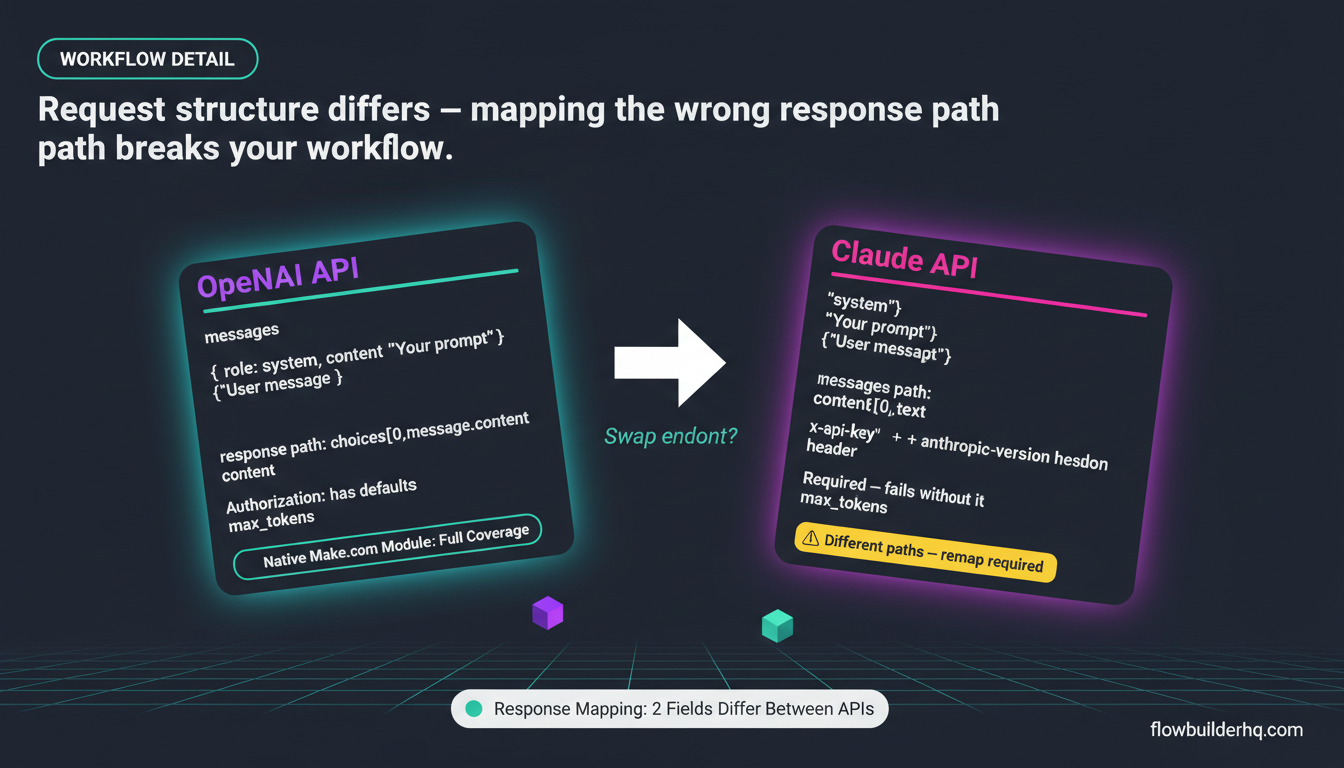
The Chat Completions endpoint sends a messages array where each object has a role (system, user, assistant) and content. In Make.com’s native module, these fields are pre-mapped — you fill in the system prompt field, the user message field, and the model selector. You don’t write JSON manually.
The response comes back with a predictable structure. The generated text lives at choices[0].message.content, token usage is at usage.total_tokens, and finish reasons are at choices[0].finish_reason. Once you’ve mapped this once, you reuse the pattern everywhere.
For most no-code automation workflows for service businesses, the native module handles everything. You only drop to an HTTP module if you need function calling, structured outputs, or specific API parameters the native module doesn’t expose.
OpenAI Rate Limits and Error Messages
OpenAI’s rate limits depend on your usage tier, and they’re documented per-model on their platform. The error messages are specific: you’ll see 429 Too Many Requests with a clear message about rate limits, 400 Bad Request with details on what was malformed, and 401 Unauthorized when the key is wrong.
Make.com’s error handling works well with these — you can build retry logic in your scenario using Make.com’s native error handling routes. See the Make.com error handling tutorial for how to set that up properly.
Claude API: Catching Up on Native Support, But With Tradeoffs
The Claude API from Anthropic is newer in the native integration ecosystem. Make.com added a native Claude module, but its coverage is narrower than OpenAI’s — primarily focused on the Messages endpoint. Albato has Claude support as well, covering the same core Messages functionality.
Where Claude’s API differs: it doesn’t use a messages array with a system role in the same position. The system prompt is a separate top-level parameter in the request body, not a message object. If you’re using an HTTP module (which you might be for Claude-specific features), this trips people up when they try to copy an OpenAI request structure directly.
For a closer look at what you can actually build with Claude’s API as a non-developer, the Claude API for solopreneurs breakdown covers the practical scope.
Claude’s Request Structure in HTTP Modules
When you hit Claude’s API via HTTP module, a basic request body looks like this:
{
  "model": "claude-opus-4-5",
  "max_tokens": 1024,
  "system": "You are a helpful assistant.",
  "messages": [
    {"role": "user", "content": "Summarize this: {{1.text}}"}
  ]
}
The response structure is similar to OpenAI but not identical. Generated content is at content[0].text, not choices[0].message.content. Stop reasons are at stop_reason, not choices[0].finish_reason. Small differences, but they bite when you paste an OpenAI-based HTTP module and swap the URL without updating the response mapping.
This is the main integration friction point with Claude: it’s not that the API is harder, it’s that the ecosystem’s default patterns are built around OpenAI, so any deviation costs you time debugging.
Claude Rate Limits and Error Handling
Claude’s rate limits are also tiered by usage level and documented in Anthropic’s official rate limits documentation. The error codes are clear — 429 for rate limits, 400 for bad requests — but the error messages in the response body are slightly more verbose than OpenAI’s. In practice, this is fine once you know what to look for.
One behavior difference: Claude’s API tends to be stricter about max_tokens. If you don’t set it, requests will fail rather than default to something reasonable. OpenAI’s API has defaults. This isn’t a fatal flaw, but it means Claude requires one more conscious step during setup.
Head-to-Head: Integration Comparison Table
| Factor | OpenAI API | Claude API |
|---|---|---|
| Native Make.com module | Yes — broad coverage | Yes — Messages endpoint only |
| Native Albato module | Yes | Yes |
| Auth setup | API key, standard header | API key, x-api-key header (non-standard) |
| System prompt placement | Inside messages array | Separate top-level parameter |
| Response path to content | choices[0].message.content | content[0].text |
| Default max_tokens behavior | Has defaults | Must be set manually |
| Error message clarity | Good | Good |
| Streaming support in no-code | Limited (HTTP module workarounds) | Limited (same) |
| Function calling / tool use | Via HTTP module | Via HTTP module |
| Community resources and templates | Extensive | Growing, but thinner |
Authentication: A Small but Real Difference
OpenAI uses a standard Authorization: Bearer YOUR_API_KEY header. Most HTTP clients, no-code tools, and automation platforms have this as a preset option. You pick “Bearer Token” from a dropdown and paste your key.
Claude uses x-api-key: YOUR_API_KEY plus a required anthropic-version header (e.g., 2023-06-01). The version header isn’t optional — requests without it return errors. In Make.com’s native Claude module this is handled automatically. But if you’re using an HTTP module for a custom request, you need to remember to add both headers manually.
This isn’t a major barrier, but it is a friction point that catches people during initial setup. The Make.com webhooks and HTTP tutorial covers how to set custom request headers in Make’s HTTP module if you need to reference that process.
Which Platforms Support Each API Natively
Make.com
Make has native modules for both. OpenAI’s module set is more complete — you can access embeddings, image generation, and audio transcription without HTTP modules. Claude’s module handles the Messages endpoint well for text generation. For most solopreneur workflows (summarizing, classifying, generating), Claude’s native module covers you. If you need multi-modal or embeddings via Claude, drop to HTTP.
Make.com is still the recommended platform for most solopreneurs building AI-powered automations — see this automation tool decision framework if you’re still deciding which platform to build on.
Albato
Albato supports both OpenAI and Claude natively for text generation workflows. Its interface is simpler than Make.com, which makes it a reasonable choice if your AI automation needs are primarily prompt-in, text-out. The tradeoff is less flexibility for complex branching and error handling. For cost-sensitive solopreneurs, Albato’s pricing (Free trial, Pro $25/mo, Business $59/mo) makes it worth evaluating alongside Make.com.
n8n
n8n has native nodes for both OpenAI and Anthropic (Claude). The OpenAI node is more mature and has community templates that show up in searches. The Anthropic node works but has fewer ready-made examples. For solopreneurs comfortable with n8n’s steeper setup curve, both are viable — but OpenAI’s ecosystem advantage holds here too.
Zapier
Zapier has OpenAI as a native integration. Claude integration in Zapier requires using Webhooks or HTTP request steps, which pushes it out of reach for less technical users. This is a meaningful gap if Zapier is your primary tool.
Common Errors and How to Fix Them
OpenAI: “This model’s maximum context length is exceeded”
This happens when the content you’re passing (plus your system prompt) exceeds the token limit for the model. Fix: add a text truncation step before your OpenAI module, or switch to a model with a longer context window (GPT-4o handles 128k tokens). In Make.com, use a text length filter before the OpenAI module to cap input size.
Claude: “max_tokens: field required”
Unlike OpenAI, Claude won’t default max_tokens. If you build an HTTP request body without explicitly setting max_tokens, the request fails immediately. Fix: always include "max_tokens": 1024 (or whatever your output size needs) in every Claude HTTP request body. The native Make.com Claude module requires this field in the UI, which prevents the error — another reason to use native modules when available.
Claude: “anthropic-version header missing”
When using HTTP modules, forgetting the anthropic-version header gives you a cryptic error. Fix: add a custom header anthropic-version with value 2023-06-01 to every HTTP module hitting the Claude API.
Both: Prompt injection from dynamic data
When you map user-submitted data directly into prompts without sanitizing, responses go off-script. This isn’t API-specific — it’s a workflow design issue. Wrap dynamic content in explicit instruction tags or use Claude’s system prompt to set strict output rules. Claude tends to follow system-level constraints more reliably in practice, which helps in automation workflows where consistency matters.
Pricing Comparison for API Usage
Both APIs charge per token (input + output). Pricing changes regularly, so check current pricing on each platform’s pricing page. As a rough orientation: GPT-4o and Claude Sonnet/Opus are in similar pricing tiers for mid-range models, while GPT-4o-mini and Claude Haiku are the budget options for high-volume automations where you don’t need maximum quality.
For most solopreneur no-code workflows — intake form processing, email drafting, content classification — the cheaper model tiers are sufficient. Use GPT-4o-mini or Claude Haiku for volume tasks. Reserve the premium models for workflows where output quality directly affects revenue (client-facing deliverables, proposals). This fits into a broader solopreneur tech stack where API costs are a real line item to control.
Which One Should You Pick?
Pick OpenAI if:
- You’re on Zapier and don’t want to use HTTP requests
- You need image generation or audio transcription in the same automation tool
- You want the widest selection of community templates and tutorials
- You’re building on multiple platforms and want consistent native support everywhere
Pick Claude if:
- You’re primarily on Make.com or Albato where native Claude support covers your use case
- Your workflows involve long documents or nuanced instruction-following (Claude’s context handling is strong)
- You’re building customer-facing automations where tone and instruction adherence matters
- You’re already using Claude for writing tasks and want one API key across your stack
The honest pick for most solopreneurs
Start with OpenAI. The native module coverage is broader, the community resources are denser, and the request/response patterns are what most tutorials assume. Once you have your first workflow running, switching the AI module to Claude is a 15-minute job if you want to test output quality differences — the surrounding automation infrastructure doesn’t change.
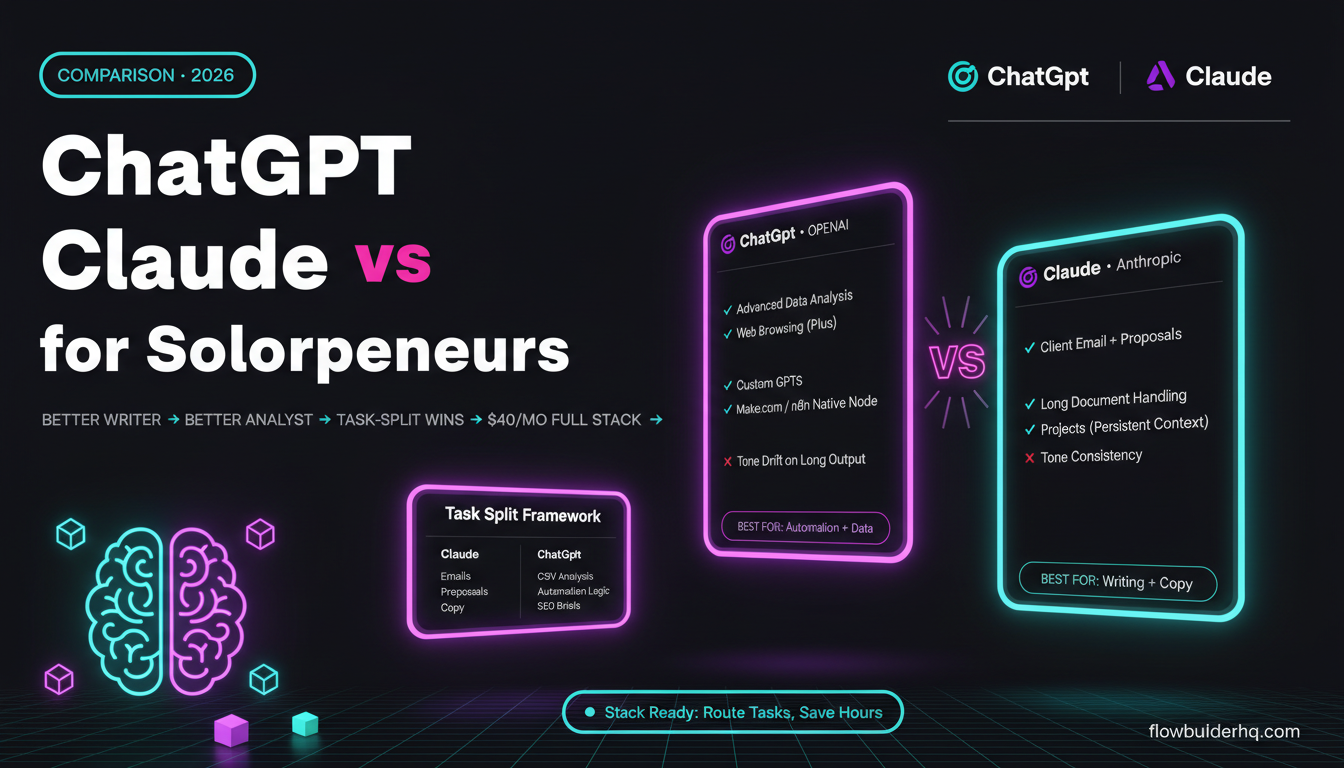
If you’re already using Claude for day-to-day work and comfortable with its API quirks, build Claude-first. The integration friction is real but manageable. For a direct comparison of what each AI actually produces in business contexts, see ChatGPT vs Claude for solopreneur business tasks.
What you don’t want is to pick an AI API based on capability benchmarks, spend time building your stack around it, and then hit integration walls. Integration ease is not the most exciting evaluation criterion — but it’s the one that determines whether your automation actually ships.
Ready to build? Start a free Make.com account and wire up your first AI-powered workflow: try Make.com free. If you want a lower-cost alternative with solid native AI module support, Albato is worth a look at $25/mo.
Building this yourself? Get the workflow pack.
5 ready-to-import n8n workflows — lead capture, invoicing, content repurposing, onboarding, social posting. Free.