Solopreneur Tech Stack 2026: The Tools That Actually Run a One-Person Business
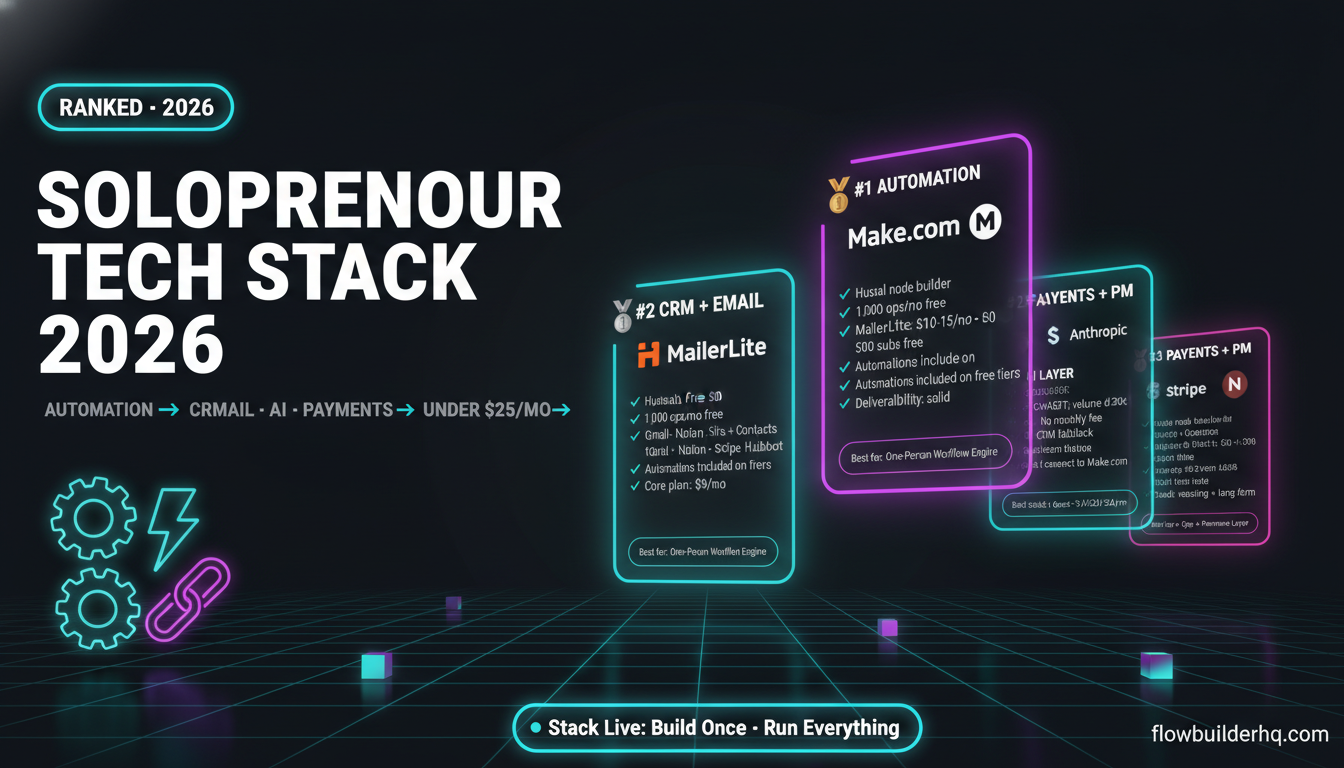
Most solopreneur tech stack 2026 roundups list thirty tools and call it a day. This isn’t that. The real stack — the one that actually keeps a one-person operation running without a six-figure SaaS bill — is maybe seven or eight tools across five categories. Everything else is noise. What follows is an opinionated breakdown of what that stack looks like right now, why each pick beats its alternatives, and what to cut if you’re currently over-tooled.
Categories covered: automation, CRM, email marketing, AI writing, project management, and payments. One honest con per tool. Current 2026 pricing throughout.
1. Automation: Make.com
Automation is the category where the wrong pick costs the most — not in money, but in time. If your automation layer is too rigid, you end up manually duct-taping workflows together anyway. If it’s too complex, you spend more time maintaining scenarios than doing actual work.
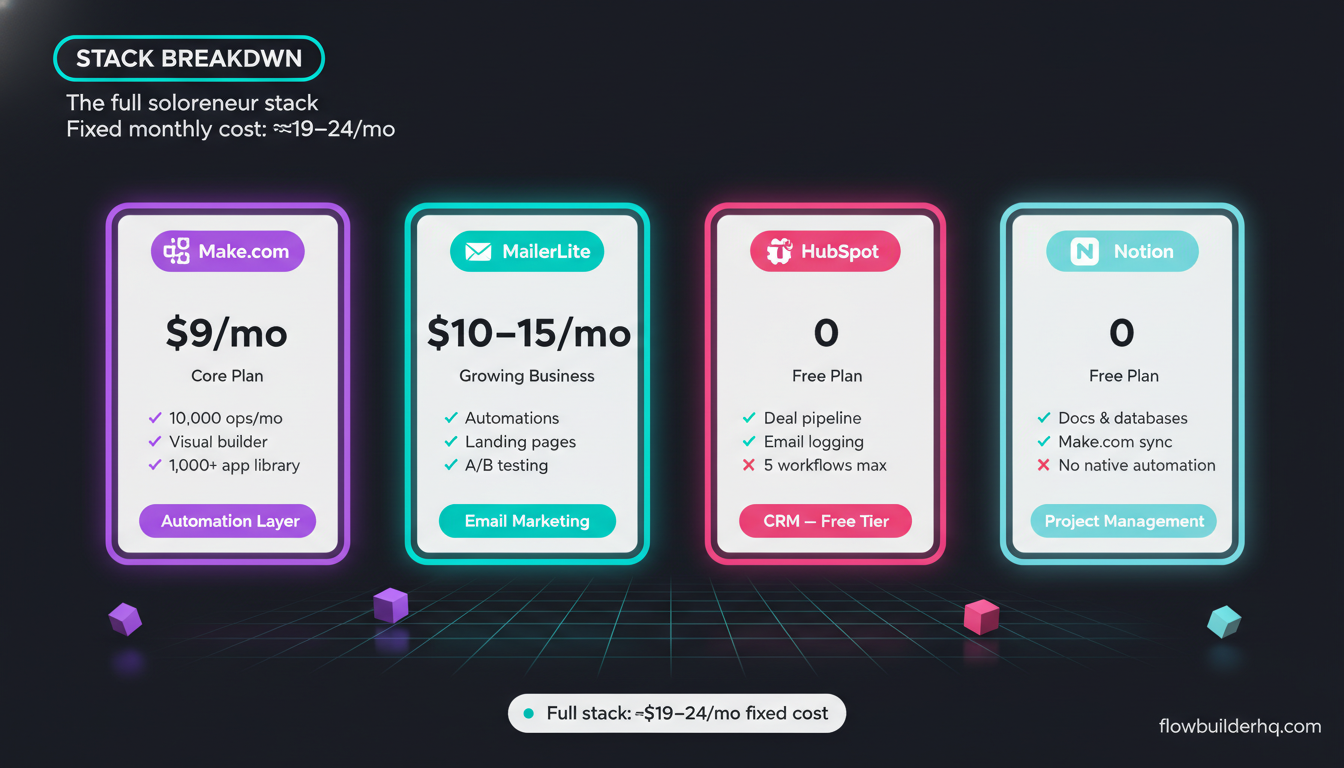
Make.com sits in the right position for a solo operator. The visual, node-based builder means you can see exactly what a workflow does without decoding a YAML file. The operation-based pricing is genuinely workable at small scale: free at 1,000 ops/month, Core at $9/mo, Pro at $16/mo. For most solopreneurs, the Core plan covers everything — client onboarding sequences, lead routing, Slack alerts, Google Sheets pipelines, form-to-CRM connections.
The native app library covers the tools most solos actually use: Gmail, Google Sheets, Notion, HubSpot, Stripe, Typeform, Slack, and hundreds more. And the HTTP module means you can hit any API that isn’t natively supported. If you want a deeper look at the platform, our full Make.com review covers what works and what doesn’t in 2026.
Honest con: Make.com’s error handling requires deliberate setup. Scenarios fail silently if you haven’t configured error routes — your automation just stops and you might not notice until a client asks why their onboarding email never arrived. The fix is simple once you know it exists, but it’s not automatic. The Make.com error handling tutorial on this site covers exactly how to set this up so nothing slips through.
Who should look elsewhere: If you’re already technical and want maximum flexibility with zero recurring cost, n8n’s self-hosted option is free and more powerful. But for non-technical solopreneurs who want to ship automations in an afternoon, Make.com wins.
2. Automation (Alternative or EU-Hosted): Albato
Albato doesn’t get mentioned enough in these lists. It’s a solid Make.com alternative for solopreneurs who either need EU data residency, want a slightly simpler interface, or are hitting Make.com’s pricing ceiling before they expect to.
Pricing: free trial, Pro at $25/mo, Business at $59/mo. The app library skews toward marketing and CRM tools — HubSpot, Mailchimp, ActiveCampaign, Shopify — which makes it particularly well-suited if your automation needs live in those categories. The interface is cleaner than Make.com’s for simple linear workflows, though it loses ground on complex branching logic.
Honest con: Albato’s library is narrower than Make.com’s. If you’re running workflows that touch niche or developer-facing tools, you’ll hit gaps. It’s better positioned as a marketing automation layer than a general-purpose automation engine.
Worth testing if Make.com doesn’t fit your budget or geography. Albato’s free trial requires no card upfront.
For a side-by-side of Make.com against the main competitors, the Make.com vs Zapier pricing breakdown shows the real cost difference at scale — Zapier’s Starter plan at $19.99/mo with 750 tasks doesn’t go far once you automate more than one or two workflows.
3. CRM: HubSpot Free (with a Notion fallback)
The CRM category generates more debate than it deserves. For most solopreneurs, the honest answer is: HubSpot Free does the job, and it costs nothing.
HubSpot Free includes contact management, a deal pipeline, email logging, meeting booking, and basic reporting. It’s the only free CRM that also has a genuinely usable native automation layer — even if that automation caps out quickly and nudges you toward paid tiers. For tracking leads, running a simple pipeline, and keeping client history in one place, it covers the use case without requiring a monthly payment.
If you want a step-by-step on using it without getting buried in enterprise features, the HubSpot CRM setup guide for solopreneurs walks through exactly that. And if you want to connect HubSpot to your Make.com automations, this Make.com to HubSpot integration tutorial handles the plumbing.
Honest con: HubSpot Free’s automation is limited to five active workflows. The moment you want more than basic sequences, you’re looking at the Starter plan at $15/mo. The upsell pressure is real — the free tier is genuinely useful, but HubSpot designs it to show you everything you can’t have.
Notion as fallback: If you run a very small client roster (under 20 active contacts) and your CRM needs are closer to “a searchable client database” than “a sales pipeline,” Notion’s free plan handles this fine. The Notion CRM vs HubSpot comparison breaks down exactly which use case maps to which tool.
4. Email Marketing: MailerLite
MailerLite is the email platform that most solopreneurs should be on but aren’t. They’re either paying too much for ActiveCampaign’s feature set they don’t use, or stuck on a free tier that breaks the moment they want automation sequences.
MailerLite’s free plan covers up to 500 subscribers with automation sequences included — which is more than most platforms offer at zero cost. The Growing Business plan runs $10-15/mo depending on list size, and it includes most of what you’d actually use: automations, landing pages, A/B testing, and segmentation.
For solopreneurs running a newsletter or a lead nurture sequence, MailerLite’s interface is fast and the deliverability is solid. It doesn’t have the CRM depth of ActiveCampaign or the behavioral tagging sophistication that heavy email marketers want — but if you’re a one-person shop sending campaigns and automated sequences to a sub-5K list, MailerLite is the right size.
Honest con: MailerLite’s reporting is basic. If you need granular revenue attribution or deep segmentation based on site behavior, you’ll outgrow it. For that use case, the MailerLite vs ActiveCampaign vs HubSpot comparison maps out exactly where each platform pulls ahead.
ActiveCampaign Starter at $15/mo (1K contacts) is the upgrade path if you need more sophisticated automation logic. Zapier-level pricing math doesn’t apply here — email platforms are one area where the cost difference between tiers is small enough that upgrading when you need to makes sense.
5. AI Writing: ChatGPT (with Claude for Reasoning Tasks)
The AI writing category has consolidated faster than any other tool category. As of 2026, most solopreneurs running content or copy workflows are on ChatGPT for volume output and Claude for anything that requires reasoning, nuance, or longer-form structured work.
ChatGPT’s web interface works well for drafting blog posts, social captions, email sequences, and ad copy. The interface is fast, the output quality is consistent enough for first-draft work, and most solopreneurs don’t need the API unless they’re connecting it to automations. The free tier exists; ChatGPT Plus pricing varies — check current pricing at OpenAI’s official site.
Claude (from Anthropic) earns its place for tasks where output quality matters more than speed: editing long-form content, writing proposals, structuring research, and anything where logical consistency across a long document is important. If you want to use Claude inside your automations, this guide to Claude AI for business automation covers the practical integration side.
Honest con on AI writing tools generally: The output is only as good as the prompt engineering behind it. Solopreneurs who treat AI writing tools as a one-click solution get mediocre output and then blame the tools. The real investment is in building reusable prompt templates for your specific use cases — which takes time upfront but pays back fast. The best AI writing tools for solopreneurs in 2026 post covers the full field if you’re comparing options like Copy.ai, Jasper, and Frase.
6. Project Management: Notion
Notion earns its place in this stack as the operational brain — not just project management, but documentation, SOPs, client portals, and content calendars in one place. For a one-person operation, consolidation matters. Running a separate tool for each of those functions adds cognitive overhead and subscription cost.
Notion’s free plan is genuinely usable for solos. The Plus plan at $10/mo unlocks unlimited blocks for guests, which matters if you’re running client-facing workspaces. Notion’s biggest advantage in a one-person stack is that it connects cleanly to Make.com — you can trigger Notion database updates from form submissions, push project status updates automatically, or use it as a lightweight CRM alternative. The Make.com + Notion integration guide shows how that wiring works in practice.
Honest con: Notion has no real native automation. Everything automated in Notion runs through a third-party tool. If you want Notion to do something automatically — like move a project card when a status changes or send a notification when a task is overdue — you need Make.com (or a similar automation layer) to make that happen. Notion alone is a database and document tool, not a workflow engine.
7. Payments: Stripe
Stripe is the default payment layer for solopreneurs, and for good reason. The setup time to accept card payments, invoices, subscriptions, and one-time charges is measured in hours, not days. The fee structure (2.9% + 30¢ per transaction for online payments in the US) is transparent and predictable. There are no monthly platform fees — you pay when you earn.
For solopreneurs selling services, Stripe’s payment links and invoicing handle 90% of use cases without needing a full e-commerce setup. For those selling digital products or subscriptions, Stripe Billing handles recurring charges cleanly. And Stripe’s API and webhook infrastructure means automating invoicing, payment confirmations, and failed payment retries through Make.com is well-documented and reliable. The invoicing automation tutorial with Make.com and Stripe covers a real workflow for this.
Honest con: Stripe’s dispute process is not seller-friendly. Chargebacks are a real risk for service businesses, and Stripe’s default stance leans toward the buyer. If you operate in a high-dispute-risk niche (digital products, coaching, courses), you need solid paper trails and clear refund policies baked into your checkout flow — not just Stripe on its own.
The Full Stack at a Glance
| Category | Tool | Monthly Cost |
|---|---|---|
| Automation | Make.com (Core) | $9/mo |
| Automation Alt | Albato (Pro) | $25/mo |
| CRM | HubSpot Free | $0 |
| MailerLite (Growing) | $10-15/mo | |
| AI Writing | ChatGPT + Claude | Varies |
| Project Mgmt | Notion (Free) | $0 |
| Payments | Stripe | $0 + transaction % |
Running Make.com Core + MailerLite Growing + Notion Free + HubSpot Free + Stripe puts the fixed monthly spend at roughly $19-24/mo. That’s a real business operating layer, not a toy setup. The AI tools add to that depending on which plans you’re on, but the core ops stack is lean.
What to Cut First If You’re Over-Tooled
The most common mistake in building a solopreneur tech stack 2026 is running too many tools in parallel “just in case.” Three project management tools. A CRM and a separate contact database. Two automation platforms with overlapping coverage.
The cut order: start with any tool you haven’t logged into in 30 days. Then look for category overlap — if you’re running both Notion and Airtable as databases, pick one. If you’re running both Zapier and Make.com, consolidate on whichever has more of your active workflows. The 7 automation mistakes solopreneurs make covers the most common bloat patterns and how to fix them without rebuilding from scratch.
A tighter solopreneur tech stack 2026 isn’t about having fewer capabilities — it’s about having fewer tools that each carry more weight. Make.com as the connective tissue between everything else means you can keep the core apps lean and let the automation layer handle integration rather than buying a new tool every time two apps need to talk.
If you’re starting from scratch or auditing an existing setup, the CRM and automation stack guide for solopreneurs under $50/month covers how to sequence the buildout so you’re not paying for tools you haven’t connected yet.
Building this yourself? Get the workflow pack.
5 ready-to-import n8n workflows — lead capture, invoicing, content repurposing, onboarding, social posting. Free.