Anthropic Claude API vs OpenAI API for Solopreneur Projects: Which One Actually Makes Sense If You’re Not a Developer?
The anthropic claude api vs openai api question sounds like something only developers debate. It’s not. If you’re connecting AI to your workflows through Make.com’s HTTP module, n8n, or any no-code tool, you’re making an API choice — and the wrong one costs you money, breaks your automations, or produces output that needs heavy editing before it’s usable.
This guide is for solopreneurs who are already using automation tools and want to add AI output to their workflows. Not a debate about which chatbot is smarter. A practical breakdown of which API fits your actual use case, what you’ll pay at real volumes, and where each one trips you up when you’re not a developer.
If you’re still at the “what even is Claude?” stage, the Claude AI for small business overview covers the basics. Come back here when you’re ready to connect it to something.
What You’re Actually Choosing Between
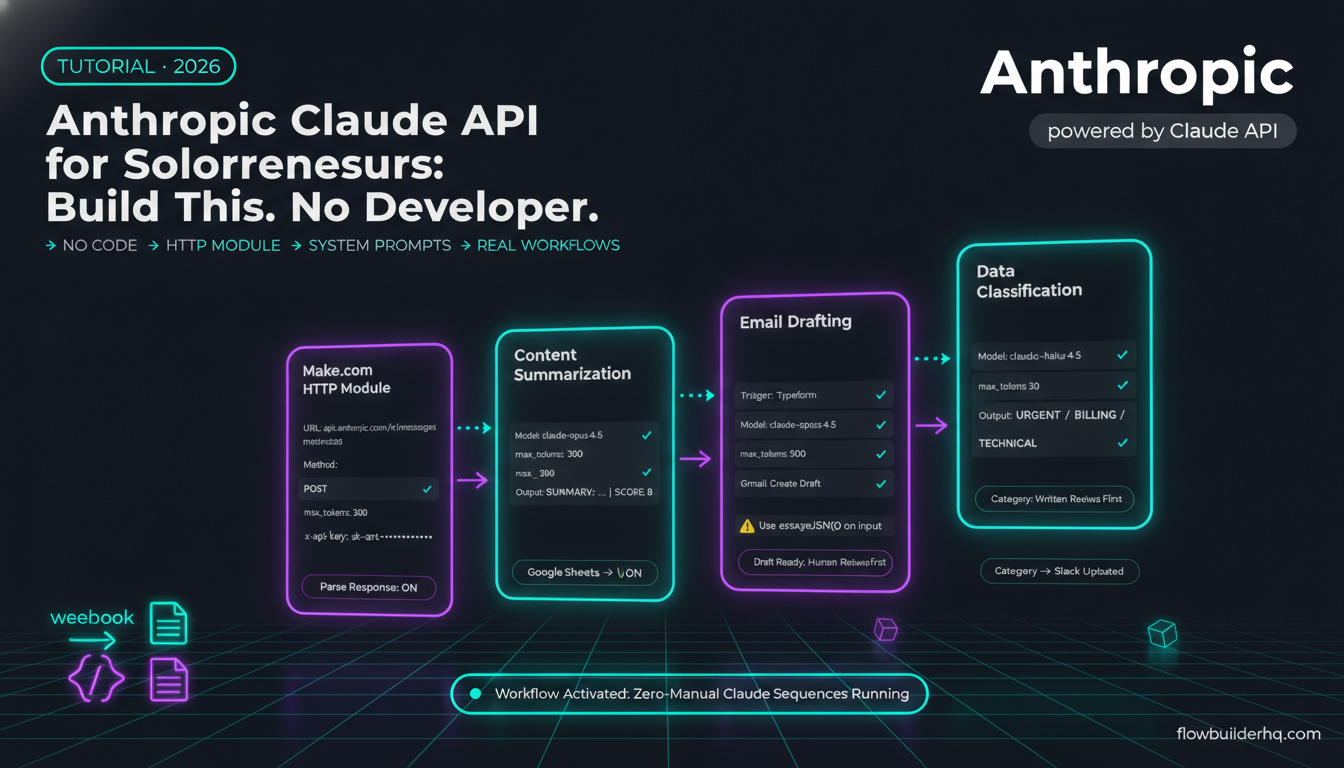
OpenAI gives you access to GPT-4o, GPT-4o mini, and o-series reasoning models via their API. Anthropic gives you access to Claude 3.5 Sonnet, Claude 3 Haiku, and Claude 3 Opus. Both work over standard HTTPS with JSON request/response bodies — meaning any HTTP module in any automation tool can call them.
The surface-level difference is model capability. The operational difference — the one that matters for your workflows — is pricing, rate limits, output consistency, and how much massaging you need to do on the responses before they’re usable downstream.
For a detailed breakdown of how these two AIs perform on day-to-day business tasks outside of API context, the ChatGPT vs Claude comparison for solopreneurs is worth reading alongside this one.
Anthropic Claude API vs OpenAI API: Cost Per Token Compared
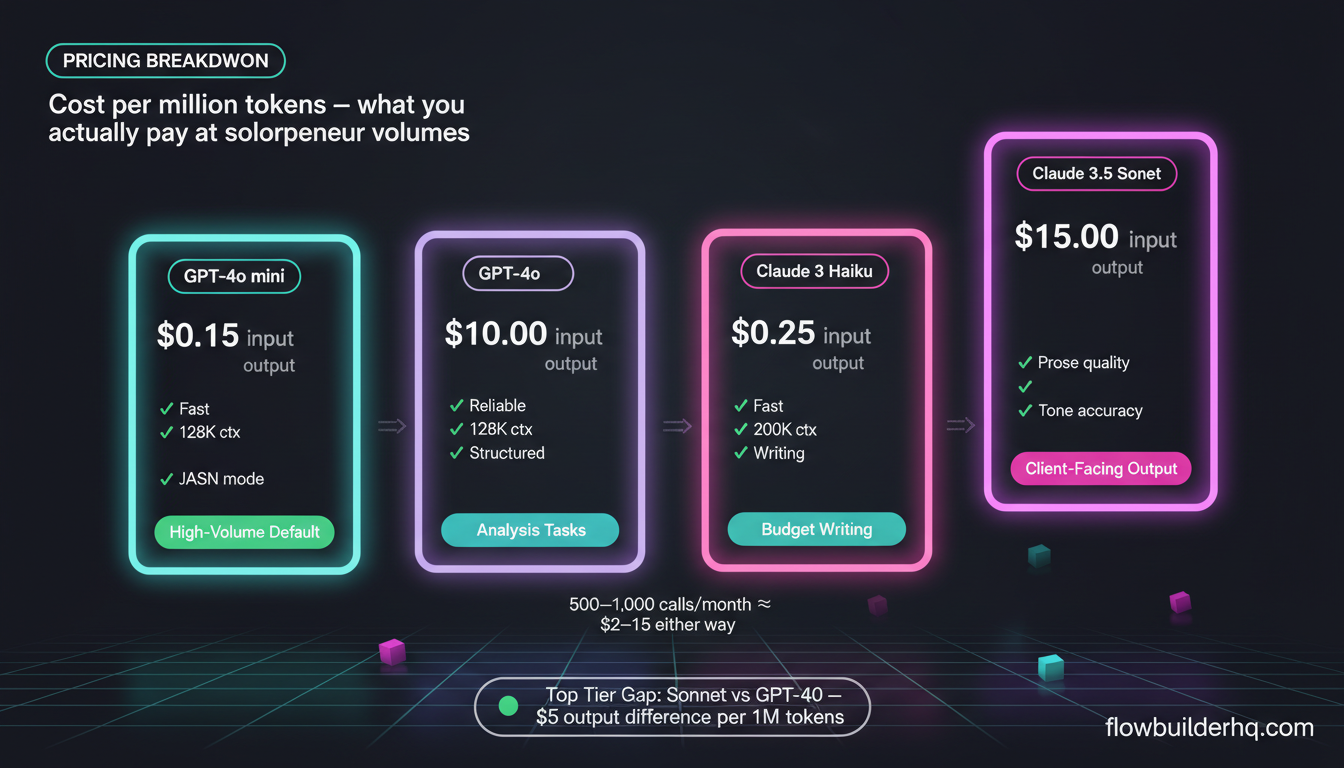
Pricing on both platforms is per-million tokens (input and output priced separately). Here’s where things stood in 2026 — always verify on the official pricing pages before committing, since these numbers shift:
| Model | Input (per 1M tokens) | Output (per 1M tokens) | Context Window |
|---|---|---|---|
| GPT-4o | $2.50 | $10.00 | 128K |
| GPT-4o mini | $0.15 | $0.60 | 128K |
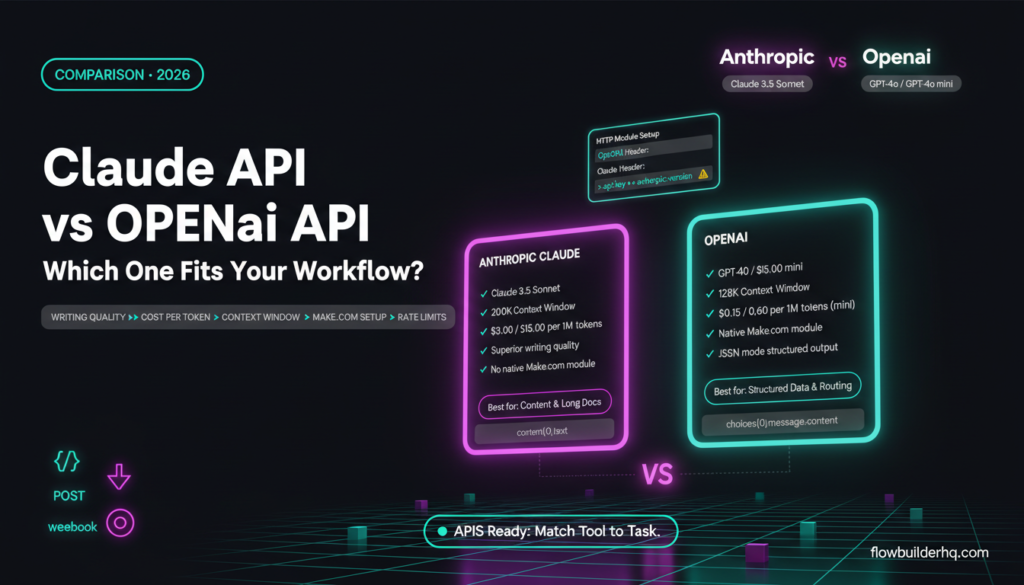
| Claude 3.5 Sonnet | $3.00 | $15.00 | 200K |
| Claude 3 Haiku | $0.25 | $1.25 | 200K |
| Claude 3 Opus | $15.00 | $75.00 | 200K |
The practical takeaway: for high-volume, simple tasks — summarizing intake form responses, tagging leads, generating short follow-up emails — GPT-4o mini is the cheapest option on OpenAI’s side. Claude 3 Haiku is Anthropic’s equivalent. Both are cheap enough that cost stops being the deciding factor at any reasonable solopreneur volume.
Where cost actually matters is at the top tier. If your workflow needs the best available model (complex analysis, long document processing, nuanced writing), Claude 3.5 Sonnet at $3/$15 per million tokens is slightly more expensive on output than GPT-4o at $2.50/$10. The context window is bigger on Claude (200K vs 128K), which matters if you’re feeding it long contracts, transcripts, or research documents.
For a typical solopreneur running 500-1,000 API calls per month with medium-length prompts and outputs, you’re looking at $2-15/month either way. The cost differential between Sonnet and GPT-4o at that volume is noise.
Rate Limits: Where Things Break in No-Code Workflows
Rate limits are the part that bites non-developer users hardest, because you find out about them when a scenario starts failing at 2am with a cryptic 429 error.
Both APIs enforce limits at multiple levels: requests per minute (RPM), tokens per minute (TPM), and tokens per day (TPD). New accounts get conservative limits. Both platforms let you request increases — OpenAI via account settings once you’ve spent a threshold amount, Anthropic through a usage tier system that unlocks as you prepay credits.
Anthropic’s tier system is explicit: Tier 1 starts when you add a credit card. Tier 2 requires $40 spend. Tier 3 requires $200 spend. The limits jump significantly at each tier. Check the official Anthropic rate limit documentation for current numbers — they update these periodically.
OpenAI’s limits scale with your API spend history, and you can see your current tier in the platform dashboard at platform.openai.com.
For no-code workflows, the practical implication: if you’re processing a batch of 200 records through a Make.com loop, add a sleep/delay module between iterations. Both APIs will throttle you on rapid sequential calls at low tiers. This isn’t a flaw in the APIs — it’s expected behavior that you need to design around.
The Make.com webhooks tutorial covers how to structure triggered workflows that avoid hammering an API in a tight loop — the same pattern applies when calling AI APIs.
Connecting to Both APIs via Make.com’s HTTP Module
Neither API requires a native Make.com integration. Both work via the HTTP module with a POST request. Here’s what the setup looks like for each.
OpenAI API Call (HTTP Module)
- URL:
https://api.openai.com/v1/chat/completions - Method: POST
- Headers:
Authorization: Bearer YOUR_API_KEY,Content-Type: application/json - Body (JSON):
{
  "model": "gpt-4o-mini",
  "messages": [
    {"role": "system", "content": "You are a helpful assistant."},
    {"role": "user", "content": "{{your_input_variable}}"}
  ],
  "max_tokens": 500
}
The response path to the actual text output is: choices[0].message.content
Anthropic Claude API Call (HTTP Module)
- URL:
https://api.anthropic.com/v1/messages - Method: POST
- Headers:
x-api-key: YOUR_API_KEY,anthropic-version: 2023-06-01,Content-Type: application/json - Body (JSON):
{
  "model": "claude-3-5-sonnet-20241022",
  "max_tokens": 500,
  "messages": [
    {"role": "user", "content": "{{your_input_variable}}"}
  ]
}
The response path to the output: content[0].text
Critical difference: OpenAI uses Authorization: Bearer header format. Anthropic uses x-api-key header format. If you copy an OpenAI HTTP module setup and try to use it for Anthropic by just swapping the URL, it will fail with a 401. Also note the anthropic-version header is required — omitting it returns an error that looks confusing if you’re not expecting it.
For system-level instructions in Claude, you add a "system" field at the top level of the JSON body (not inside the messages array). OpenAI puts the system message inside the messages array as {"role": "system", ...}. Small difference, but it breaks things if you get it wrong.
If you want a visual walkthrough of building HTTP-based AI calls in Make.com, the Claude AI for business automation guide walks through this in the context of real solopreneur workflows.
Output Quality: Writing vs Analysis Tasks
This is where opinion enters, and it’s grounded in what’s consistently reported across the no-code community and tool documentation rather than a single test run.
For Writing Tasks (Emails, Social Posts, Blog Drafts, Sales Copy)
Claude 3.5 Sonnet produces noticeably more natural-sounding prose. It tends to follow tone instructions more precisely, handles nuance in voice better, and produces output that requires fewer edits. If your workflow outputs copy that goes near-direct to a client or audience, Claude wins this category on quality.
GPT-4o produces solid writing too, but it has a detectable cadence — a slight tendency toward bullet-happy structure and hedging language — that makes it easier to spot as AI-generated. At the mini level, the quality gap widens: Claude 3 Haiku holds up better on writing tasks than GPT-4o mini.
If writing quality is your primary concern and you’re building workflows around content production, the best AI writing tools comparison covers how these APIs stack up against purpose-built writing tools.
For Analysis Tasks (Classifying, Summarizing, Extracting Data)
GPT-4o is more predictable for structured output tasks. When you need a response in a specific JSON format, GPT-4o tends to follow the schema more reliably than Claude — especially when the output structure is complex. OpenAI also has a “response_format” parameter that enforces JSON output directly, which is useful when you’re parsing API responses downstream in a Make.com scenario.
Claude can do structured output, but you need to be more explicit in your prompt engineering and it occasionally slips out of the requested format on edge cases. Anthropic has added JSON mode capabilities, but OpenAI’s structured output tooling is currently more mature for automation-grade reliability.
For classification, tagging, and extraction workflows — the kind you’d build to process inbound leads or score contact responses — GPT-4o mini is a strong default choice. Cheap, fast, reliable format adherence.
Context Window: Why Claude’s 200K Matters for Certain Workflows
200K tokens (Claude) vs 128K tokens (GPT-4o) sounds abstract until you try to pass a full client transcript, a 50-page PDF extract, or a long research document through an API call in a single request.
At 128K, GPT-4o can handle roughly 90,000-100,000 words in a single context. Claude’s 200K handles around 150,000 words. If you’re building workflows that process long documents — contracts, grant applications, research briefs — Claude’s larger context window is a meaningful advantage. You avoid chunking logic, which simplifies the automation considerably.
For the majority of solopreneur automation tasks (email processing, short content generation, lead classification), this distinction is irrelevant. But if you’re building anything document-heavy, it’s worth knowing before you architect the workflow around the wrong API.
API Reliability and Uptime
Both APIs have experienced outages. OpenAI’s has been more publicly visible — their status page incidents are well-documented. Anthropic’s API has been generally stable but is also less load-tested at scale given their smaller market share.
For solopreneur workflows, neither has reliability that should concern you in normal operation. The practical risk is over-dependence on a single AI API in a critical workflow without error handling. Both Make.com and n8n let you build error handlers that route failed API calls to a fallback or a notification — use them. Don’t assume the API is always up.
If you’re running automation workflows that feed into client deliverables, the automation ideas rundown has a section on building resilient workflows that don’t fail silently.
Which One Is Easier to Use for Non-Developers?
Honest answer: they’re roughly equivalent once you’ve set up one of them. The HTTP module configuration is marginally more complex for Anthropic because of the extra required header (anthropic-version) and the different response path format. That’s a 10-minute learning curve, not a real barrier.
OpenAI has better third-party documentation, more Stack Overflow answers, and more no-code community tutorials. If you hit a problem at 11pm and need to find a solution quickly, the OpenAI ecosystem has more searchable answers. Anthropic’s official API documentation is excellent, but community resources are thinner.
Make.com also has a native OpenAI module (not just HTTP module) that handles authentication and response parsing automatically. This makes OpenAI the easier starting point for beginners. There’s no equivalent native Claude module in Make.com’s standard library as of 2026 — you’re always using the HTTP module for Claude.
For building your first AI-connected scenario, starting with OpenAI’s native Make.com module removes one abstraction layer. Once you’re comfortable with how the data flows, switching to Claude via the HTTP module is a small step. The guide to building your first Make.com scenario is a good place to start before adding AI calls to the mix.
The Real Comparison: Where Each API Wins
| Use Case | Winner | Reason |
|---|---|---|
| Writing / content generation | Claude 3.5 Sonnet | More natural prose, better tone adherence |
| Structured data output / JSON | GPT-4o / GPT-4o mini | More reliable format compliance, native JSON mode |
| Long document processing | Claude | 200K context vs 128K |
| High-volume simple tasks | GPT-4o mini | Slightly cheaper at scale, reliable |
| Beginner setup / tutorials | OpenAI | Native Make.com module, more community resources |
| Output that goes direct to clients | Claude 3.5 Sonnet | Less editing required on writing quality |
| Rate limits at new account tier | Roughly equal | Both are tight at Tier 1, plan for delays |
The Verdict: Which API Should You Pick?
Start with OpenAI if you’re newer to API-connected automation. The native Make.com integration, larger community, and better structured output tooling make it easier to get working quickly. GPT-4o mini is an excellent default for classification, routing, and short-form generation at low cost.
Switch to or add Claude if you’re building content workflows where output quality matters and you’re willing to use the HTTP module. Claude 3.5 Sonnet’s writing quality is genuinely better for prose-heavy outputs — proposals, email sequences, content drafts. The 200K context window is also a legitimate reason to choose Claude if you regularly process long documents.
Many solopreneurs end up running both: OpenAI for structured extraction and routing tasks, Claude for anything that produces text a human is going to read. That’s not over-engineering — it’s matching the tool to what it does best.
Both APIs are affordable at solopreneur volumes. The real cost is in your time spent debugging workflows when outputs don’t match what you expected. Build your prompts carefully, test on a small batch before running at scale, and add error handling to any scenario where an API failure would break a client-facing process.
For solopreneurs building out broader AI automation stacks, the best automation tools for solopreneurs overview shows how AI APIs fit alongside the rest of your tooling. And if you’re deciding between the automation platforms themselves, the n8n vs Make.com comparison covers which one handles API-heavy workflows better.
Building this yourself? Get the workflow pack.
5 ready-to-import n8n workflows — lead capture, invoicing, content repurposing, onboarding, social posting. Free.