Gemini vs Claude for Solopreneur Content and Business Workflows: Honest Comparison
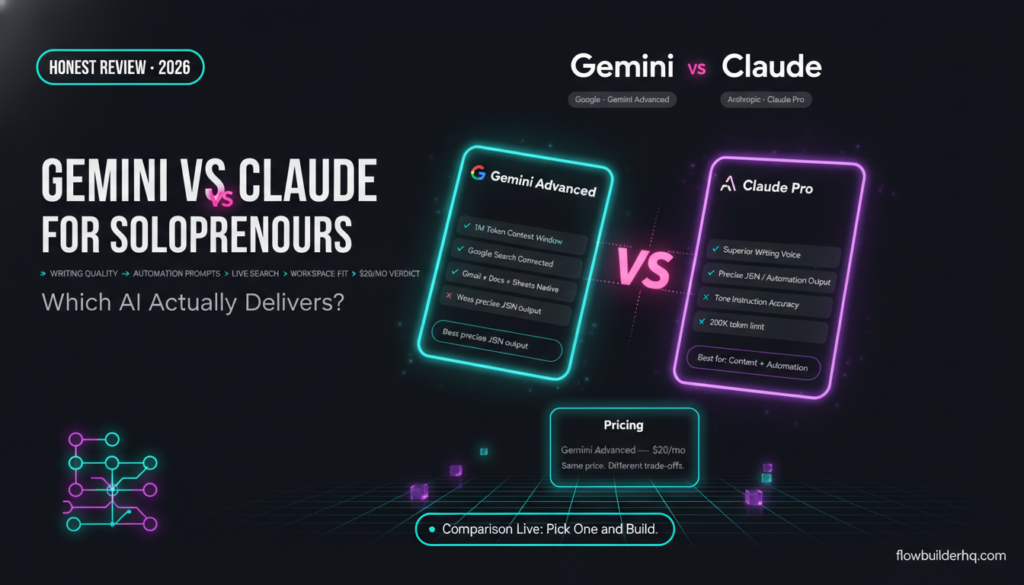
The choice between Gemini and Claude for solopreneur content and business workflows isn’t obvious. Both are capable, both have free tiers, and both will write you a decent email. But they make different trade-offs — and those trade-offs matter when you’re using AI dozens of times a day across writing, research, summarizing, and automation prompting.
This comparison of Gemini vs Claude for solopreneur content and business workflows runs through the tasks solopreneurs actually spend time on: long-form writing, summarizing documents, research, prompt engineering for automation workflows, and client-facing communication. No synthetic benchmarks. No feature lists copied from marketing pages. Just an honest look at where each model earns its place — and where it lets you down.
If you’ve been running ChatGPT vs Claude comparisons and want to add Gemini to the picture, this is the article you need.
The Two Models: What You’re Actually Choosing Between
Google Gemini (available at gemini.google.com, with Gemini Advanced on the $20/mo Google One AI Premium plan) is Google’s flagship AI model. It runs on the Gemini 1.5 Pro and Gemini 2.0 Flash architectures depending on context and plan tier. Its biggest structural advantage: native Google Workspace integration. Gmail, Docs, Drive, Sheets — Gemini can work directly inside those tools if you’re on the right plan.
Anthropic Claude (claude.ai, with Claude Pro at $20/mo) runs on the Claude 3.5 Sonnet and Claude 3 Opus models. Anthropic built Claude with a focus on instruction-following, long-context accuracy, and what they call “Constitutional AI” — a design philosophy that makes Claude notably careful about nuance and accuracy. You can read more about how Anthropic frames that approach on the Anthropic website.
Both cost $20/mo at the Pro/Advanced tier. Both have free tiers with limitations. The question is what you get for that money in the work you actually do.
Writing: Where the Gap Is Most Obvious
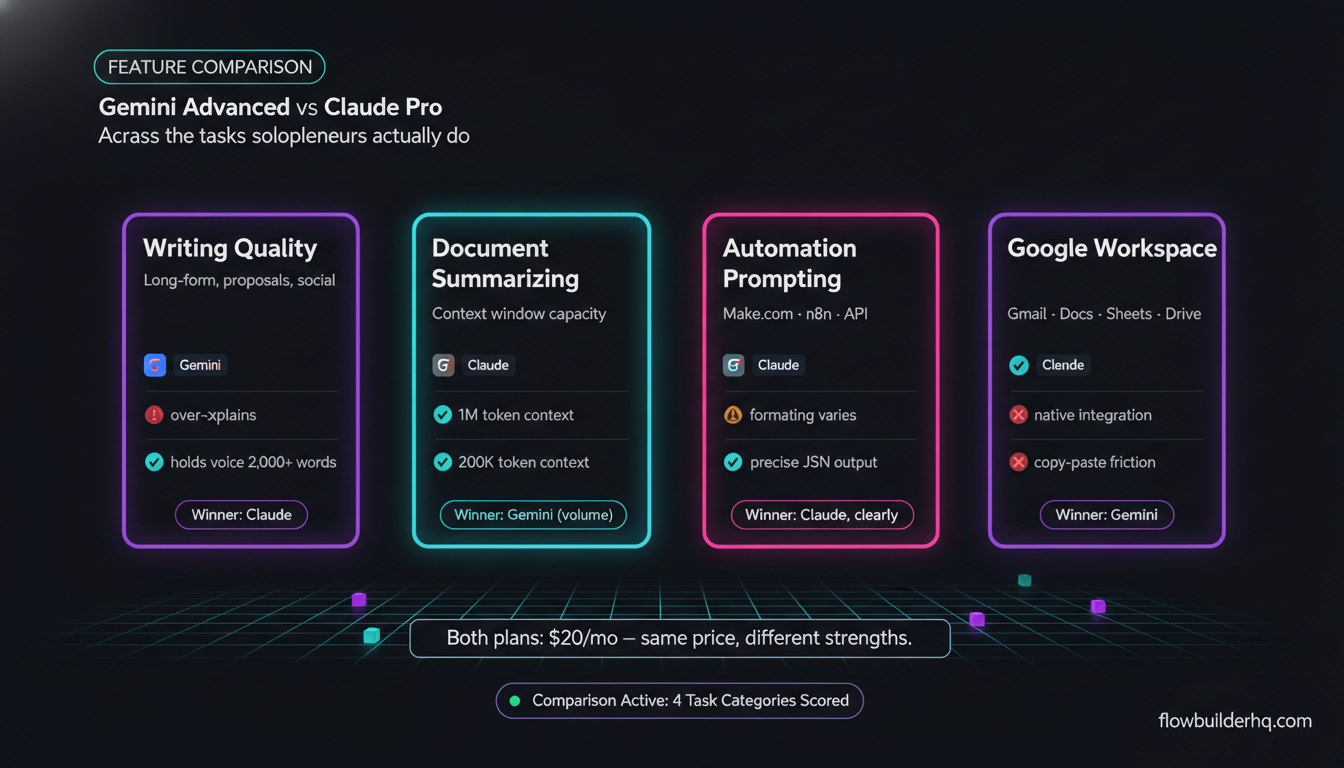
For solopreneur content work — blog posts, newsletters, social copy, client proposals — Claude is the stronger writer. The output reads like a person who understands argument structure. It has opinions. It builds toward something. You can prompt Claude to write in a specific voice and it holds that voice across 2,000 words without drifting.
Gemini writes competently, but it has a tendency to over-explain and to hedge. Ask it for a direct, punchy LinkedIn post and it’ll often give you something that reads like a press release with a friendly outro. Ask it for a blog intro and you’re likely to get scene-setting before the actual point arrives. That’s a pattern, not a rule — but it shows up consistently enough to matter if content volume is part of your business.
Claude also handles tone instruction better. Tell Claude to write like a practitioner who doesn’t waste words, and it adjusts. Tell Gemini the same, and the result often still carries some corporate residue. For solopreneurs doing a lot of content production, that correction time adds up.
If you’re currently using a dedicated AI writing tool and wondering whether Claude could replace it, our ranked comparison of AI writing tools for solopreneurs covers that exact question.
Winner for writing: Claude
Summarizing: Long Documents and Meeting Notes
This is where Gemini’s architecture starts to matter. Gemini 1.5 Pro has a documented context window of up to 1 million tokens — one of the largest in commercial AI. In practice, that means you can drop an entire book, a lengthy contract, or a long research report into the chat and ask for a summary without hitting limits.
Claude 3.5 Sonnet has a 200,000-token context window, which handles most solopreneur use cases — long PDFs, full email threads, lengthy proposals — without issue. But if you’re regularly summarizing very long documents (50,000+ words), Gemini’s raw capacity is the practical choice.
Quality of summarization is close. Both models extract the right information, both can summarize by section or by theme. Gemini is slightly better at structured data summaries (tables, spreadsheet exports), which makes sense given its Google Sheets native integration. Claude is marginally better at summarizing nuanced client communication — it reads subtext better and captures tone alongside content.
For most solopreneurs: both work. If your summarizing needs are document-heavy and high-volume, Gemini’s context window wins. If you’re mostly summarizing client emails, feedback forms, and meeting notes, Claude is just as capable and usually cleaner.
A related workflow worth setting up: automating client feedback collection so the raw material feeds into your AI summaries automatically instead of you copying it manually.
Winner for summarizing: Tie, with Gemini ahead on raw document volume
Research: Real-Time vs. Depth
Gemini has a structural edge here: it’s connected to Google Search. When you ask Gemini Advanced a research question, it can pull current information, cite sources, and reflect what’s indexed right now. This matters for market research, competitive analysis, tracking what clients or competitors are publishing, or any question where timeliness is the point.
Claude doesn’t have live search (unless you’re using it via an integration that provides web access). Its training cutoff means it can be genuinely out of date on fast-moving topics. For time-sensitive research, that’s a real limitation.
But “research” for solopreneurs isn’t always about recency. Often it’s about reasoning: synthesizing what you already know, analyzing a business decision, stress-testing an assumption, or mapping out a framework. Claude is better at that kind of thinking work. Give it a complex business situation and it’ll reason through it methodically. Gemini can do the same, but Claude’s outputs tend to be more precise and less padded.
If you’ve been using Perplexity for search-grounded research, the comparison there is worth reading — our breakdown of Perplexity AI vs ChatGPT for solopreneur research applies directly to how Gemini positions itself in that same space.
Winner for research: Gemini (for current information), Claude (for analytical depth)
Automation Prompting: Writing Instructions That Actually Work
This is an underrated use case. If you’re building workflows in Make.com, n8n, or any other automation platform, you spend a lot of time writing prompts that the AI module will execute repeatedly. The quality of those prompt instructions determines whether your automation produces reliable output or inconsistent garbage.
Claude is better at this. It follows complex, multi-step instructions more precisely. When you write a prompt that says “extract the client name, project type, and deadline from this email and return them in this exact JSON structure,” Claude does it correctly more often. It also fails more clearly — when something is ambiguous, Claude tends to flag the ambiguity rather than silently filling in a guess.
Gemini can write reasonable automation prompts, but it’s more likely to add interpretive steps you didn’t ask for, or to return structured data with slight formatting variations that break your downstream parsing. In an automation context, that means extra error handling and more scenario failures to debug.
For anything involving building with the Claude API directly, or using Claude as an AI module inside a Make.com or n8n scenario, Claude’s precision advantage compounds. The API follows the same instruction-following behavior as the chat interface, which means the quality you test in the UI carries over to production.
The official Claude documentation covers how to structure prompts for consistent API output — useful reading if you’re building this into automated workflows.
Winner for automation prompting: Claude, clearly
Google Workspace Integration: Gemini’s Real Advantage
If your business runs inside Google’s ecosystem — Gmail, Docs, Sheets, Drive — Gemini’s integration is genuinely useful. With Gemini Advanced and Google One AI Premium, you get AI assistance directly inside those apps. Summarize an email thread without copying it out, draft a reply in context, analyze a Sheets column, write in a Docs sidebar without leaving the document.
Claude doesn’t have that. You copy, you paste, you come back. That friction is small per instance, but across a full workday it’s real. If you’re deeply embedded in Google Workspace, Gemini’s native integration pays off in a way that no prompt quality advantage fully offsets.
That said, Gemini’s Workspace integration is only as useful as your actual Workspace usage. If you’re on Notion, running your docs in something else, or just not spending hours per day in Gmail and Docs, this advantage shrinks significantly.
For solopreneurs building a broader tech stack, the tools that actually run a one-person business in 2026 gives context on where AI models fit relative to everything else.
Client-Facing Communication
Proposals, follow-up emails, scope summaries, difficult conversations with clients — this is where voice and judgment matter more than raw capability.
Claude handles these better. It writes with more situational awareness. Prompt it with context about a client relationship and it calibrates appropriately — more formal, more warm, more direct, whatever the situation calls for. It’s also better at the “difficult email” scenarios: addressing scope creep, declining a project, raising rates. Claude finds the tone that’s firm without being cold.
Gemini is fine for routine client emails. But for anything requiring genuine tact, the outputs often feel slightly generic or slightly over-apologetic. You’ll find yourself editing more.
If client communication is a significant time sink, pairing your AI writing tool with automated follow-up systems is the real efficiency unlock. Automating client follow-ups removes the manual trigger entirely — the AI writes, the system sends.
Pricing Comparison
| Plan | Gemini | Claude |
|---|---|---|
| Free tier | Gemini (standard model, limited) | Claude.ai free (rate-limited) |
| Paid tier | $20/mo (Google One AI Premium — includes Gemini Advanced + Workspace features) | $20/mo (Claude Pro — higher limits, priority access) |
| API access | Google AI Studio / Vertex AI (usage-based, pricing varies) | Anthropic API (usage-based, pricing varies by model) |
At the $20/mo tier, the price is identical. The Google One AI Premium plan bundles Gemini Advanced with 2TB of Google Drive storage and other Google services, which makes the comparison slightly tilted in Gemini’s favor if you’d pay for that storage anyway. If you’re not, it’s just $20 vs $20 for the AI component.
For a deeper look at how Gemini Advanced stacks up at that price point against other tools, our Gemini Advanced vs ChatGPT Plus comparison runs through the value math in detail.
Feature Comparison Table
| Task / Feature | Gemini Advanced | Claude Pro | Winner |
|---|---|---|---|
| Long-form writing quality | Good, tends to over-explain | Stronger voice, better structure | Claude |
| Tone instruction following | Inconsistent | Consistent across long outputs | Claude |
| Document summarizing | Excellent (1M token context) | Very good (200K token context) | Gemini (volume), Tie (quality) |
| Real-time research / search | Yes — Google Search connected | No live search (without integration) | Gemini |
| Analytical depth / reasoning | Good | Better for complex reasoning tasks | Claude |
| Automation prompt precision | Adequate | More reliable, clearer failure modes | Claude |
| Google Workspace integration | Native (Gmail, Docs, Sheets, Drive) | None native | Gemini |
| Client email / communication | Fine for routine, weaker on nuance | Better situational judgment | Claude |
| API reliability for automation | Capable, less predictable output format | Highly consistent structured output | Claude |
| Price (paid tier) | $20/mo | $20/mo | Tie |
Who Should Use Gemini
- You spend most of your workday inside Gmail, Google Docs, or Google Sheets and want AI without the copy-paste friction
- You regularly summarize very large documents (50,000+ words) and Gemini’s 1M token context is the practical solution
- You need search-grounded research frequently — market news, competitor content, current events
- You’re already paying for Google One storage and the AI Premium upgrade is incremental cost, not a new bill
- You’re doing more consumption (summarizing, researching) than production (writing, drafting)
Who Should Use Claude
- Content production is a core part of your business — blog posts, newsletters, proposals, LinkedIn content
- You need AI output that sounds like a person, not a product page
- You’re building automation workflows that use AI modules — Claude’s precision matters for reliable automation
- Client communication is sensitive and you need tone judgment, not just grammatical correctness
- You’re using the API directly to build solopreneur tools or integrate AI into no-code systems
If you’re building any kind of AI-assisted automation, using Claude AI for business automation is worth reading before you commit to an architecture — it covers the practical integration patterns that actually hold up in production.
The Honest Verdict
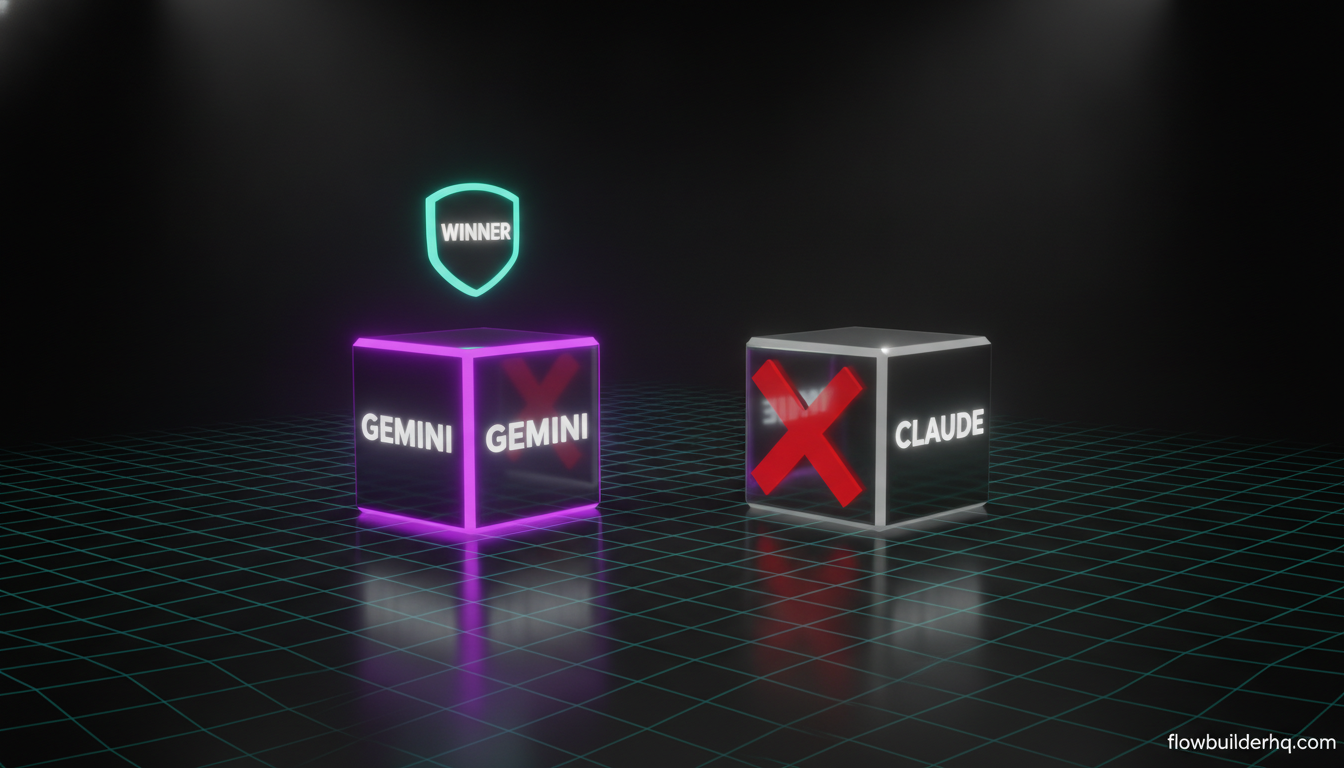
For most solopreneurs, Claude is the better daily driver. Writing quality, instruction-following, automation prompt reliability, and client communication judgment all favor it. If content and client work make up the majority of your AI usage, Claude earns the $20/mo more consistently.
Gemini earns its place in specific situations: you’re in Google Workspace all day, you need live search, or you’re regularly working with document volumes that exceed Claude’s context window. These are real use cases, not edge cases — just not the majority case for most one-person service businesses.
The case for running both is weaker than it looks. $40/mo for two general-purpose AI tools is a budget that could go toward a more specialized tool or toward the automation layer that connects whatever AI you pick to the rest of your business. Pick one, use it consistently, build your prompts and workflows around it.
For the automation side, knowing what to automate first is the decision that actually affects your output — the AI model you use inside those automations matters less than building them in the first place. And if you want the broader picture on which AI tools actually save time in 2026, that’s the next read.
There’s also a more detailed head-to-head in our Gemini Advanced vs Claude for solopreneur writing and research tasks post if you want to go deeper on specific task types before you decide.
For the Gemini side, Google’s own product page has the current plan details and Workspace integration specifics — worth checking if you’re already in the Google ecosystem and want to see exactly what’s included before committing.
Building this yourself? Get the workflow pack.
5 ready-to-import n8n workflows — lead capture, invoicing, content repurposing, onboarding, social posting. Free.