Best Automation Tools for Online Course Creators Who Sell Without a Team
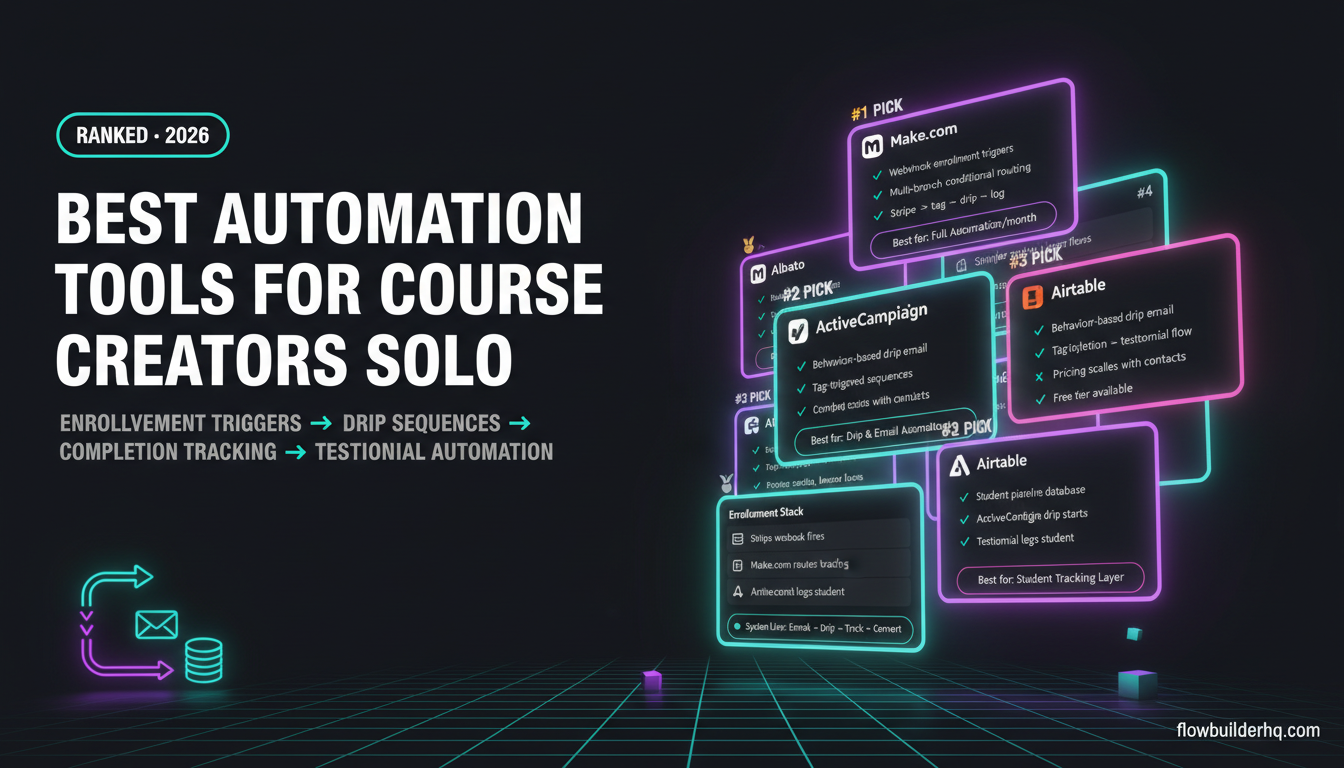
If you sell an online course solo as one of the best automation tools for online course creators who sell without a team can attest, every new enrollment triggers a chain of tasks that eats into the time you should be spending creating. Someone buys, and suddenly you need to tag them in your email tool, kick off a drip sequence, fire a welcome message, log the sale, schedule a completion check-in, and eventually send a testimonial request. None of those steps are hard. But together, they add up to a part-time job you never agreed to take.
This list covers the tools that actually solve that problem for course creators who sell without a team. Not tools for enterprise LMS platforms. Not generic productivity apps. The criteria here are simple: does it handle the specific trigger-action chains that course sales create, and can a solo operator set it up without a developer?
Before picking anything, it helps to think clearly about what you actually need from an automation tool — the decision isn’t always obvious from feature lists alone.
The Automation Needs That Make Course Creators Different
Course creators have a distinct set of repeating workflows that most generic automation lists ignore:
- Enrollment triggers — a purchase fires a sequence of downstream actions across multiple platforms
- Drip email delivery — content released on a schedule tied to enrollment date, not calendar date
- Completion tracking — knowing who finished a module or the full course without checking manually
- Testimonial and review requests — timed outreach after a student completes, not just after they buy
- Abandoned cart and pre-sale nurture — recovering people who didn’t finish checkout
The tools below were evaluated against these specific needs. A tool that’s great for agency project management but useless for enrollment webhooks didn’t make the cut.
1. Make.com — Best Overall Automation Layer for Course Creators
Make.com is the automation backbone that ties your course platform, email tool, CRM, and anything else together. It’s built around a visual scenario editor where you connect apps through modules — and for course creators, this matters because your enrollment workflow touches at least three or four different services.
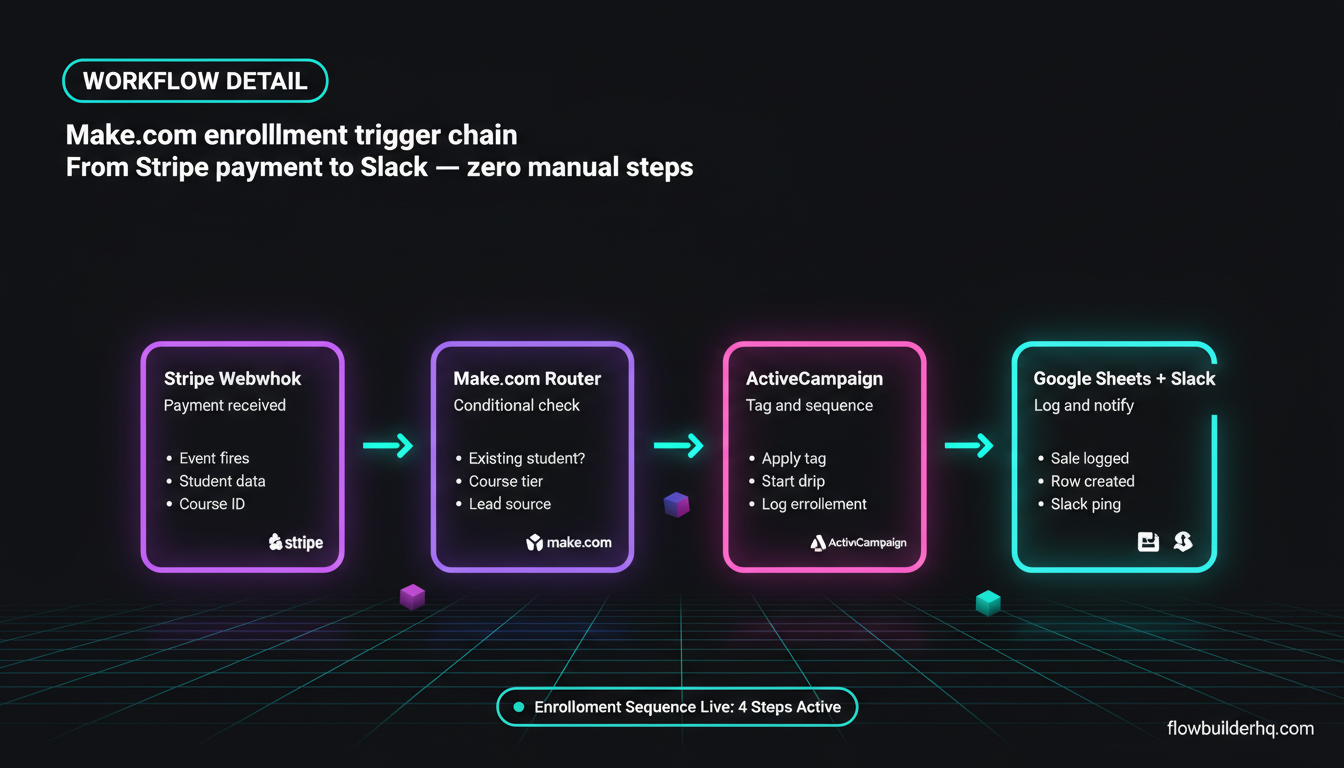
A typical Make.com scenario for course enrollment looks like this: Stripe payment webhook fires → Make.com catches it → checks if the student already exists in your email list → tags them → adds them to a drip sequence → logs the sale in a Google Sheet → sends a Slack notification to yourself. That entire chain runs without you touching anything.
What makes Make.com specifically strong for course work is its webhook handling and conditional routing. You can branch logic based on which course was purchased, which tier the student bought, or whether they came from a specific lead magnet. That level of specificity matters when you’re running multiple courses or offer upsells.
The full breakdown of Make.com for student onboarding and delivery goes deeper if you want to see the exact module setup. Short version: it handles enrollment triggers better than any tool on this list because it was built for multi-step conditional logic, not just simple if-then chains.
Real con: The scenario editor has a learning curve. Your first multi-branch workflow will take longer than expected, and debugging filter logic when something doesn’t fire is genuinely annoying until you learn the error logs.
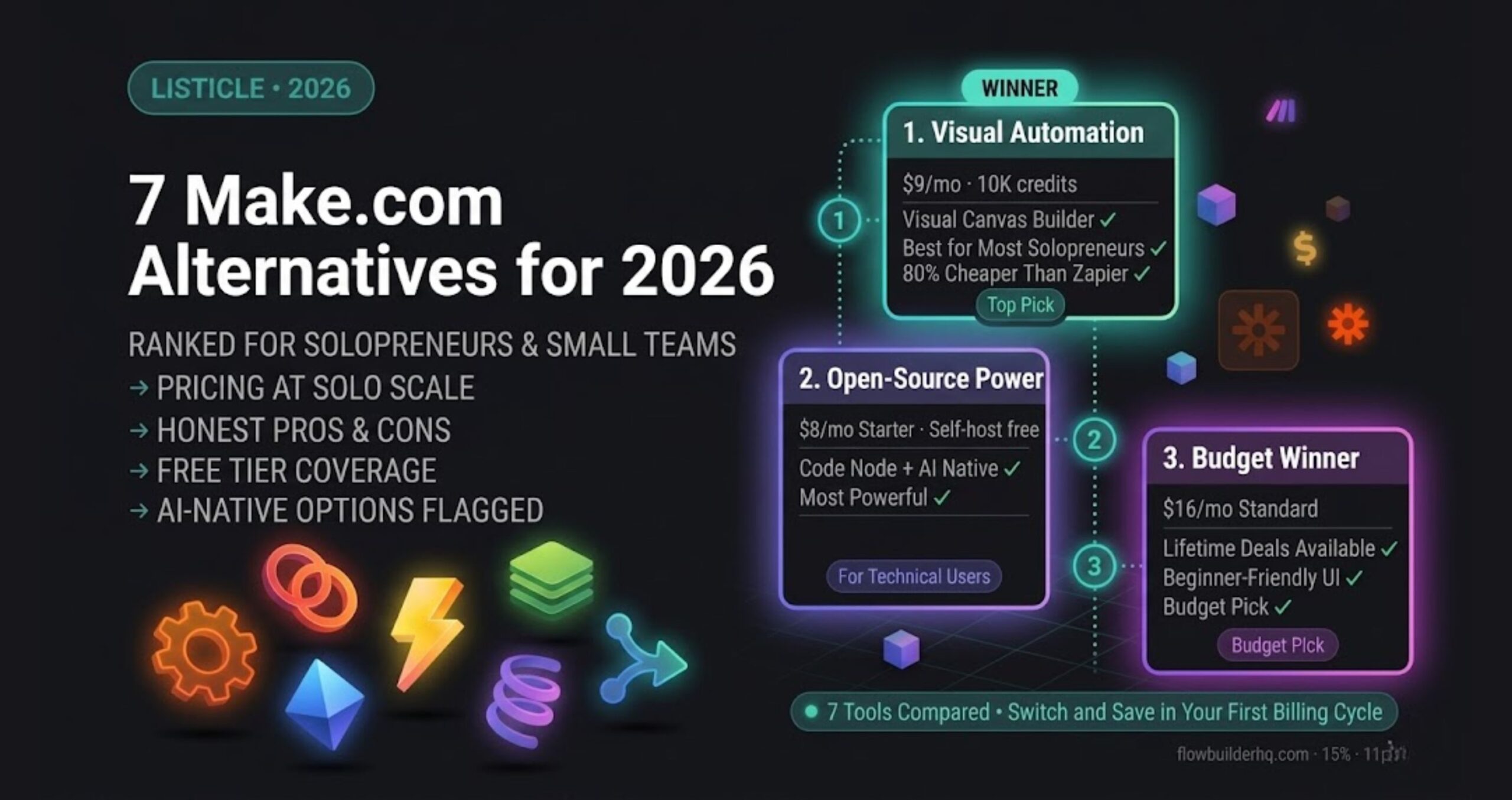
Pricing: Free plan includes 1,000 ops/month — enough to test. Core is $9/mo, Pro $16/mo. Most solo course creators land on Core or Pro once they go live.
Who it’s for: Anyone running a course on Teachable, Thinkific, Kajabi, ThriveCart, or selling via Stripe who wants a proper automation layer without writing code.
Try Make.com free — 1,000 ops/month at no cost, no card required.
2. Albato — Best Make.com Alternative if You Want Simpler Setup
Albato is a lesser-known automation platform that punches above its weight for course creator use cases. It has direct integrations with several course platforms that Make.com doesn’t natively support without a workaround, and its interface is genuinely faster to set up for linear workflows.
Where Albato wins is in the middle-ground scenarios: you need more than Zapier’s basic triggers, but you don’t want to spend an afternoon building a Make.com scenario from scratch. Albato’s flow builder is linear by default, which makes enrollment-to-email sequences feel natural — add a student to a course, tag them in your email tool, start a drip, done.
The completion tracking use case is where Albato shows its limits. If your course platform fires a webhook on lesson completion, Albato can receive it and trigger an action. But building branching logic — “if the student completed module 3 but not module 4, send this specific email” — gets cumbersome compared to Make.com’s router system.
For straightforward enrollment automation and testimonial request sequences, Albato handles it cleanly. The comparison of no-code workflow tools for solo operators gives more context on where Albato sits in the broader landscape.
Real con: Fewer native integrations than Make.com. If your course stack includes niche tools, you’ll hit walls and need to use webhooks to bridge gaps.
Pricing: Free trial available. Pro is $25/mo, Business $59/mo. Reasonable for what you get.
Who it’s for: Course creators who want automation without complexity — simpler funnels, fewer conditional branches, faster time to first working flow.
Try Albato free and see if it fits your stack before committing.
3. ActiveCampaign — Best for Drip Sequences and Completion-Triggered Email
ActiveCampaign is not an automation connector — it’s an email marketing platform with automation built in. The distinction matters: while Make.com and Albato are wiring tools, ActiveCampaign is where the actual student communication lives and gets sequenced.
For drip email specifically, ActiveCampaign’s automation builder is purpose-built for exactly what course creators need. You can set up sequences that trigger on enrollment date, pause if a student opens a specific email, branch based on whether they clicked a link, and re-enter a sequence when a tag is applied by an external trigger (like a completion webhook caught by Make.com).
The combination that works well: Make.com catches your course platform’s completion event, applies a tag in ActiveCampaign, and that tag triggers a testimonial request sequence that sends three days later. That’s a clean two-tool architecture that doesn’t require a developer to maintain.
Testimonial collection is one of the highest-ROI automations a course creator can build. If you’re doing that manually, you’re leaving social proof on the table. The feedback collection workflow using Make.com and Tally is a close analog to how testimonial requests work — same trigger logic, different destination.
Real con: ActiveCampaign’s pricing scales with your contact list, which gets painful as you grow. The Starter plan at $15/mo covers 1,000 contacts, but Plus at $49/mo is where you get the features that actually matter for advanced drip logic.
Who it’s for: Course creators with more than a few hundred students who want email automation that responds to behavior, not just time delays.
4. ThriveCart — Best for Enrollment Triggers and Checkout Automation
ThriveCart is where enrollment begins for many solo course sellers — it’s a checkout platform that also handles upsells, affiliates, and course delivery via ThriveCart Learn. What makes it automation-relevant is its built-in rule system and webhook support.
When a student completes checkout in ThriveCart, it fires a webhook that Make.com or Albato can catch. From there, every downstream step — email tagging, CRM logging, Slack notification — runs automatically. ThriveCart also has native integrations with most major email platforms, so for simple cases, you might not need a connector tool at all.
The built-in abandonment cart logic is genuinely useful: ThriveCart can trigger follow-up sequences for people who hit the checkout page but didn’t buy, without any external automation tool. For a solo operator, that’s one less workflow to build and maintain.
The course delivery side (ThriveCart Learn) also fires completion events, which means you have a clean path from purchase → course access → completion → testimonial request — all within one platform or connected via webhook.
Real con: ThriveCart Learn’s course builder is functional but basic. If you’re teaching complex courses with heavy community components, you’ll hit its limits fast.
Pricing: Pricing varies — check current pricing on their site. They’ve historically offered lifetime deals, but standard annual pricing applies for most buyers now.
Who it’s for: Course creators who want checkout, upsells, and basic course delivery in one tool with strong webhook support for external automation.
5. Beehiiv — Best for Email if You Run a Newsletter Alongside Your Course
Not every course creator runs a newsletter, but many of the most successful ones do — and if that’s you, Beehiiv changes the email automation math. It’s a newsletter platform that handles subscriber management, automations, and segmentation without the complexity overhead of ActiveCampaign.
For course creators, Beehiiv makes sense when your audience acquisition runs through a newsletter. You publish content, build an audience, and sell courses to subscribers who already trust you. The automation layer handles welcome sequences, segmentation by interest, and promotional sends to specific subscriber segments.
Beehiiv doesn’t handle enrollment drip sequences the way ActiveCampaign does — it’s not designed to trigger on course platform events. But paired with Make.com (which catches enrollment webhooks and applies Beehiiv tags via API), you can build a functional hybrid: newsletter nurture on Beehiiv, transactional enrollment sequences on your course platform or a secondary tool.
If you’re deciding between email platforms for a creator-first business, the comparison of MailerLite, ActiveCampaign, and HubSpot for solopreneurs lays out the trade-offs clearly.
Real con: Beehiiv’s automation capabilities are more limited than ActiveCampaign’s for behavioral triggers. If you need complex conditional sequences, you’ll feel the ceiling.
Pricing: Check current pricing — Beehiiv has updated its plans. Free tier is available for smaller lists.
Who it’s for: Course creators whose primary marketing channel is a newsletter. If you’re not running one, use ActiveCampaign instead.
Try Beehiiv if your audience lives in your newsletter first.
6. Airtable — Best for Tracking Students, Completions, and Testimonials
Airtable is not an automation tool by itself, but it functions as the database layer that makes course creator automation actually useful. Without a place to track students, completions, and outreach status, your automations run blind.
A practical Airtable setup for a course creator looks like this: one base with a Students table (name, email, course purchased, enrollment date, completion date, testimonial status). Make.com writes to this table on enrollment, updates it on completion, and flags students who are ready for testimonial outreach. You can see at a glance who’s at what stage without manually checking your course platform.
This pairs naturally with a Make.com and Airtable workflow for project management — the same logic applies to student management. Airtable becomes your source of truth, and Make.com keeps it current.
The Airtable platform also has its own automation builder, which handles simple triggers (new record created → send email). For basic use cases, you might not need Make.com at all. But for anything involving multi-step conditional logic, Make.com handles it better.
Real con: Airtable’s per-seat pricing gets expensive if you ever collaborate. For solo use, the free tier covers basic tracking, but the Team plan at $20/seat/mo is necessary for automations and some views.
Pricing: Free tier available. Team plan $20/seat/mo. Business $45/seat/mo.
Who it’s for: Course creators who want a visual database of their student pipeline with completion and outreach tracking built in.
7. MailerLite — Best Budget Email Option for New Course Creators
If you’re launching your first course and want to keep costs close to zero while still having functional automation, MailerLite is the honest recommendation. It’s not the most powerful email platform, but it covers enrollment welcome sequences, drip delivery, and basic segmentation at a price point that makes sense when you have fewer than 500 subscribers.
MailerLite’s automation builder handles time-based drip sequences well. You can set up a 7-day onboarding sequence that goes out after someone joins your list (triggered by a tag applied from your course platform webhook via Make.com), and it runs reliably. For testimonial requests, a simple delayed automation that fires 14 days after a completion tag is applied does the job.
Where MailerLite falls short is behavioral logic. If you want sequences that pause, branch, or re-trigger based on what a student clicked or completed, you’ll hit its limits faster than you’d like. ActiveCampaign handles that complexity much better — but costs more.
The ActiveCampaign vs MailerLite breakdown is worth reading before you commit to either. The short answer: start with MailerLite, migrate to ActiveCampaign when behavioral triggers become essential.
Real con: MailerLite’s deliverability has received mixed reports at higher send volumes. For a small, engaged list it’s fine. As your course audience grows, watch your open rates.
Pricing: Free up to 500 subscribers. Growing plan $10-15/mo. Advanced $18-25/mo.
Who it’s for: Course creators at the beginning — first course, small list, tight budget. Upgrade when your list or automation needs outgrow it.
The Stack That Actually Works for Solo Course Sellers
Most solo course creators don’t need all seven tools. The minimum viable automation stack looks like this:
- Course platform with webhook support (Teachable, Thinkific, ThriveCart, Kajabi)
- Make.com or Albato as the automation connector
- ActiveCampaign or MailerLite for email sequences
- Airtable or Google Sheets for student tracking
That four-tool stack handles enrollment, drip delivery, completion tracking, and testimonial requests without any manual work after setup. The full solopreneur tech stack breakdown for 2026 covers how these layers fit together across different business types if you want a broader view.
Common automation mistakes trip up course creators at the workflow-building stage — especially around filter logic and error handling. The 7 workflow automation mistakes solopreneurs make covers the exact failure points to avoid before they cost you lost enrollments.
If you’re deciding between Make.com and a simpler tool for the connector layer, the honest answer is: if you have more than one course or plan to add upsells, Make.com’s conditional routing pays for itself in saved setup time. If you’re selling a single course with a linear funnel, Albato gets you there faster. Either way, start with the lead magnet delivery workflow — it’s the cleanest entry point to see how these enrollment triggers actually fire before you build the full stack.
For the Make.com setup specifically, the Make.com workflow guide for coaches and consultants maps closely to course creator needs — the client onboarding logic is nearly identical to student onboarding, and the patterns transfer directly.
The bottom line: course creators have distinct automation needs that most listicles don’t address directly. Enrollment triggers, behavior-based drip sequences, and completion-timed testimonial requests are not the same as generic business automation. Pick tools that were built — or can be configured — to handle that specific chain.
Start with Make.com on the free plan and wire your first enrollment trigger in an afternoon. The ops limit is generous enough to run a real course at low volume before you need to upgrade.
Building this yourself? Get the workflow pack.
5 ready-to-import n8n workflows — lead capture, invoicing, content repurposing, onboarding, social posting. Free.